- Automation Testing
- June 1, 2026
Top 10 WCAG Checkers for Accessibility Compliance
Ensuring your website is usable for everyone isn’t just a moral imperative—it’s a business and legal necessity. One of the most critical elements of a usable interface is readability, which is why designers and developers often start their journey with a Free Color Contrast Analyzer Tool. High contrast between text and its background ensures that users with visual impairments, including color blindness and low vision, can navigate your content without barriers. However, while color is a great starting point, achieving full compliance requires a more robust approach involving specialized software and expert audits.
The Growing Importance of Digital Accessibility
Digital accessibility means that websites, tools, and technologies are designed and developed so that people with disabilities can use them. As more services move online—from banking to healthcare—the cost of exclusion rises. For businesses operating in India, the stakes have recently increased. The Securities and Exchange Board of India (SEBI) has introduced strict guidelines, making a WCAG Compliance Audit For SEBI Regulated Entities India essential for financial institutions to avoid legal repercussions and ensure financial inclusion.
Whether you are a developer in the USA or a FinTech firm in Mumbai, using a WCAG checker online is the first step toward identifying the “low-hanging fruit” of accessibility errors.
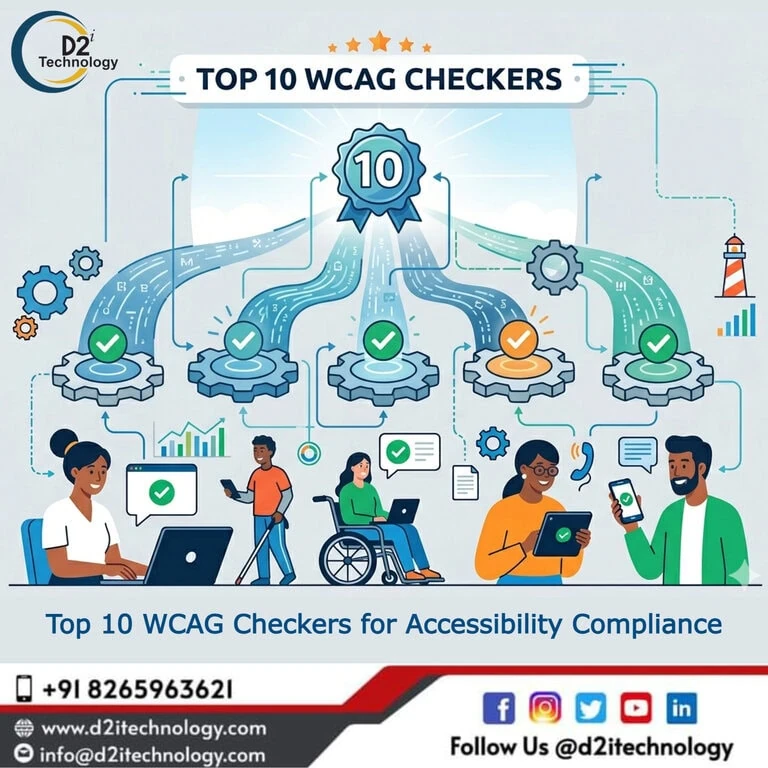
Top 10 WCAG Checkers for Accessibility Compliance
To help you navigate the sea of available tools, we have curated a list of the top checkers that balance automated efficiency with depth of analysis.
1. WAVE (Web Accessibility Evaluation Tool)
WAVE is a community favorite. It provides visual feedback about the accessibility of your web content by injecting icons and indicators directly into the page. It’s an excellent companion to any Free Color Contrast Analyzer Tool because it shows you exactly where the contrast fails in situ.
2. Axe DevTools
Built by Deque, Axe is a powerhouse for developers. It’s designed to be integrated into your existing development workflow, allowing you to catch common accessibility issues during the coding phase rather than after launch.
3. ARC Toolkit
The ARC Toolkit is a professional-level Chrome extension that performs a deep dive into the DOM. It is particularly effective at identifying complex issues related to ARIA and keyboard navigation, making it a staple for a thorough accessibility audit.
4. SortSite
SortSite is a “one-click” web site evaluation tool used by federal agencies and Fortune 500 companies. It checks for WCAG compliance, broken links, and even SEO issues. It’s a great way to optimize your manual testing process by automating the initial broad-spectrum scan.
5. TPGi Color Contrast Analyser
If you are looking specifically for a Free Color Contrast Analyzer Tool, TPGi offers one of the best standalone desktop applications. It allows you to use an eyedropper to pick colors directly from your screen, ensuring that even non-web elements like PDFs or design mockups meet WCAG standards.
6. Pa11y
For teams that love automation and the command line, Pa11y is an open-source tool that can be scripted to run against your site regularly. This ensures that as you push new code, your accessibility development remains on track.
7. Siteimprove
Siteimprove offers a robust platform for larger enterprises. It provides a dashboard that tracks your accessibility score over time, which is helpful for CTOs who need to report on progress during a WCAG Compliance Audit For SEBI Regulated Entities India.
8. Accessibility Insights (by Microsoft)
This tool offers two main modes: “FastPass,” which quickly checks for common bugs, and “Assessment,” which guides a human through the manual testing steps required for full WCAG 2.1 Level AA compliance. It’s a great bridge between a WCAG checker online and a full manual audit.
9. Google Lighthouse
Integrated directly into Chrome DevTools, Lighthouse is the most accessible starting point for many. While it doesn’t catch everything, its “Accessibility” audit provides a quick health check and actionable feedback for improving your site’s UX and ranking factors.
10. Tenon.io
Tenon is designed to be integrated into your build process. It provides highly accurate results and is often praised for its ability to handle modern, complex JavaScript frameworks, helping to solve web accessibility with AI and scalability.
Why Automated Tools Aren’t Enough
While using a WCAG checker online is a fantastic way to start, automation typically only catches about 30% to 40% of accessibility barriers. Complex issues like meaningful sequence, focus order, and the nuances of screen reader compatibility require the human touch.
For instance, an automated tool can tell you if an image has “alt text,” but it cannot tell you if that text is actually helpful to a user. This is why many companies are now seeking a US accessibility auditor or specialized remediation services to ensure they are truly inclusive.
Special Focus: SEBI Compliance in India
India’s financial sector is undergoing a massive transformation. With the recent mandate, SEBI-regulated entities must ensure their digital platforms—including eKYC processes—are accessible. Utilizing a Free Color Contrast Analyzer Tool is just the beginning. Institutions must now look toward SEBI-mandated web accessibility partners who understand the local regulatory framework and the global WCAG standards.
Frequently Asked Questions
Ready to Make Your Digital Presence Truly Inclusive?
Don't leave your accessibility to chance. Whether you need a quick scan or a full SEBI-compliant audit, our team is here to guide you through every step of the WCAG journey.