
- Web Accessibility
- July 6, 2026
What are the 7 pillars of accessibility?
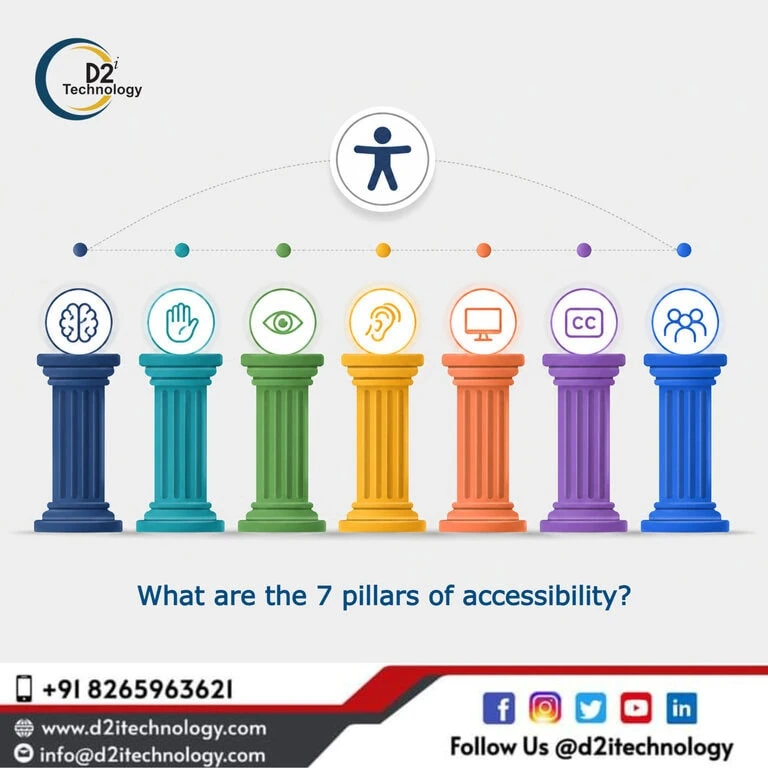
If you’ve been trying to figure out where to start with making your website more inclusive, you’re not alone. Most teams know accessibility matters — but the sheer volume of guidelines, standards, and checklists can make it feel like you need a roadmap just to find the roadmap. That’s exactly where the concept of the “7 pillars of accessibility” becomes genuinely useful.
Think of these pillars as the foundational principles that underpin everything in web accessibility — from the way your forms behave with a keyboard to how your color palette holds up for someone with low vision. Whether you’re a developer, designer, product owner, or compliance manager, understanding these pillars gives you a clear mental model for building and evaluating digital experiences that work for everyone.
And if you’re looking for a structured way to assess where your site stands, investing in a professional Accessibility Audit Service in USA is often the most effective place to start. It takes the guesswork out of prioritization and shows you exactly what needs fixing — and why.
Why the 7 Pillars Matter for Digital Accessibility
Before diving into each pillar individually, it’s worth understanding why they exist as a framework at all. WCAG 2.2 — the Web Content Accessibility Guidelines published by the W3C — organizes its success criteria under four core principles: Perceivable, Operable, Understandable, and Robust (commonly abbreviated as POUR). The 7 pillars extend and contextualize these principles in a way that’s more actionable for real-world teams.
They serve as a bridge between high-level standards and practical implementation — which is why many accessibility audit firms use them as an organizing framework when reporting findings to clients.
The 7 Pillars of Accessibility Explained
1. Perceivability
This pillar asks a deceptively simple question: can every user perceive the content on your site, regardless of how they’re accessing it?
Perceivability covers everything from alt text on images and captions on videos to ensuring that information isn’t conveyed through color alone. A user relying on a screen reader, for instance, needs text equivalents for visual content. Someone who is deaf or hard of hearing needs captions or transcripts for audio. If your content only works for one type of user — sighted, hearing, mouse-using — it fails the perceivability test.
Common failures here include missing alt attributes, auto-playing audio without controls, and poor color contrast ratios. The D2i Technology Color Contrast Analyzer is a handy starting point for checking contrast ratios against WCAG thresholds.
2. Operability
Can users actually interact with your interface using whatever input method they rely on? That’s the heart of operability.
This pillar covers keyboard accessibility, skip navigation, timing adjustments, and avoiding content that could trigger seizures (like rapidly flashing elements). A site that works perfectly with a mouse but breaks completely when someone tabs through it isn’t operable for users with motor disabilities or those who simply prefer keyboard navigation.
Keyboard navigation accessibility is one of the most frequently cited issues in professional audits — and one of the most impactful to fix. Users navigating by keyboard, switch access, or voice control all depend on logical, consistent focus order and visible focus indicators.
3. Understandability
A page can be perfectly perceivable and operable and still confuse users entirely. Understandability ensures that both the content and the interface behavior are clear and predictable.
This means writing in plain language, providing helpful error messages in forms, identifying the language of the page in the HTML, and making sure that UI elements behave consistently. If a user fills out a form incorrectly and your error message simply says “Invalid input,” that’s an understandability failure. A better message tells them exactly what’s wrong and how to fix it.
For teams building complex web applications, understandability often requires the most deliberate design thinking. It’s not just about what you say — it’s about how your interface responds under every condition a user might encounter.
4. Robustness
Robustness is about future-proofing. It asks whether your content can be reliably interpreted by a wide range of user agents — including current and future assistive technologies.
This pillar lives largely in the technical layer: clean, semantic HTML, proper use of ARIA attributes, valid markup, and name/role/value requirements for UI components. A custom-built dropdown menu that looks great visually but has no ARIA roles will be completely invisible to screen readers. Robustness is what ensures that as assistive technologies evolve, your site keeps working with them.
This is where accessibility remediation work tends to get the most technical — and where IAAP-certified expertise makes a significant difference.
5. Inclusive Design
Beyond conformance to standards, inclusive design is a mindset. It’s the principle of designing for the full range of human diversity from the beginning — rather than retrofitting accessibility onto a finished product.
Inclusive design acknowledges that disability is not a fixed category. It includes permanent conditions (blindness, deafness, mobility impairments), temporary situations (a broken arm, recovering from eye surgery), and contextual limitations (bright sunlight on a screen, a noisy environment, slow internet). Designing inclusively means your solutions serve everyone better — not just users with disabilities.
Inclusive design principles also align closely with better UX overall. Captions help people watching in public without headphones. Clear error messages help everyone, not just users with cognitive disabilities.
6. Legal and Regulatory Compliance
Accessibility isn’t just good practice — in many contexts, it’s the law. This pillar recognizes that ADA compliance, Section 508, EN 301 549, and other regional standards create binding obligations for many organizations.
In the United States, the ADA Title II rule has extended digital accessibility requirements to state and local government websites and digital services. Financial institutions in India face SEBI-mandated WCAG compliance. Educational institutions in Australia are navigating updated accessibility requirements for 2026.
Understanding the compliance landscape relevant to your organization is a critical part of a mature accessibility strategy — and it’s one reason many companies turn to a professional Accessibility Audit Service in USA to ensure they’re meeting both technical and legal requirements.
7. Continuous Improvement
The final pillar might be the most important for long-term success: accessibility is not a one-time project. It’s an ongoing commitment.
Websites change. New features get added, content gets updated, third-party scripts get integrated. Each change is an opportunity to introduce new accessibility barriers — or to address existing ones. Organizations with mature accessibility programs build it into their development lifecycle: automated scanning in CI/CD pipelines, regular manual testing with assistive technologies, periodic full audits, and clear ownership of accessibility within the team.
Tools like D2i AccessScan can help teams catch common issues early in development, while the D2i Accessibility Toolkit provides broader support for ongoing monitoring. But tools alone aren’t enough — they catch roughly 30–40% of issues. The rest requires human judgment, which is why manual accessibility audits remain essential.
How These Pillars Translate into an Accessibility Audit
When D2i Technology conducts an accessibility audit, these seven pillars shape every step of the process. Our certified auditors evaluate your digital properties against WCAG 2.2 accessibility guidelines, using a combination of automated scanning and manual testing with assistive technologies including screen readers, keyboard-only navigation, and high-contrast modes.
The output isn’t just a list of errors — it’s a prioritized, actionable report organized by impact, effort, and legal risk. We identify which issues affect the most users, which pose the greatest compliance exposure, and which can be fixed quickly versus which require architectural changes.
Our accessibility testing services cover web applications, mobile apps, PDFs, e-learning content, and more — all assessed against the relevant standards for your industry and geography.
Who Needs an Accessibility Audit Service in the USA?
The honest answer is: most organizations with a digital presence. But some sectors face more urgent compliance timelines than others:
Government and public sector entities are now subject to the ADA Title II digital accessibility rule, with deadlines that have already passed for larger bodies and are approaching for smaller ones. An ADA Title II digital accessibility checklist can help you understand your obligations.
Financial institutions — particularly those regulated by SEBI in India or subject to Section 508 in the US — face specific WCAG compliance requirements for financial websites.
Education and e-learning providers must ensure that course content, LMS platforms, and supplementary materials meet accessibility standards. Our team has deep expertise in Articulate Storyline accessibility and e-learning remediation.
Healthcare and telehealth platforms serve users across the full spectrum of ability and age — and often handle high-stakes interactions where clarity and accessibility are non-negotiable.
No matter your sector, if your site hasn’t had a formal audit in the past year or two — or has never had one at all — now is the time. The top accessibility testing companies in the USA can help you understand exactly where you stand.
Why Work with D2i Technology?
At D2i Technology, we’ve been helping organizations build and maintain accessible digital experiences since our early days as a web development and testing firm. Our accessibility practice is led by IAAP WAS-certified professionals who understand both the technical and human dimensions of inclusion.
We’re not here to hand you a 200-item checklist and walk away. Our accessibility remediation services take findings through to resolution — working directly with your development team to implement fixes, verify them with assistive technologies, and document the results for compliance reporting.
Whether you’re starting from scratch, preparing for a regulatory deadline, or looking to embed accessibility into your development culture for the long term, we can help. Explore our full range of accessibility services or learn more about our team.
Frequently Asked Questions
Ready to Make Your Website Truly Accessible?
Whether you're working toward ADA compliance, WCAG 2.2 conformance, or simply want to ensure your site works for every user — D2i Technology's certified accessibility auditors are here to help. We provide thorough, actionable Accessibility Audit Services across the USA and beyond, with real remediation support from start to finish.