
- Developer Tools
- November 20, 2026
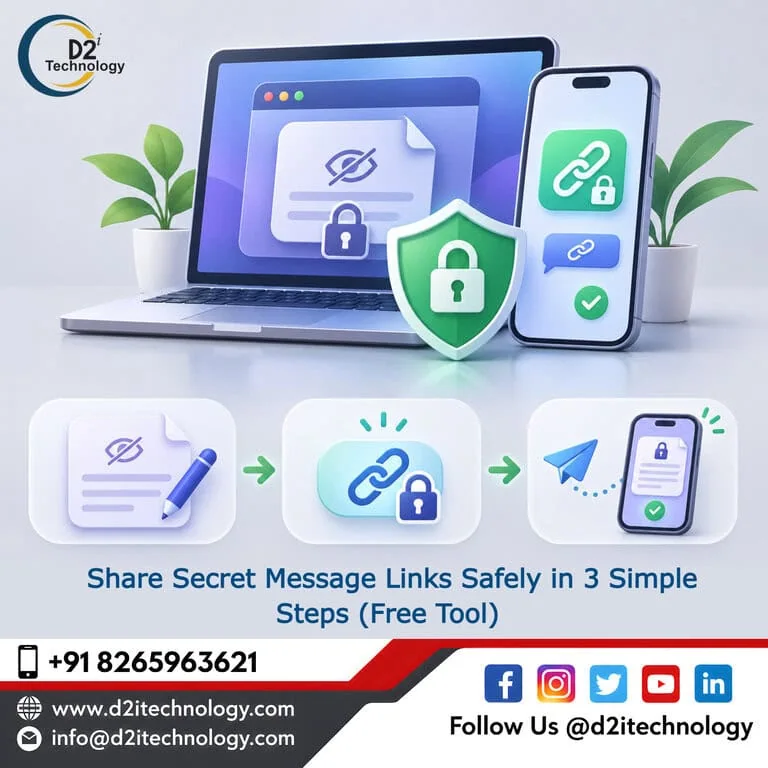
Share Secret Message Links Safely in 3 Simple Steps (Free Tool)
Imagine sending a database password to a colleague on Slack. They get the details, finish their work, and everyone moves on.
But what happens to that password?
It’s probably still sitting in the chat history. Six months from now, someone with access to that conversation could find it just by searching for “password.”
The same thing happens when we share API keys, hosting credentials, or temporary login details through email and messaging apps. We send them because it’s convenient, but we rarely think about where those messages end up.
That’s why we created Share Secret Message, a free tool from D2i Technology that lets you share sensitive information using a one-time encrypted message link.
You don’t need to create an account or install anything. Just enter your message, generate a secure link, and share it with the person who needs it. Once they’ve opened the message successfully, the stored copy is deleted.
The tool is available through D2i DevTools, our collection of free online utilities for developers.
In this guide, we’ll walk through the three steps, explain how your message is handled, and discuss when this approach makes sense.
Why You Shouldn’t Share Passwords Through Regular Chat or Email
Think about how often passwords and other sensitive details get shared during a normal working week.
A developer needs access to a staging database. Someone from the marketing team needs a website login. A client sends hosting credentials to their development agency.
Usually, the easiest option is email, WhatsApp, or Slack.
There’s nothing unusual about that. The problem is what happens afterwards.
Most messaging platforms are designed to keep conversations. They make it easy to search old messages, restore chat histories, and access information from different devices.
That’s useful for everyday communication. Not so much for sensitive credentials.
An email containing a password might remain in your sent folder and the recipient’s inbox for years. Slack messages may be retained in workspace history, depending on the organization’s settings. Backups can preserve additional copies.
And deleting a message from your own device doesn’t necessarily remove it everywhere else.
If someone gains unauthorized access to one of those accounts, old credentials could become an easy target.
The OWASP Secrets Management Cheat Sheet explains why properly storing, managing, and rotating credentials matters.
But even when a company has good security practices, the simple act of sharing a password between two people can still create unnecessary exposure.
For that kind of one-time exchange, a message that disappears after being read is a more practical option.
How to Share Secret Message Links in 3 Simple Steps
We wanted the tool to be straightforward. You shouldn’t need to spend ten minutes configuring settings just to send someone a password.
Here’s how it works.
Step 1: Enter Your Secret Message
First, open the Share Secret Message Tool.
You’ll see a field where you can type or paste the information you want to share.
It could be:
- A temporary account password
- An API key for a development project
- Database connection details
- Hosting or server credentials
- A short block of environment variables
The tool accepts messages up to 32 KB, which should be enough for most short credentials and configuration details.
You don’t need to sign up, provide an email address, or pay anything.
Just paste your message and submit it.
Step 2: Generate Your Secure Link and Password
After you submit your message, the tool creates a secure link along with a randomly generated password.
You’ll receive two separate pieces of information:
The message link: This is the URL your recipient will open to access the secret.
The generated password: Your recipient will need this password to unlock and read the message.
The message itself is stored in encrypted form rather than as plain text.
We also made the password automatic, so you don’t have to think of one yourself.
People often choose passwords that are easy to remember, and that sometimes means reusing something they’ve used before.
A randomly generated password avoids that particular problem.
Once you’ve copied both details, you’re ready for the most important part.
Step 3: Share the Link and Password Separately
Here’s where a small change in habit makes a big difference.
Don’t send the link and password together in the same message.
If you email both details to someone, anyone who gets access to that email could potentially open the secret.
Instead, use two different communication channels.
For example, send the secret message link through email and the generated password through WhatsApp or SMS.
If you’re working with a colleague, you could share the link on Slack and provide the password over a phone call.
This way, someone who intercepts only the link won’t have everything needed to read your message.
Your recipient opens the link, enters the password, and views the information.
Once the message has been successfully opened, the tool deletes the stored copy.
If the recipient tries to use that same link again, the message will no longer be available.
And if nobody opens the link, it automatically expires after 24 hours.
That’s it. Three steps, without leaving a password sitting in an old conversation indefinitely.
A Simple Example: Sharing Database Credentials With a New Developer
Let’s say a new developer joins your team on Monday.
They need access to the staging database to start working on a project.
You could send the connection string through Slack, which is probably what many teams would do.
But that connection string might remain in the conversation long after the developer has finished their work.
Instead, you open Share Secret Message and paste the database connection details.
The tool gives you a link and a password.
You send the link through the developer’s work email and share the password through another channel.
They open the link, enter the password, and copy the credentials into their local environment configuration.
Once they successfully access the message, the server-side copy is deleted.
Now, the email contains a link that no longer reveals the credentials. The password shared separately is no longer useful for opening that message.
The developer has what they need, without leaving the original credentials in the email conversation.
It’s a small change to the onboarding process, but it can reduce unnecessary exposure.
What Happens to Your Secret Message After You Send It?
Whenever you’re using a tool to share sensitive information, it’s reasonable to ask where that information goes.
Share Secret Message works differently from many of the other utilities available on D2i DevTools.
Most of our developer tools process information without needing to save it.
A one-time message tool, however, needs to keep the information available until the recipient opens it.
Here’s how Share Secret Message handles that process.
Your Message Is Stored in Encrypted Form
When you submit a secret, the tool encrypts the message before storing it.
The database holds the encrypted data rather than the original readable text.
The password needed to open the message isn’t stored alongside the encrypted content.
That separation is an important part of how the tool protects the message.
The Message Can Only Be Opened Once
After someone enters the correct password and successfully opens the message, the stored record is deleted.
The same link can’t be used to retrieve the message a second time.
This is useful when you’re sharing temporary credentials or information that only needs to be passed from one person to another.
Unopened Messages Expire After 24 Hours
What if someone forgets to check the link?
The secret won’t remain on the server indefinitely.
If it hasn’t been opened within 24 hours, the message expires and the stored record is removed.
You’ll need to create a new message if the recipient still needs the information.
It’s worth remembering that deleting the stored message doesn’t delete copies the recipient may have saved elsewhere. The tool controls the original transfer, not what happens after someone reads the content.
When Should You Use Share Secret Message?
Not every piece of sensitive information needs a special sharing tool.
But there are situations where using a one-time message makes good sense.
Sharing temporary login credentials
Suppose you’ve created a temporary account for a contractor. Rather than placing the password in an email, you can send it through a one-time link.
Passing API keys to another developer
If a colleague needs an API key for testing or development, Share Secret Message provides a way to deliver it without leaving the original key in your chat history.
Sending hosting details to an agency
Clients frequently need to share website administration, hosting, or DNS access with developers.
A one-time message can make the handoff easier without keeping the actual credentials in an ordinary email thread.
Sharing database connection information
Developers regularly exchange configuration values while setting up new projects.
A temporary link is useful when one person needs to send those details to another.
Sending recovery information
Some recovery codes and temporary access details need to be passed privately. A one-time link can help, provided the recipient is authorized to receive them.
In each case, the idea is the same: share the information with the right person without keeping an unnecessary long-term copy in the conversation.
What Share Secret Message Doesn’t Do
It’s important to understand the limitations of any security tool.
Share Secret Message is useful for transferring sensitive text, but it isn’t meant to replace every other way of protecting credentials.
It Isn’t a Password Manager or Secrets Vault
If your application needs to access a database password every time it starts, a one-time link isn’t the right place to store that password.
For ongoing credential management, use a proper solution such as AWS Secrets Manager, Azure Key Vault, HashiCorp Vault, or encrypted environment variables supported by your hosting platform.
Those tools serve a different purpose.
Share Secret Message is designed for securely passing information from one person to another.
It Can’t Control What Happens After Someone Reads the Message
A recipient can still copy the contents, take a screenshot, or save them in an insecure location.
The tool reduces how long the original message remains stored, but it can’t guarantee that the recipient will handle the information correctly.
The Expiration Time Is Fixed
Every unopened message expires after 24 hours.
If you’re sharing information with someone in a different time zone, make sure they’ll be able to access it before it expires.
Otherwise, you’ll need to generate another link.
It’s Designed for Text, Not File Transfers
Need to transfer a document or another file?
You can use our separate Send a File Tool instead.
And whenever possible, use temporary credentials that can be changed or revoked after the handoff.
A one-time message can help protect how credentials are delivered. It doesn’t replace good access management.
Other Free D2i DevTools You Might Find Useful
Share Secret Message is one of several free utilities we’ve built for developers.
If you regularly work with credentials, authentication, or application configuration, these tools may also come in handy.
Need a strong password for a temporary account? Generate one instead of making up another password yourself.
Create random keys for development, testing, and other suitable technical tasks.
Working on authentication? This tool helps you inspect JWT contents and understand the claims inside a token. Remember that decoding is not the same as verifying a token’s signature.
You can explore more utilities in our guides to free security tools for developers and online developer tools used in everyday development.
Our D2i Technology Tools page also brings together the free tools available to developers.
What About Passwords You’ve Already Shared?
Using a one-time link is a good habit for future messages.
But what about all the credentials your team has already shared through email, Slack, or other platforms?
Those messages don’t automatically disappear just because you’ve started using a safer method.
Some may contain credentials that are still active.
And even if someone removed a secret from a Git repository, it may still exist in the commit history.
That’s why it’s worth reviewing how your team currently handles sensitive information.
Start with a few practical questions.
Are database passwords being shared in group chats? Do old contractors still have access to accounts? Are API keys saved in documents that too many people can open? Have temporary credentials been left active longer than necessary?
Finding and fixing these issues can make a meaningful difference.
At D2i Technology, our security testing services help businesses identify weaknesses in how sensitive information and systems are protected.
Our teams also provide API penetration testing and cloud penetration testing to help identify security risks involving applications, cloud environments, and access controls.
For organizations that want to improve their ongoing processes, our SecOps services and DevOps services can support stronger approaches to credential management and operational security.
If your business handles personal data in India, protecting access credentials is also relevant to data protection responsibilities under the Digital Personal Data Protection Act and applicable rules. You can learn more about our DPDP Act compliance services.
We’ve also covered related topics in our articles on moving from DevOps to DevSecOps and protecting enterprises with SecOps.
For a wider look at application security risks, the OWASP Top 10 is another useful resource.
Start Sharing Sensitive Information More Carefully
You don’t have to change your team’s entire workflow overnight.
Sometimes, improving security starts with something as simple as changing how you send a password.
The next time a colleague asks for database credentials, an API key, or a temporary login, think about whether that information really needs to remain in your email or chat history.
If the answer is no, try Share Secret Message.
Enter your message, generate the link and password, and send them through separate channels.
It only takes a few steps, and you won’t have to rely on remembering to delete that sensitive message later.
Try Share Secret Message for free through D2i DevTools.
Frequently Asked Questions
Find the Secrets Your Team Has Already Shared
D2i Technology's security testing team checks where credentials are exposed, whether they still work, and how to move them into proper secrets management.