
- Web Accessibility
- September 14, 2026
10 Accessibility Checkpoints in Every SDLC Phase
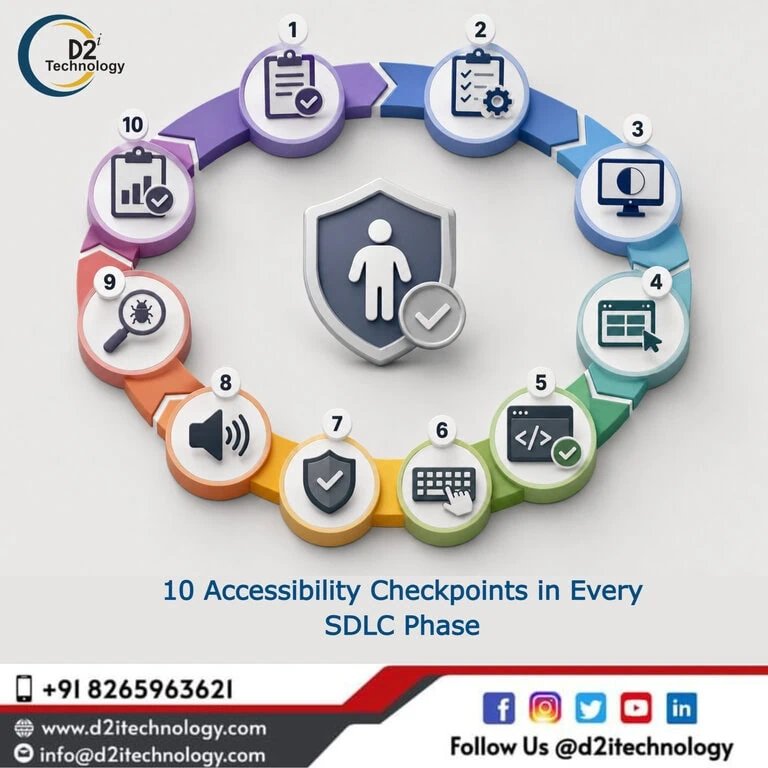
Most accessibility checklists are audit checklists — lists of things to verify after a product is built. Accessibility checkpoints in SDLC work differently: they’re verification points distributed throughout the development lifecycle, timed to catch different categories of accessibility issues at the stage where catching them costs the least. A checkpoint in the design phase catches color and component decisions before they’re implemented. A checkpoint at code merge catches structural violations before they reach QA. A checkpoint before release catches behavioral issues that automated tools miss. Together, these checkpoints form a system that prevents accessibility debt from accumulating rather than a system that remediates it after the fact.
This post maps 10 specific, practical checkpoints across the five core SDLC phases — planning, design, development, testing, and release/post-deployment — with what each checkpoint verifies, who performs it, and what passing looks like.
Phase 1: Planning and Requirements
Checkpoint 1: Accessibility Requirements Defined in Specifications
What it verifies: That accessibility acceptance criteria are explicitly included in every user-facing feature specification before development begins — not as a general reminder to “follow WCAG” but as specific, testable criteria for the feature type being built.
Who performs it: Product owner or business analyst, ideally with accessibility specialist review.
What passing looks like: Every user-facing story in the sprint has at least one accessibility acceptance criterion that is specific (names the WCAG criterion or describes the behavior) and testable (can be verified without subjective interpretation). For forms: labeled inputs, error announcements, keyboard operability. For modals: focus trapping, Escape key behavior, return focus on close. For authentication flows: WCAG 3.3.8 (no cognitive function tests without alternatives) addressed.
What failing looks like: Generic “meet accessibility standards” language in specs, or accessibility not mentioned at all.
Checking the right accessibility elements throughout the development process provides a reference structure for the types of criteria that belong in feature specifications.
Checkpoint 2: Accessibility Acceptance Criteria in the Definition of Done
What it verifies: That the team’s Definition of Done includes accessibility verification as a non-optional requirement for closing any user-facing story.
Who performs it: Scrum Master, Engineering Manager, or whoever owns the team’s DoD.
What passing looks like: The DoD contains items that cannot be waived for accessibility: automated scan pass, keyboard navigation verified, focus indicators visible and WCAG 2.4.11 compliant, screen reader behavior checked for dynamic content and interactive elements.
What failing looks like: A DoD that mentions accessibility but frames it as optional or as a “best effort” item that can be waived when timelines compress.
Phase 2: Design
Checkpoint 3: Color Palette and Contrast Verified Before Implementation
What it verifies: That all color combinations planned for the design system — text on backgrounds, UI component boundaries, focus indicators, meaningful icons — meet WCAG contrast requirements before any implementation uses them.
Who performs it: Designer or UX lead.
What passing looks like: Every color pairing used for text meets 4.5:1 (normal text) or 3:1 (large text). UI component boundaries and focus indicators meet 3:1 (WCAG 1.4.11). Dark mode equivalents checked separately. D2i Technology’s free Color Contrast Analyzer provides real-time ratio checking for any pairing during this process.
What failing looks like: Color decisions made based on visual aesthetics only, with contrast verified only if an accessibility reviewer happens to flag it.
Checkpoint 4: Interactive Component Accessibility Specifications Complete
What it verifies: That every interactive component in the design — modals, dropdowns, date pickers, accordions, carousels, tabs, data tables — has its keyboard interaction model and screen reader behavior specified before handoff to development.
Who performs it: Designer in collaboration with accessibility specialist or senior frontend developer.
What passing looks like: Each component specification includes: keyboard interaction pattern (tab, arrow keys, Enter, Escape, Space as applicable), ARIA role to be used, expected screen reader announcement on open/change/focus, focus management behavior (where focus goes when the component opens and closes).
What failing looks like: Design specs that show visual states without specifying keyboard or screen reader behavior, leaving these decisions to individual developers to figure out during implementation.
Phase 3: Development
Checkpoint 5: Linting Tools Active and Flagging Violations at Write Time
What it verifies: That accessibility linting is configured and running in developers’ code editors, flagging violations as code is written rather than during code review.
Who performs it: Developer or DevOps engineer (setup); each developer verifies in their own environment.
What passing looks like: ESLint with jsx-a11y plugin (for React projects) or equivalent configured and producing inline warnings for missing ARIA attributes, incorrect semantic HTML, empty link/button text, and similar detectable issues. Violations addressed before code is committed.
What failing looks like: Linting configured but not enforced, or not configured at all — meaning write-time feedback isn’t happening and violations accumulate until code review or the CI pipeline catches them.
How a practical web accessibility guide for developers addresses implementation choices at the code level is the reference that developers need alongside write-time tooling.
Checkpoint 6: Keyboard Navigation Tested for Every Interactive Feature
What it verifies: That each interactive feature being developed is operable using keyboard-only navigation: all elements reachable by Tab, appropriate activation with Enter/Space, logical focus order, visible focus indicators meeting WCAG 2.4.11 requirements, no keyboard traps.
Who performs it: Developer, before marking a story ready for review.
What passing looks like: Developer can navigate the full user flow of the feature using only the keyboard — reaching every interactive element, activating every control, completing every form submission — without getting trapped or losing track of focus at any point.
What failing looks like: Keyboard testing deferred to QA, resulting in issues that require code changes after QA review rather than being caught during development.
Checkpoint 7: Automated Accessibility Scan Passes in CI/CD Before Merge
What it verifies: That automated WCAG scanning integrated into the CI/CD pipeline runs on every pull request and fails contributions that introduce high-severity accessibility violations before they can merge.
Who performs it: CI/CD pipeline (automated), with developer responsible for addressing failures.
What passing looks like: The PR’s CI run includes an accessibility scan step that passes without high-severity violations. Failed accessibility scans block merge the same way failing tests do.
What failing looks like: Accessibility scanning configured as a warning-only step in CI, meaning violations are reported but don’t block merge — which in practice means developers don’t address them consistently.
The best accessibility testing toolkit and pipeline integration options for 2026 covers the tooling for implementing this checkpoint. D2i Technology’s automation testing services include CI/CD pipeline accessibility integration setup.
Phase 4: Testing and QA
Checkpoint 8: Screen Reader Testing for Complex Interactive Flows
What it verifies: That the key user flows in the application — authentication, form submission, error handling, dynamic content updates, modal interactions, data table navigation — work correctly when navigated with a screen reader, not just when tested visually or by keyboard alone.
Who performs it: QA engineer with screen reader testing capability, or dedicated accessibility tester.
What passing looks like: Using NVDA or JAWS on Windows and VoiceOver on macOS/iOS, the tester can complete key user flows without encountering: confusing or missing announcements, focus that jumps unexpectedly, interactive elements that aren’t announced, form errors that don’t announce when they appear, or dynamic content updates that are silent to assistive technology.
What failing looks like: QA testing that verifies visual appearance and functional behavior but doesn’t include screen reader testing — resulting in behavioral accessibility issues that automated tools don’t catch reaching production.
What manual and automated accessibility testing each cover and why both are necessary explains why this checkpoint catches issues that no automated tool addresses. D2i Technology’s accessibility testing services provide the certified manual evaluation that QA teams need to perform this checkpoint at a professional level.
Checkpoint 9: Accessibility Regression Testing for Changed Components
What it verifies: That any change to a shared component or template — including updates to third-party dependencies — is followed by accessibility regression testing to confirm the change didn’t introduce new violations or break previously working patterns.
Who performs it: QA engineer or automated regression suite, depending on the scope of the change.
What passing looks like: After any modification to a shared component, the CI pipeline re-runs automated accessibility checks against all pages/features using that component, and targeted manual testing verifies that the component’s accessible behavior (keyboard interaction, screen reader announcements, focus management) still works as expected.
What failing looks like: Shared component updates tested only for visual and functional correctness, with accessibility behavior of all consuming pages assumed to be unchanged without verification.
Phase 5: Release and Post-Deployment
Checkpoint 10: Periodic Formal Accessibility Audit With WCAG Conformance Documentation
What it verifies: That the application is periodically evaluated by certified accessibility professionals against the full set of applicable WCAG success criteria, using real assistive technologies, and that the results are documented in a format suitable for compliance purposes.
Who performs it: External certified accessibility evaluators (IAAP-certified WAS/CPACC).
What passing looks like: A formal audit report documenting WCAG 2.1/2.2 Level AA conformance status for the evaluated scope, with specific findings, severity ratings, and remediation guidance for any issues identified. For ADA, Section 508, EAA, or SEBI compliance, this documentation forms part of the organization’s compliance record.
What failing looks like: Relying solely on internal development-phase checks without periodic formal evaluation — which means complex behavioral issues, cognitive accessibility problems, and violations that automated tools miss (approximately 60–70% of WCAG failures) go undetected until a user complaint or regulatory inquiry surfaces them.
What a step-by-step product accessibility audit actually involves and what accessibility compliance audits should cover in 2026 cover what this checkpoint requires in practice. D2i Technology’s accessibility testing services and accessibility remediation services support both the evaluation and the remediation of findings from this checkpoint.
Putting the 10 Checkpoints Together
These 10 checkpoints form a layered system — each catching what the previous ones couldn’t:
| Phase | Checkpoint | What It Catches |
|---|---|---|
| Planning | 1. Accessibility in specs | Missing requirements before they become violations |
| Planning | 2. Accessibility in DoD | Requirements that won’t be waived under pressure |
| Design | 3. Color contrast verified | Contrast failures before any code is written |
| Design | 4. Component interaction specs | Keyboard/SR behavior defined before implementation |
| Development | 5. Write-time linting | Structural violations as code is written |
| Development | 6. Keyboard testing by developer | Navigation issues before code review |
| Development | 7. CI/CD scan gates | Automated violations before merge |
| QA | 8. Screen reader testing | Behavioral issues automated tools miss |
| QA | 9. Regression testing | New violations introduced by component changes |
| Release | 10. Formal audit | Full WCAG evaluation including human judgment |
How accessibility testing services support the full SDLC and what they provide beyond automated scanning covers how external support complements this internal checkpoint system.
Conclusion
Accessibility checkpoints in SDLC work because they catch different categories of issues at different stages — color decisions at design, structural code violations at write time, behavioral issues at QA, and complex cognitive accessibility considerations at formal audit. No single checkpoint catches everything; the system works because the checkpoints are cumulative and complementary.
Organizations that implement all 10 checkpoints see a predictable pattern: periodic formal audits find fewer violations because the development-phase checkpoints prevent most from reaching production, and the violations that audits do find are genuinely complex rather than routine structural issues that earlier checks should have caught. D2i Technology’s accessibility testing, remediation, and automation services support teams at every point in this system.
Frequently Asked Questions
Implement Accessibility Checkpoints Throughout Your SDLC
D2i Technology helps development teams implement accessibility verification at every stage of the software lifecycle — from specification templates and CI/CD pipeline integration through certified formal audits that validate what automated checks can't catch.