- Accessibility Services
- June 10, 2026
What to Expect During a Product Accessibility Audit Service: A Step-by-Step Guide
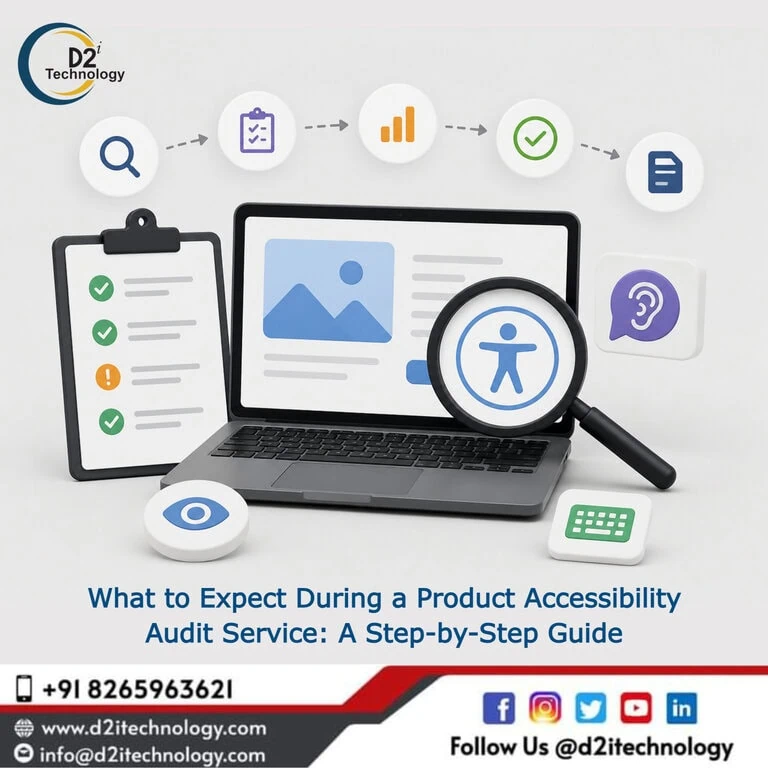
Understanding what happens during a Product Accessibility Audit Service can transform your perception of accessibility from a compliance checkbox into a strategic advantage. Many organizations approach their first accessibility audit with uncertainty—wondering what auditors will examine, how long the process takes, what deliverables they’ll receive, and most importantly, how to act on the findings. This comprehensive guide demystifies the entire audit process, walking you through each phase from initial consultation to final reporting and remediation planning.
A professional Product Accessibility Audit Service goes far beyond running automated tools and generating reports. It’s a thorough, methodical evaluation of your digital product by certified accessibility specialists who understand not just WCAG guidelines, but how real users with disabilities interact with technology. Whether you’re preparing for your first audit or looking to understand what distinguishes a comprehensive evaluation from a superficial scan, this step-by-step breakdown reveals exactly what happens behind the scenes and how to maximize the value of your accessibility investment.
Understanding Product Accessibility Audits: More Than Just Testing
Before diving into the process, it’s essential to understand what a product accessibility audit actually encompasses. Unlike simple automated scans that check for technical violations, a comprehensive audit evaluates your product across multiple dimensions:
Technical Compliance: Does your code meet WCAG 2.1 or 2.2 success criteria? Functional Accessibility: Can users with various disabilities actually accomplish tasks using assistive technologies? User Experience: Is the accessible experience equivalent to the standard experience? Business Impact: What accessibility barriers create the highest risk or affect the most users?
Understanding accessibility compliance audits provides critical context for why professional evaluation differs fundamentally from do-it-yourself approaches.
Phase 1: Pre-Audit Consultation and Scoping
Initial Discovery Call
The audit process begins well before any actual testing occurs. Your first interaction with an accessibility audit service typically involves a discovery call where auditors gather essential information:
Product Overview: What type of digital product requires evaluation (website, mobile app, web application, desktop software)? Business Context: What industry you operate in, regulatory requirements you face, and specific compliance goals Technical Environment: Technologies used, third-party integrations, authentication systems, and special functionality Timeline and Budget: Project deadlines, budget constraints, and urgency factors Previous Accessibility Work: Any existing accessibility efforts, past audits, or known issues
During this phase, be prepared to provide access credentials, staging environment URLs, and documentation about your product’s architecture. The more information you share upfront, the more tailored and efficient your audit will be.
Defining Audit Scope
Not all audits need to evaluate every single page or screen. Professional auditors work with you to define appropriate scope:
Representative Sampling: For large sites, selecting representative page templates rather than testing every page User Journey Focus: Prioritizing critical paths like registration, checkout, or key workflows Compliance Level Target: Determining whether you’re targeting WCAG Level A, AA, or AAA conformance Platform Coverage: Deciding which browsers, devices, and assistive technologies to test
Common accessibility issues often concentrate in specific areas, allowing experienced auditors to recommend efficient scope that balances thoroughness with budget.
Setting Expectations
A quality Product Accessibility Audit Service establishes clear expectations before work begins:
Timeline: Typical audits take 2-6 weeks depending on product complexity Deliverables: What reports, documentation, and remediation guidance you’ll receive Communication: How often you’ll receive updates and who your primary contact will be Post-Audit Support: What happens after findings are delivered
Phase 2: Automated Discovery and Initial Assessment
Running Automated Tools
While automated tools can’t catch most accessibility barriers, they serve as an efficient starting point. Professional auditors use industry-standard tools including:
axe DevTools: Comprehensive automated testing integrated into browsers WAVE: Visual accessibility evaluation tool Lighthouse: Google’s accessibility auditing tool Pa11y: Command-line accessibility testing Platform-Specific Tools: Mobile accessibility scanners for iOS and Android
Automated testing typically identifies 25-30% of accessibility issues—primarily technical violations like missing alt text, color contrast failures, and invalid HTML. However, this initial scan helps auditors quickly identify systematic problems and plan their manual testing strategy.
Technical Code Review
Beyond automated tools, experienced auditors examine your code directly:
Semantic HTML Structure: Proper use of heading levels, landmarks, and semantic elements ARIA Implementation: Correct use of ARIA attributes, roles, and properties Focus Management: Tab order, focus visibility, and keyboard trap prevention Form Structure: Label associations, error handling, and input validation Dynamic Content Handling: How AJAX updates and single-page app navigation work with assistive technologies
Web accessibility guides for developers help you understand what auditors look for during code reviews.
Phase 3: Manual Testing with Assistive Technologies
Screen Reader Testing
This phase represents the heart of professional accessibility auditing. Certified auditors use actual screen readers to navigate your product exactly as blind users would:
NVDA on Windows: Testing with the most popular free screen reader JAWS on Windows: Testing with the professional-grade screen reader VoiceOver on macOS/iOS: Testing Apple’s built-in screen reader TalkBack on Android: Testing Google’s mobile screen reader
Auditors evaluate:
- Can users understand page structure and content?
- Are interactive elements properly announced?
- Can users complete key workflows independently?
- Are error messages and feedback communicated effectively?
- Does the reading order make logical sense?
Keyboard-Only Navigation
Many users rely exclusively on keyboards due to motor disabilities. Auditors navigate your entire product without touching a mouse:
Tab Order: Does focus move through elements logically? Focus Visibility: Is focus always clearly visible? Keyboard Traps: Can users always escape from components? Keyboard Shortcuts: Do shortcuts conflict or work as expected? Skip Links: Can users bypass repetitive content?
Keyboard navigation accessibility is fundamental to digital inclusion and receives extensive testing during audits.
Visual and Cognitive Accessibility Testing
Professional audits extend beyond screen reader and keyboard testing:
Color Contrast Analysis: Measuring contrast ratios for all text and interactive elements Zoom and Magnification: Testing functionality at 200-400% zoom levels Color Dependence: Ensuring information isn’t conveyed by color alone Content Comprehension: Evaluating language complexity, instructions, and error messages Time Limits: Assessing adjustable timing for time-sensitive functions Motion and Animation: Checking for pause controls and reduced motion preferences
Mobile Accessibility Assessment
Mobile accessibility introduces unique considerations:
Touch Target Sizes: Ensuring interactive elements are large enough for finger taps Orientation Support: Testing both portrait and landscape modes Gesture Alternatives: Verifying simple alternatives to complex gestures Platform-Specific Guidelines: Conformance with iOS and Android accessibility standards Native App Accessibility: Proper implementation of platform accessibility APIs
Phase 4: Functional and User Experience Evaluation
User Flow Testing
Auditors walk through complete user workflows from start to finish:
Account Registration: Can users with disabilities create accounts independently? Form Completion: Are forms accessible with clear labels, instructions, and error handling? Content Consumption: Can users read, watch, and interact with your content? Transaction Completion: For e-commerce, can users complete purchases accessibly? Search and Navigation: Can users find information effectively?
This phase often reveals issues that only become apparent when attempting to complete actual tasks, not just navigate individual pages.
Context-Specific Testing
Different industries and products require specialized evaluation:
E-Learning Platforms: Ensuring course content, quizzes, and interactive exercises are accessible Financial Services: Verifying accessible eKYC processes and secure transactions Healthcare Portals: Evaluating patient information access and appointment scheduling E-Commerce: Testing product browsing, filtering, checkout, and order tracking
Top accessibility testing companies understand these industry-specific nuances and test accordingly.
Third-Party Component Evaluation
Modern products incorporate numerous third-party elements:
Analytics and Tracking: Do tracking scripts interfere with assistive technologies? Chat Widgets: Are customer support chat tools accessible? Payment Processors: Can users complete secure payments accessibly? Video Players: Do embedded videos offer captions and descriptions? Social Media Integrations: Are social sharing features keyboard accessible?
Many accessibility issues originate in third-party components, making their evaluation critical.
Phase 5: Documentation and Reporting
Comprehensive Findings Documentation
Professional auditors don’t just list problems—they provide actionable documentation:
Issue Description: Clear explanation of what’s wrong and why it matters WCAG Reference: Which success criteria are violated and at what level User Impact: How the issue affects users with specific disabilities Severity Rating: Critical, high, medium, or low priority classification Location Details: Exactly where the issue occurs with screenshots and code snippets Remediation Guidance: Step-by-step instructions for fixing the issue
Report Formats
Quality Product Accessibility Audit Services provide multiple report formats:
Executive Summary: High-level overview for leadership and stakeholders Detailed Technical Report: Comprehensive findings for development teams Prioritized Remediation Roadmap: Sequenced action plan organized by impact and effort VPAT/ACR: Voluntary Product Accessibility Template for procurement purposes Dashboard Access: Online portal tracking issues and remediation progress
Accessibility remediation services often begin with these comprehensive audit reports.
Evidence and Documentation
Expect extensive evidence supporting findings:
Screenshots: Annotated images showing visual issues Screen Reader Videos: Recordings demonstrating assistive technology problems Code Snippets: Specific HTML/CSS/JavaScript causing issues Contrast Measurements: Exact contrast ratios with pass/fail indicators User Flow Diagrams: Visual representations of broken workflows
Phase 6: Findings Review and Consultation
Presentation Meeting
After completing testing and documentation, auditors present findings in a structured review:
Overall Assessment: Product’s current accessibility state and compliance level Critical Issues: Immediate priorities requiring attention Systematic Problems: Patterns indicating broader accessibility gaps Positive Findings: Accessibility features already implemented well Remediation Strategy: Recommended approach for addressing findings
This meeting is interactive—ask questions, request clarification, and discuss feasibility of recommendations.
Developer Q\&A Sessions
Many audit services include technical consultation where developers can:
Clarify Requirements: Understand exactly what needs to change Discuss Approaches: Explore different implementation options Address Edge Cases: Handle unusual scenarios or technical constraints Prioritize Work: Get expert guidance on sequencing remediation
Remediation Planning
Professional auditors help you create realistic remediation plans:
Quick Wins: Issues fixable in hours or days with immediate impact Medium-Term Projects: Issues requiring design changes or component refactoring Long-Term Initiatives: Systemic changes requiring significant development effort Resource Estimation: Approximate time and expertise required for remediation
Understanding why proactive accessibility matters helps justify remediation investments to stakeholders.
Phase 7: Post-Audit Support and Validation
Remediation Support
Quality audit services don’t disappear after delivering reports:
Implementation Questions: Ongoing support as developers work through fixes Code Reviews: Validation that fixes actually resolve issues correctly Alternative Solutions: Help finding different approaches when initial fixes don’t work New Feature Consultation: Guidance on maintaining accessibility in future development
Re-Testing and Validation
After remediation, auditors verify that:
Issues Are Resolved: Problems are actually fixed, not just hidden No New Issues Emerged: Fixes didn’t introduce new accessibility barriers User Experience Improved: Changes enhanced rather than degraded usability Compliance Achieved: Product now meets target conformance level
Ongoing Monitoring
Many organizations establish continuing relationships with audit services:
Quarterly Check-Ins: Regular testing to maintain compliance New Feature Auditing: Accessibility review before launching new functionality Training and Education: Team workshops on accessible design and development Accessibility Roadmap Consultation: Strategic planning for accessibility maturity
Accessibility services often include these ongoing support options.
What Makes D2i Technology’s Audit Service Exceptional
IAAP-Certified Expertise
D2i Technology’s auditors hold IAAP Web Accessibility Specialist (WAS) certifications, ensuring evaluations are conducted by recognized accessibility experts who understand both technical requirements and user needs.
Industry-Specific Experience
Having worked across healthcare, finance, education, government, and e-commerce, D2i Technology auditors understand your industry’s unique accessibility challenges and regulatory requirements. This specialized knowledge makes recommendations more relevant and actionable.
Comprehensive Methodology
D2i Technology combines automated testing, manual evaluation, assistive technology testing, and real-world user journey analysis. This multi-layered approach catches issues that single-method testing misses.
Actionable Deliverables
Reports include not just problems but specific, developer-ready solutions. Code samples, configuration examples, and design alternatives help your team implement fixes efficiently rather than struggling to interpret requirements.
Partnership Approach
D2i Technology treats accessibility as an ongoing journey, not a one-time checkbox. Post-audit support, developer training, and ongoing consultation ensure your team builds internal accessibility capability.
Preparing for Your Accessibility Audit
What to Provide Auditors
Maximize audit effectiveness by preparing:
Access Credentials: Accounts at various permission levels (user, admin, etc.) Technical Documentation: Architecture diagrams, technology stack details, API documentation Known Issues List: Problems you’ve already identified User Personas: Information about your actual users and their needs Business Priorities: Critical workflows and features requiring focus
Setting Up Your Team
Successful audits require coordination across teams:
Development Team: Should be available for technical questions Design Team: May need to address UX and visual design issues Product Management: Prioritizes remediation efforts Quality Assurance: Integrates accessibility into testing processes Legal/Compliance: Understands regulatory implications
Managing Expectations
Realistic expectations prevent disappointment:
No Product Is Perfect: Even well-designed products have accessibility issues Remediation Takes Time: Fixing issues properly requires planning and resources Accessibility Is Ongoing: One audit doesn’t create permanent compliance Investment Required: Budget for both audit and remediation
The ROI of Professional Accessibility Audits
Risk Mitigation
Professional audits dramatically reduce legal exposure:
Legal Compliance: Documentation demonstrating good-faith accessibility efforts Proactive Problem-Solving: Identifying issues before they trigger complaints or lawsuits Insurance Value: Some carriers require accessibility audits for coverage
Market Expansion
Accessible products reach broader audiences:
Disability Market Access: Over 1.3 billion people with disabilities globally Aging Population: Accessibility benefits older adults with age-related limitations Situational Disabilities: Temporary impairments or challenging environments SEO Benefits: Accessibility improvements enhance search rankings
Brand Reputation
Accessibility demonstrates corporate values:
Inclusive Brand Image: Positions your organization as socially responsible Customer Loyalty: Users appreciate companies that prioritize inclusion Competitive Differentiation: Stand out in markets where accessibility is rare
Development Efficiency
Counter-intuitively, accessibility audits improve development efficiency:
Early Issue Detection: Finding problems before launch costs far less than post-launch fixes Code Quality Improvement: Accessibility often reveals broader code quality issues Reduced Technical Debt: Proactive accessibility prevents accumulating remediation work
Digital inclusion transformation demonstrates how accessibility drives broader business success.
Common Misconceptions About Accessibility Audits
“Automated Tools Are Sufficient”
Automated tools catch only 25-30% of accessibility issues. Manual testing by experienced auditors with assistive technologies is irreplaceable.
“One Audit Ensures Permanent Compliance”
Digital products evolve constantly. New features, design changes, and content updates can introduce accessibility barriers, requiring ongoing monitoring.
“Accessibility Audits Are Just Checkbox Compliance”
Professional audits focus on actual user experience, not just technical compliance. The goal is creating genuinely usable products for people with disabilities.
“Small Products Don’t Need Professional Audits”
Even simple websites benefit from professional evaluation. Hidden accessibility issues exist in products of all sizes.
Conclusion
A comprehensive Product Accessibility Audit Service is an investment in your product’s quality, reach, and legal compliance. Understanding what happens during each phase—from scoping and automated testing through manual evaluation, reporting, and remediation support—helps you maximize the value of this critical process.
The right audit service doesn’t just identify problems; it partners with your team to build accessibility competency and create truly inclusive digital experiences. Whether you’re facing regulatory requirements, responding to user feedback, or proactively improving your product, professional accessibility auditing provides the roadmap and expertise you need.
D2i Technology brings certified expertise, comprehensive methodology, and partnership-focused service to every Product Accessibility Audit Service engagement. Our goal isn’t just compliance—it’s helping you create digital products that work beautifully for everyone.
Frequently Asked Questions
Start Your Accessibility Journey with Confidence
Don't navigate accessibility compliance alone. D2i Technology's IAAP-certified accessibility specialists provide comprehensive audits, actionable recommendations, and ongoing support to ensure your digital products are accessible, compliant, and user-friendly.