- Web Accessibility
- November 9, 2026
What Is WCAG Compliance? A Plain-Language Guide for 2026
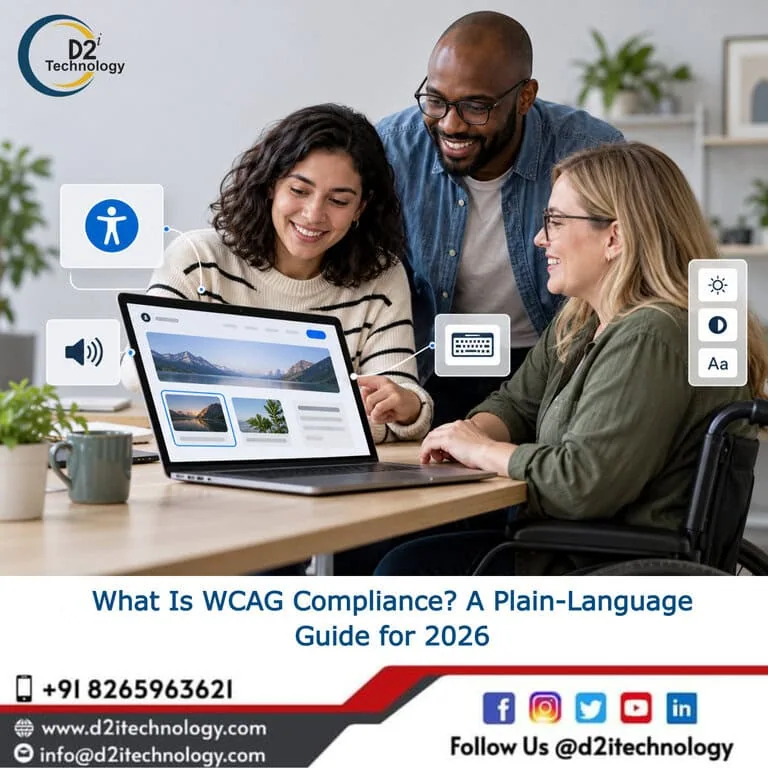
If you’ve received a legal notice about your website’s accessibility, been asked to provide WCAG compliance documentation by an enterprise client, or simply noticed that accessibility has started coming up more often in procurement and compliance conversations, you’ve probably encountered the question: what exactly does WCAG compliance mean?
WCAG stands for Web Content Accessibility Guidelines. It’s an international technical standard published by the World Wide Web Consortium (W3C) that defines what “accessible” means for digital content. Most digital accessibility laws around the world, including the ADA, Section 508, the European Accessibility Act, and India’s SEBI accessibility requirements, reference WCAG as their technical benchmark. If you need to demonstrate that your website or application is accessible, WCAG is the standard you’re demonstrating conformance with.
This guide explains what WCAG is, how it’s structured, which version and level applies to your organization, and what achieving WCAG compliance actually involves in practice.
The Structure of WCAG: Principles, Guidelines, and Success Criteria
WCAG is organized around four core principles, which are often referred to by the acronym POUR. Every requirement in the standard connects back to one of these four ideas.
Perceivable: Content must be presented in ways that all users can perceive. This covers things like alternative text for images, captions for video, and sufficient color contrast for text. The underlying question is whether someone who can’t see a visual element, or hear an audio element, still has access to the same information.
Operable: User interface components and navigation must be operable by all users. The main implication is keyboard accessibility, because users who can’t use a mouse need to be able to access and operate everything a mouse user can. This also covers things like giving users enough time to read content and not using interactions that cause seizures.
Understandable: Content and interfaces must be understandable. This includes writing in clear language, making pages behave predictably, and helping users avoid and correct errors in forms.
Robust: Content must work reliably across different browsers, devices, and assistive technologies. This is primarily about writing clean, valid code that works with screen readers and other assistive tools as they evolve.
The four accessibility principles explained in practical detail breaks down exactly what each principle means for implementation. The seven pillars of accessibility extends this into a broader framework some organizations use alongside WCAG.
Under these four principles, WCAG lists specific guidelines, and under each guideline are testable Success Criteria. These are the actual checkpoints that auditors evaluate when assessing whether a website is WCAG compliant.
WCAG Versions: 2.0, 2.1, and 2.2
WCAG has been updated over time. The versions you’ll encounter most often in legal and compliance contexts are:
WCAG 2.0 was published in 2008. It’s the foundation, and its requirements are entirely preserved in later versions. Some older regulations still reference WCAG 2.0, but most have moved to 2.1.
WCAG 2.1 was published in 2018 and added 17 new success criteria beyond WCAG 2.0, with particular focus on mobile accessibility and users with cognitive disabilities. This is the version most currently active regulations reference, including the ADA Title II final rule (2024), the European Accessibility Act, and most SEBI accessibility guidance in India.
WCAG 2.2 was published in October 2023 and added nine further criteria, including requirements for visible focus indicators with sufficient contrast, minimum touch target sizes, single-pointer alternatives to drag interactions, and accessible authentication (no CAPTCHAs without alternatives). Regulations are beginning to reference WCAG 2.2 as the current standard, and organizations building or updating digital products today should be working toward it.
Accessibility testing in 2026 and how WCAG 3 is starting to enter the picture covers where the standard is heading beyond 2.2.
Conformance Levels: A, AA, and AAA
Each WCAG success criterion has a conformance level assigned to it: A (minimum), AA (standard), or AAA (enhanced).
Level A covers the most fundamental accessibility requirements. A website with Level A failures is typically unusable for some users with disabilities.
Level AA is the standard that most organizations aim for and that most regulations require. It includes Level A plus additional requirements covering things like color contrast ratios, captions for live audio, consistent navigation, and clear labeling of forms.
Level AAA represents the most comprehensive accessibility requirements. Achieving full Level AAA conformance is genuinely difficult and often not required, but some individual AAA criteria (like providing sign language interpretation for video, or meeting enhanced contrast ratios) may still be pursued where practical.
When a law or regulation says it requires “WCAG compliance,” it almost always means WCAG 2.1 Level AA as the minimum, with some newer frameworks referencing WCAG 2.2 Level AA.
Who Needs to Meet WCAG Compliance Requirements?
The honest answer is: a broader set of organizations than most people assume.
In the United States, ADA Title III applies to businesses open to the public, and courts and the Department of Justice have consistently interpreted this to cover websites and digital products. ADA Title II’s 2024 final rule explicitly requires WCAG 2.1 Level AA for state and local government websites, with enforcement deadlines now active. Section 508 applies to federal agencies and federal contractors.
In the European Union, the European Accessibility Act requires WCAG conformance for a broad list of products and services, with enforcement from June 2025.
In India, SEBI has established accessibility requirements for regulated entities in the securities market, referencing WCAG 2.1 Level AA for their digital properties.
Digital accessibility requirements across Indian companies covers how these requirements are applying across the Indian market specifically.
If your organization is a business, a government body, or a technology vendor serving any of these markets, WCAG compliance requirements almost certainly apply to you in some form.
What WCAG Compliance Requires in Practice
Understanding the standard is one thing. Actually achieving conformance involves specific technical work across your digital products.
Automated Accessibility Testing
Automated tools can scan your website or application against a subset of WCAG success criteria and identify common failures quickly. These tools are valuable for catching clear violations like missing image alt text, color contrast failures, and form inputs without labels. D2i Technology’s D2i AccessScan tool provides automated WCAG scanning, and the best accessibility testing toolkit in 2026 covers the broader tooling landscape.
Automated testing catches roughly 30 to 40 percent of WCAG failures. The rest require human evaluation.
Manual Accessibility Testing
Manual testing involves a trained accessibility evaluator working through your website using real assistive technologies, primarily screen readers (NVDA and JAWS on Windows, VoiceOver on macOS and iOS), keyboard-only navigation, and other assistive tools. This is how the behavioral failures that automated testing misses get identified: whether a screen reader announces dynamic content updates correctly, whether focus management in a modal dialog works correctly, whether form error messages are actually helpful.
The difference between manual and automated accessibility testing and why you need both makes the case for why neither approach replaces the other. D2i Technology’s accessibility testing services cover the full evaluation combining both methods.
Accessibility Remediation
Once an audit identifies failures, they need to be fixed. This is accessibility remediation: making code changes, updating content, redesigning interactions, and restructuring information to bring the product into WCAG conformance. Why accessibility remediation matters and how to approach it systematically is worth reading alongside any audit process. D2i Technology’s accessibility remediation services handle the technical implementation of those fixes.
Ongoing Monitoring
WCAG compliance is not a one-time achievement. New features, design updates, and third-party integrations can introduce new accessibility failures. A product that was conformant at launch may not be conformant six months later without ongoing attention. Why businesses need accessibility testing as an ongoing practice rather than a one-time audit explains why periodic evaluation needs to be part of standard operations.
Documentation
Many compliance contexts require documentation demonstrating WCAG conformance. For products sold to enterprise customers or used in federally funded programs, a VPAT (Voluntary Product Accessibility Template) is often required. D2i Technology’s VPAT preparation and review services support organizations in producing accurate, credible conformance documentation.
Common WCAG Failures That Most Websites Have
If you haven’t specifically audited your website for accessibility, there’s a good chance it has some of the most common WCAG failures:
Missing or generic alt text on images. Color contrast that doesn’t meet the required ratios. Form inputs without properly associated labels. No visible focus indicator for keyboard navigation. Videos without captions. Error messages that don’t describe what went wrong or how to fix it. Interactive components (dropdowns, modals, carousels) that don’t work with a keyboard.
The most common accessibility issues found across websites and 10 common accessibility mistakes to fix on your website give a practical picture of where most WCAG failures originate.
How D2i Technology Helps
D2i Technology provides WCAG compliance services covering the full process: initial audit and gap assessment, manual testing with real assistive technologies, remediation of identified issues, VPAT preparation, and ongoing monitoring to maintain conformance as products evolve.
Our team holds IAAP certifications including CPACC, WAS, and CPWA, which means we evaluate accessibility from both technical and user-experience perspectives. We work with organizations across the US and India, covering requirements under the ADA, Section 508, the European Accessibility Act, and SEBI’s accessibility mandates.
What D2i Technology’s accessibility services cover and the accessibility compliance page provide a full picture of how we support organizations through the compliance process.
Frequently Asked Questions
Find Out Where Your Website Stands on WCAG Compliance
D2i Technology's IAAP-certified team provides comprehensive WCAG compliance assessments, manual testing with screen readers, and remediation support for websites and applications. Whether you're starting fresh or need to close specific compliance gaps, let's talk.