
- Web Accessibility
- October 5, 2026
Accessibility by Design: A Practical ASDLC Guide
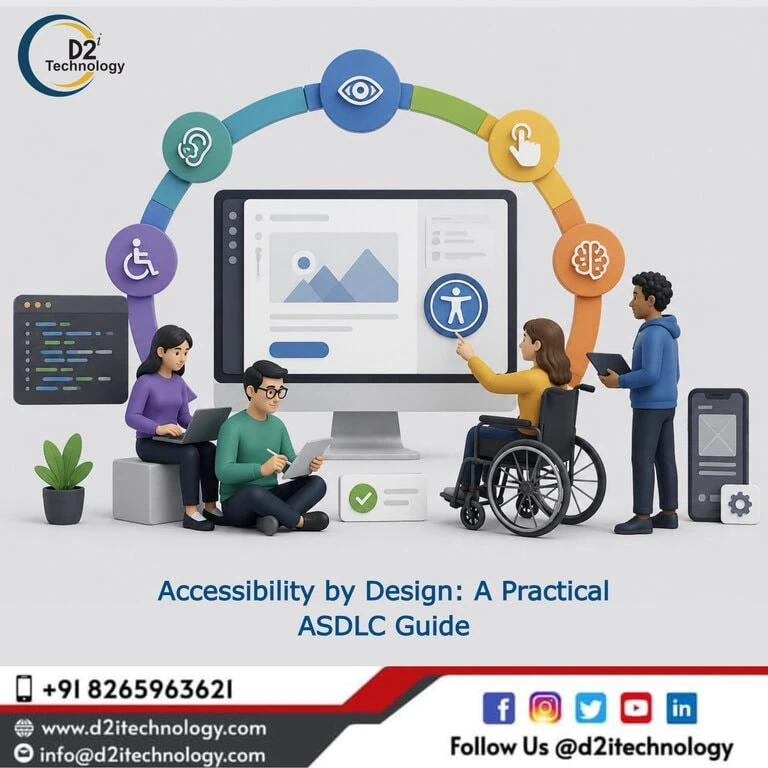
Every accessibility problem that gets fixed after launch costs more than it would have cost to prevent. That’s not a moral argument — it’s a compounding math problem. A missing form label in a component template that’s used across a hundred pages isn’t one accessibility violation; it’s a hundred of them, each requiring tracking down, fixing, testing, and verifying in a context where the original author may be long gone. Accessibility by design — building accessibility requirements into the development process from the earliest decision points rather than auditing for violations after the fact — is how that math gets reversed. And the Agentic Software Development Lifecycle provides a framework where accessibility by design is practically achievable rather than aspirationally stated.
This guide walks through the concrete strategies for implementing accessibility by design within ASDLC, stage by stage, for teams that want to produce accessible software rather than audit for accessible software.
What Accessibility by Design Actually Means
“Accessibility by design” is one of those phrases that gets stated as a value more often than it gets operationalized as a practice. Saying it means something — it signals intent — but intention without process produces the same result as no intention at all when timelines compress and delivery pressure peaks.
Accessibility by design, operationalized, means three things working together:
Accessibility is a design constraint, not a design afterthought. Color palette decisions, typography choices, interactive component patterns, and content structure decisions are all made with accessibility criteria as one of the parameters, not reviewed against accessibility criteria after the decisions are locked.
Accessibility requirements are stated in specifications, not inferred from policies. Developer and agent specifications include explicit accessibility acceptance criteria — not “follow WCAG guidelines” but “this form field must have a programmatically associated label that announces to screen readers before the field description.”
Accessibility is verified throughout the development process, not only at the end. Checks happen when decisions are made, when components are built, when features are merged, and when releases go to production — not only when an external auditor reviews the finished product.
Each of these is achievable within ASDLC. The following sections cover how.
Stage 1: Accessibility in Requirements and Specification
The earlier in the development process accessibility criteria appear, the less expensive they are to meet. Requirements that include specific, testable accessibility acceptance criteria produce implementations that meet those criteria. Requirements that assume developers will figure out accessibility on their own produce implementations that don’t.
Writing Agent-Ready Accessibility Specifications
When AI agents implement features, the quality of their accessibility outputs depends directly on the accessibility requirements in their specifications. An agent told to “implement a modal dialog” will produce something that opens and closes. An agent told to “implement a modal dialog that traps keyboard focus while open, returns focus to the triggering element when closed, announces its title to screen readers on open, and can be dismissed with the Escape key” will produce something that does all of that.
The specificity needed for accessibility-by-design specifications is higher than what most teams currently write — but this specificity pays back in reduced review cycles, reduced remediation, and reduced post-launch accessibility debt. What professional accessibility audit companies look for when evaluating software gives a useful lens for understanding what level of accessibility detail requirements need to specify.
Including Accessibility Criteria in Definition of Done
Accessibility requirements belong in the definition of done for every user-facing feature — not as a separate accessibility sprint but as criteria that must be met before a feature is considered complete. This is the structural change that makes accessibility by design stick over time rather than reverting to accessibility by audit when teams are under pressure.
Stage 2: Accessibility in Design and Architecture
Accessibility by design in the design phase means evaluating color choices, typography, interactive patterns, and component architecture against accessibility criteria before implementation begins — while changing those decisions is still inexpensive.
Color and Contrast Decisions
Every color combination used for text, UI component boundaries, focus indicators, and graphical elements conveying information needs to meet WCAG contrast requirements before designs are finalized. A color palette reviewed against WCAG thresholds during design system creation is vastly cheaper to get right than one adjusted post-implementation across hundreds of pages. How to use color contrast tools effectively throughout the design and accessibility workflow covers the practical workflow for making this part of design decisions rather than an audit step. D2i Technology’s free Color Contrast Analyzer provides real-time contrast ratio checking for any color combination during this process.
Component Architecture That Accommodates Accessibility
Components designed with accessibility in mind from the architecture stage are significantly easier to implement correctly and maintain consistently. Focus management patterns, keyboard interaction models, ARIA role structures, and reading order decisions that are established at the component design stage propagate correctly across the codebase when implemented. Components designed without these considerations produce accessibility debt that compounds with every reuse.
Accessible Interactive Patterns From the Start
Interactive patterns — modal dialogs, dropdown menus, date pickers, carousels, accordions — each have established accessible interaction models. Teams using ASDLC benefit from establishing accessible component libraries that implement these patterns correctly before agents start generating code that uses them. When agents build features using accessible component primitives, the accessibility quality of the output is bounded by the quality of the component, not by whether the agent remembered to add ARIA attributes.
Web accessibility remediation and why fixing patterns at the source matters more than fixing instances makes the case for why component-level accessible design produces better outcomes than instance-level remediation.
Stage 3: Accessibility in Agent-Driven Implementation
Coding Conventions and Accessible Defaults
Agents generate code following the conventions and patterns they’re given. Establishing and enforcing accessible coding conventions produces a different baseline from leaving conventions implicit. Accessible conventions include: using semantic HTML elements for their intended purposes rather than styling divs to look like buttons; providing alt text for meaningful images (empty alt for decorative ones); labeling all form inputs with programmatically associated labels; and using heading levels to communicate document structure rather than visual hierarchy.
These conventions should be documented, referenced in agent specifications, and verified by the CI/CD pipeline. An agent that’s been explicitly told to use <button> elements for clickable actions will use them; an agent that hasn’t been told may use a <div> with an onClick handler instead — which is visually equivalent and functionally non-accessible.
Automated Accessibility Checking as a Required Pipeline Gate
The CI/CD pipeline in ASDLC is the enforcement layer for accessibility quality on agent-generated code. Automated accessibility scanning — tools like axe-core integrated into the test suite — should fail agent-generated contributions that introduce accessibility violations before they merge. This treats accessibility failures with the same weight as failing tests: non-negotiable, not advisory.
The best accessibility testing tools and toolkit for 2026 and the top WCAG accessibility compliance checkers cover the tooling options for this pipeline integration. Understanding what accessibility testing actually catches and where manual evaluation remains essential is important context for setting realistic expectations about what automated pipeline checks verify.
Accessible Alt Text at Generation Time
Images in software development often arrive in workflows without alt text — an agent generating a UI component will sometimes produce <img src="..."> without an alt attribute, or with a generic one. Making alt text generation part of the agent specification — along with pipeline validation that all images have non-empty alt attributes for meaningful images — addresses this at the point of creation. D2i Technology’s accessibility remediation services often trace significant portions of post-launch accessibility debt to alt text that was never addressed during development. The fix at generation time is substantially cheaper.
Stage 4: Testing Accessibility Throughout Development
Embedding Accessibility Checks in the Development Cycle
Accessibility by design requires accessibility testing at multiple points in the development cycle — not just as a final gate before release. Component-level accessibility testing should be part of the review process before a component is added to the library. Feature-level testing should include keyboard navigation walkthroughs and targeted screen reader testing before a feature is marked complete.
Why manual accessibility evaluation remains essential even when automated checking is in place covers the specific things that screen reader testing and keyboard walkthroughs catch that automated tools miss. D2i Technology’s accessibility testing services provide the IAAP-certified manual evaluation that completes the picture automated pipeline checks start.
Defining Accessibility Acceptance Tests
For features with complex interactive behavior — multi-step forms, authenticated workflows, dynamic content updates — writing explicit accessibility acceptance tests as part of the feature specification gives the testing cycle a concrete, verifiable standard rather than a subjective assessment. These tests verify specific behaviors: does the error message for field X announce to a screen reader user when the form is submitted with field X empty? Does the live region for dynamic content announcements update appropriately when status changes?
Stage 5: Monitoring Accessibility Post-Deployment
Scheduled Accessibility Audits as Part of Operational Maintenance
Accessibility by design doesn’t end at deployment. New features added after launch can introduce accessibility violations. Platform updates can change how accessibility features behave. Dependencies can update and break previously working patterns. Why businesses need ongoing accessibility testing services rather than one-time audits reflects this ongoing maintenance dimension.
Scheduled accessibility audits — quarterly at minimum for actively developed applications, annual for more stable ones — provide the recurring verification that keeps an accessibility-by-design commitment real over time. Audit findings feed back into the development process as prioritized issues addressed in the next sprint cycle, completing the accessibility-by-design loop.
Accessibility Feedback Mechanisms
Building a public accessibility feedback channel into the application — an email address or form where users can report accessibility barriers they encounter — provides real-world user feedback that complements structured audit findings. Users with disabilities who encounter barriers in practice often catch things that structured audits miss, and addressing reported barriers promptly demonstrates genuine commitment to the accessibility-by-design principle rather than just its documentation.
The Organizational Enablers of Accessibility by Design
Practices sustain only when the organizational environment supports them. A few structural factors enable accessibility by design to hold up over time rather than eroding when delivery pressure peaks:
Developer training. Engineers who understand WCAG fundamentals and common implementation patterns make better decisions independently. Training doesn’t replace processes or tools, but it accelerates the adoption of both. Practical web accessibility guidance written specifically for developers is a relevant starting resource.
Accessibility ownership. Someone on the team needs to own accessibility quality — not as a side project but as a defined responsibility. Without clear ownership, accessibility practices erode between audits.
Procurement requirements. Third-party tools and components integrated into an application bring their own accessibility quality. Requiring vendors to demonstrate WCAG conformance — through VPATs or direct evaluation — prevents accessibility debt from being imported alongside otherwise valuable third-party functionality.
D2i Technology’s Role in Accessibility-First ASDLC
D2i Technology’s practice spans both ASDLC implementation and accessibility expertise — an unusual combination that matters specifically for accessibility-by-design implementations. Our AI development services help teams build the agent-assisted development infrastructure, and our accessibility services — testing, remediation, and ongoing audit programs — provide the human evaluation expertise that validates what automated pipeline checking can’t verify.
The proven impact of working with professional accessibility testing partners reflects why this human expertise remains irreplaceable alongside the best automated tooling.
Conclusion
Accessibility by design in ASDLC is achievable — and it’s significantly more cost-effective than the alternative. Building accessibility criteria into requirements, color and component decisions into design, accessible coding conventions and pipeline gates into implementation, and embedded testing throughout the development cycle produces software that starts accessible rather than software that starts inaccessible and gets remediated.
The organizations that do this consistently are those that treat accessibility as a quality dimension with the same workflow integration as security and testing — not a compliance exercise that happens after the product is built. D2i Technology brings the combined ASDLC and accessibility expertise to help engineering teams make that integration real.
Frequently Asked Questions
Build Accessibility Into Your Development Process From Day One
D2i Technology helps engineering teams implement accessibility-by-design in their ASDLC workflows — combining AI development infrastructure with certified accessibility testing and remediation expertise to make inclusive, compliant software the standard output, not the exception.