
- Web Accessibility
- July 10, 2026
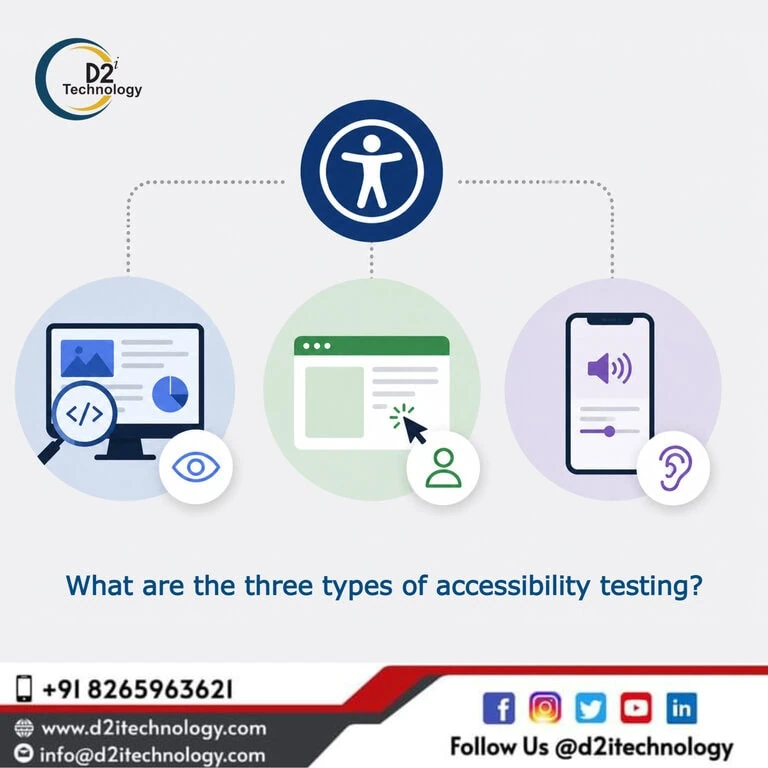
What are the three types of accessibility testing?
Accessibility testing has become one of the most critical disciplines in software quality assurance — and not just because of tightening regulations. When a website or application fails users with disabilities, the impact is real: someone can’t complete a bank transaction, a student can’t access course materials, a patient can’t navigate a healthcare portal. That’s why organizations across the US and beyond are turning to professional Accessibility Compliance Testing Service in USA providers to ensure their digital properties actually work for everyone — not just most people.
But there’s a question that comes up almost every time someone new to this field starts exploring it: what does accessibility testing actually involve? Is it just running a scanner and fixing what it flags? The honest answer is no — and understanding why requires knowing the three distinct types of accessibility testing, what each one does well, and why a mature compliance program needs all three working together.
Why Accessibility Testing Can’t Be Reduced to a Single Method
Before breaking down the three types, it’s worth addressing a common misconception: that accessibility testing is a one-step process. Run the tool, get the report, fix the issues, done.
If only it were that simple.
The reality is that automated tools, as impressive as modern ones are, catch somewhere between 30 and 40 percent of real accessibility failures. The rest are invisible to scanners — they require human judgment, lived experience of disability, and hands-on interaction with assistive technologies. This is exactly why the debate between manual and automated accessibility testing keeps coming up in the industry: neither approach is complete on its own.
A comprehensive accessibility audit draws on all three testing types in combination, each covering territory the others can’t reach. Let’s look at each one in detail.
Type 1: Automated Accessibility Testing
What It Is
Automated accessibility testing uses software tools to scan web pages or applications and flag potential accessibility failures against a defined ruleset — typically the WCAG 2.1 or WCAG 2.2 success criteria. These tools inspect the DOM, check attribute values, measure color contrast ratios, validate ARIA usage, and verify structural markup — all in seconds.
Popular tools in this category include axe-core, WAVE, ARC Toolkit, Deque’s axe DevTools, and browser-native accessibility panels. D2i Technology’s own AccessScan extension brings axe-powered scanning directly into the browser, making it easy to run quick checks during development or review. The broader D2i Accessibility Toolkit supports more sustained monitoring across an entire site.
What It Catches Well
Automated tools are fast, consistent, and excellent at catching structural issues at scale:
- Missing or empty alt text on images
- Insufficient color contrast ratios (below WCAG 1.4.3 thresholds)
- Form inputs without associated labels
- Missing page language declarations
- Invalid ARIA roles or attributes
- Duplicate ID attributes
- Empty links and buttons
If you want a practical sense of what these failures look like in the wild, the common accessibility mistakes that affect real websites covers many of the most frequently flagged categories.
For color contrast specifically, the D2i Color Contrast Analyzer is a useful standalone tool for checking foreground-background combinations against WCAG thresholds — helpful both during design and testing phases.
Its Limitations
Automated tools cannot evaluate whether content is meaningfully accessible — only whether certain structural conditions are present. An image might have alt text that passes validation but describes the image in a way that’s confusing or unhelpful. A form might have labels that are technically associated but positioned in a way that breaks the cognitive flow for screen reader users. A custom JavaScript widget might have the right ARIA attributes but behave incorrectly when activated.
None of that gets caught by a scanner. Which is why automated testing is where you start — not where you finish.
Type 2: Manual Accessibility Testing
What It Is
Manual accessibility testing is exactly what it sounds like: a human evaluator working through a digital product systematically, checking for accessibility issues that require judgment, contextual understanding, and real interaction. It’s guided by WCAG success criteria and supplemented by expert knowledge of how different disabilities shape user behavior.
Manual testing typically covers things like:
- Tab order and keyboard navigability across all interactive elements
- Focus visibility — whether it’s clear and logical as users move through the page
- Screen reader reading order and announcement accuracy
- The quality and helpfulness of error messages
- Whether dynamic content updates (like live regions) are announced appropriately
- Logical heading structure and landmark navigation
- Form instructions and error recovery flows
- Cognitive clarity of interface language and instructions
This is where the key advantages of manual software testing really come through in the accessibility context: nuance, judgment, and the ability to evaluate user experience rather than just code structure.
The Role of Keyboard Testing
One of the most critical components of manual testing is keyboard-only navigation. Users with motor disabilities, those who rely on switch access, and many screen reader users navigate entirely without a mouse. Testing whether every function on a page can be reached, activated, and completed using only the keyboard is non-negotiable.
The keyboard navigation accessibility guide covers the specific patterns and pitfalls testers need to watch for — skip links, focus traps, modal dialogs, custom dropdowns, date pickers, and more.
Why Expert Judgment Matters
Manual testing isn’t just about following a checklist — though structured checklists are part of it. Experienced testers bring knowledge of how real users with disabilities encounter digital barriers, which shapes how they evaluate and prioritize issues. A tester who understands cognitive disabilities will evaluate form design differently from someone focused purely on screen reader compatibility.
This depth of expertise is part of what sets professional accessibility audit companies apart. Anyone can run an automated scanner; it takes a trained professional to identify the issues a scanner can’t see.
Type 3: Assistive Technology Testing
What It Is
The third type of accessibility testing is often discussed as part of manual testing, but it deserves its own category because of how distinct it is in practice. Assistive technology (AT) testing involves actually operating the product using the same tools that people with disabilities use — and evaluating whether the experience is functional, logical, and dignified.
This includes:
Screen Reader Testing Testing with NVDA (Windows), JAWS (Windows, enterprise standard), VoiceOver (macOS and iOS), and TalkBack (Android) to verify that content is announced correctly, navigation is logical, and interactive elements communicate their state and purpose clearly.
Magnification and Zoom Testing Verifying that content remains readable and usable at browser zoom levels up to 400% (WCAG 1.4.4), and testing with screen magnification software for users with low vision.
High Contrast and Forced Color Mode Testing Checking that content remains perceivable when Windows High Contrast or forced color themes are active — many interfaces break visually under these conditions.
Voice Control Testing Using tools like Dragon NaturallySpeaking or Voice Control on macOS/iOS to verify that interactive elements are reachable and activatable by voice, and that visible labels match accessible names.
Why This Type of Testing is Non-Negotiable
Assistive technology testing is where you discover whether your site actually works for real users — not just whether it passes structural checks. A dropdown menu might have technically correct ARIA attributes, but when a screen reader user navigates to it, nothing gets announced. A modal might trap focus correctly for keyboard users, but collapse entirely under VoiceOver. These failures are invisible without actually using the assistive technology in question.
The hidden accessibility issues that break products even when they look perfect digs into this category of failure in depth — it’s required reading for anyone who thinks their site is clean just because the scanner came back green.
How the Three Types Work Together
Understanding the three types individually is useful, but the real insight is how they interact. A well-structured accessibility compliance testing process sequences them deliberately:
Automated testing runs first — ideally continuously within the development pipeline, catching structural regressions as code changes. It surfaces the high-volume, easy-to-detect issues quickly and consistently.
Manual testing builds on that foundation. A skilled auditor works through the product systematically, evaluating the issues automated tools flagged and exploring the ones they couldn’t reach. This stage requires structured methodology and WCAG expertise.
Assistive technology testing validates the real-world experience. Even when automated and manual testing both come back clean, AT testing can surface interaction failures that only appear when a screen reader or voice control tool is actually in the loop.
The combination of all three is what the industry calls a hybrid testing approach — and it’s the methodology referenced in what manual, automated, and hybrid accessibility testing actually means.
What Does This Mean for Compliance?
If your organization is working toward ADA compliance, Section 508 conformance, or meeting the ADA Title II deadline requirements for government digital services, relying on automated testing alone is not a defensible compliance strategy. Courts, regulators, and the Department of Justice recognize WCAG 2.1/2.2 Level AA as the standard — and meeting it genuinely requires all three types of testing.
The same is true for organizations in other regulatory contexts. SEBI-regulated entities in India must demonstrate WCAG compliance through effective audits that go well beyond what a scanner can produce. E-learning providers need dedicated accessibility auditing for their Storyline 360 content that automated tools simply can’t evaluate.
How D2i Technology Approaches All Three Types
At D2i Technology, our accessibility testing methodology combines all three approaches in every engagement. Our accessibility testing and accessibility services teams are led by IAAP-certified professionals who bring both the technical depth and the human judgment that genuine compliance requires.
We don’t hand clients a spreadsheet of scanner findings and call it done. Our process runs automated scanning with axe-core and industry-standard tools, pairs it with structured manual evaluation against WCAG 2.2, and validates critical user flows with screen readers and other assistive technologies. Every finding is documented with its WCAG reference, user impact, and a clear remediation recommendation.
When issues need fixing, our accessibility remediation team works directly with your developers to implement and verify solutions. And for organizations building long-term programs, we can support integration of accessibility testing into your development lifecycle — so compliance is maintained as your product evolves, not just achieved once.
If your organization hasn’t had a professional accessibility audit that covers all three testing types, the top accessibility testing services in the USA page is a useful reference for evaluating what a thorough service should include.
Frequently Asked Questions
Get a Complete Accessibility Compliance Assessment — All Three Types, Done Right
Automated scans are just the starting point. D2i Technology's certified team delivers full-spectrum Accessibility Compliance Testing Service in USA — combining automated scanning, expert manual evaluation, and hands-on assistive technology testing to give you a complete, defensible picture of where your site stands. Whether you're working toward WCAG 2.2, ADA compliance, or Section 508 conformance, we'll help you get there.