- Software Testing
- November 27, 2026
How to Test AI Applications Before Production: 9 Essential Checks
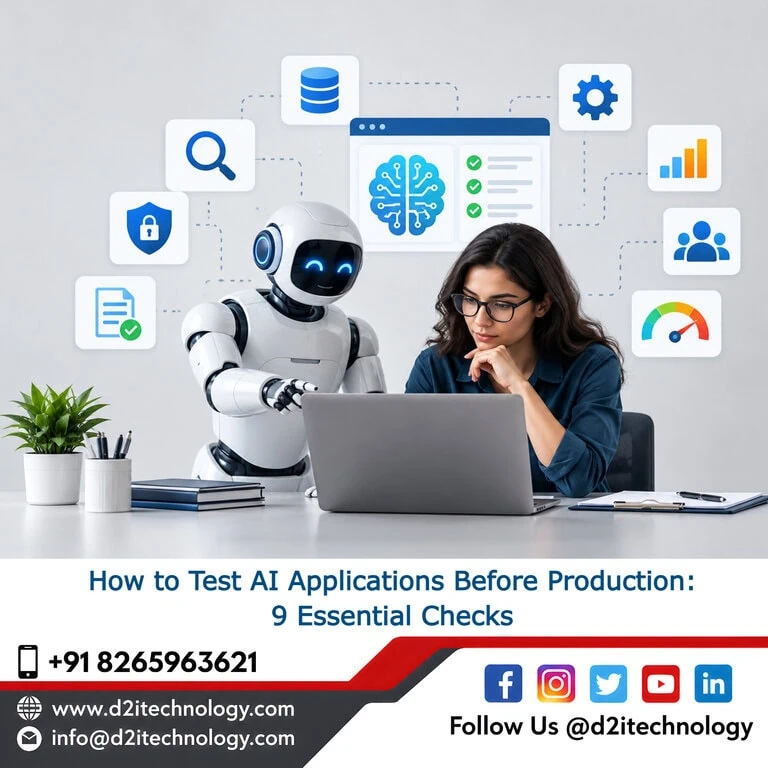
Traditional software is predictable. Give it the same input and it returns the same output, so a test either passes or fails. AI applications do not behave that way. Ask a chatbot the same question twice and you may get two different answers, both reasonable, or one of them wrong. That is why AI application testing needs a different approach from the testing most teams are used to.
The good news is that the core goal has not changed: find problems before your users do. This guide walks through nine essential checks for testing AI applications before production, from accuracy and safety to security, performance and accessibility. It is based on how the QA and security teams at D2i Technology test chatbots, RAG systems and AI agents for clients.
Why AI Application Testing Is Different
Three things make AI harder to test than conventional software.
- Non-deterministic output: the same input can produce different responses, so you test for quality and patterns rather than exact matches.
- Open-ended input: users can type anything, including questions you never imagined and deliberate attempts to break the system.
- Hidden failure modes: an AI can be confidently wrong, leak information or follow malicious instructions while looking perfectly normal.
These differences do not make testing impossible. They mean AI application testing relies more on evaluation datasets, scoring and adversarial testing, alongside the functional, performance and security testing every application still needs.
Start With an Evaluation Set
Before running any of the checks below, build an evaluation set: a collection of realistic inputs with a description of what a good output looks like. Collect real questions from users, support tickets or search logs. Aim for at least 50 to 100 cases to start, covering common requests, difficult edge cases and things the system should refuse.
This evaluation set becomes the backbone of AI application testing. You run it after every change to prompts, models, retrieval settings or data, so you can see whether quality improved or slipped.
9 Essential Checks for AI Application Testing
1. Accuracy and Correctness
Does the application give correct, complete answers? For each case in your evaluation set, score the response as correct, partly correct or incorrect. For RAG systems, also check whether the right source documents were retrieved, because most wrong answers start with wrong retrieval.
Scoring can be done by people, by automated checks or by a separate AI model acting as a judge. AI judges speed things up, but they need to be checked against human scores before you trust them.
2. Hallucination and Grounding
Does the AI make things up? Ask questions that your data cannot answer and check that the system says it does not know rather than inventing a response. Check that citations point to real sources and that those sources actually support the answer.
3. Safety and Harmful Content
Test whether the application can be pushed into producing harmful, offensive or inappropriate content. Include requests that should be refused and check that refusals are polite and helpful rather than abrupt.
4. Bias and Fairness
Run the same requests with different names, genders, locations or other attributes and compare the results. Look for differences in tone, quality or outcome that should not be there, especially in applications that affect people’s access to services, jobs or money.
5. Prompt Injection and Security
Prompt injection is one of the most serious risks in AI applications. Attackers hide instructions in user input, documents, emails or web pages to make the AI ignore its rules, reveal its system prompt, leak data or take unwanted actions. The OWASP GenAI Security Project lists it as a top risk for LLM applications.
Security testing should include direct and indirect prompt injection, attempts to extract other users’ data, and checks that the AI cannot reach systems it should not. For AI agents that take actions, this is critical. Our article on prompt injection attacks explains the main techniques, and our penetration testing team includes AI-specific tests.
6. Data Privacy and Access Control
Check that the application only uses data the current user is allowed to see. In a RAG system, log in as users with different permissions and confirm that restricted documents never appear in answers. Check how personal data in prompts and responses is logged, stored and shared with third-party model providers.
7. Performance and Cost
AI responses can be slow and expensive. Measure response times under realistic load, including the time to first token for streaming interfaces. Track the cost per request and estimate monthly costs at expected usage. Test what happens when the model provider is slow or unavailable: does the application fail gracefully, retry sensibly or fall back to a simpler response?
8. Functional and Integration Testing
AI features still sit inside normal software. Test the user interface, authentication, error handling, logging and integrations with other systems just as you would for any application. For AI agents, test every tool the agent can call, including what happens when a tool returns an error or unexpected data.
9. Accessibility
Chat interfaces are often difficult to use with screen readers and keyboards. New messages may not be announced, focus may jump unexpectedly and streaming text can be confusing. Test your AI interface against WCAG with real assistive technology, so every user can benefit from it.
Manual and Automated AI Application Testing
Both approaches matter.
- Automated testing runs your evaluation set on every change, scores results and flags regressions. It is essential for keeping quality stable as you adjust prompts and models.
- Manual and exploratory testing finds the problems automation misses: awkward tone, confusing answers, creative misuse and accessibility barriers. Experienced testers are very good at breaking AI systems in ways no script anticipates.
Our manual testing and automation testing teams work together on AI projects for exactly this reason.
Testing AI Agents: Extra Steps
AI agents can take actions, so they need extra care:
- Test every tool the agent can use, with valid, invalid and malicious inputs.
- Confirm the agent has the minimum permissions it needs.
- Check that sensitive actions require human approval.
- Verify that every action is logged and can be audited.
- Test multi-step tasks for loops, partial failures and runaway costs.
Our detailed AI agent testing guide covers this further.
Who Should Be Involved
AI application testing works best as a team effort, because no single role can judge every kind of failure.
- Domain experts decide whether answers are actually correct. A tester can spot a confusing answer, but a claims specialist or a support lead knows whether it is wrong.
- QA engineers design the evaluation set, run functional and exploratory tests and automate regression checks.
- Security testers attack the system with prompt injection, data extraction and abuse scenarios.
- Accessibility specialists test the interface with screen readers, keyboards and magnification.
- Engineers fix issues, tune retrieval and prompts, and add monitoring.
- A product owner balances quality, cost and speed and makes the final call on release.
Small teams can combine some of these roles, but it helps to name who is responsible for each one. Gaps usually show up as the kind of problem nobody was looking for.
Setting Release Criteria
Agree on clear release criteria before testing starts, so the decision to launch is based on evidence. Examples include:
- A minimum accuracy score on the evaluation set.
- No critical safety or security failures.
- No access-control failures in permission tests.
- Response times and cost per request within agreed limits.
- No critical accessibility barriers in the interface.
Criteria will differ by use case. An internal knowledge assistant can tolerate more imperfection than an application giving customers financial or medical information.
After Launch: Testing Never Really Stops
AI application testing continues in production. Models are updated, data changes and users find new ways to use the system. Plan to:
- Monitor quality with user feedback, such as thumbs up or down, and regular sampling of real conversations.
- Rerun your evaluation set whenever you change models, prompts or data.
- Add new failure cases from production to your evaluation set.
- Watch for unusual patterns that may signal abuse or prompt injection attempts.
- Track cost and performance over time.
The NIST AI Risk Management Framework is a useful reference for building these ongoing practices into your governance.
Common Mistakes in AI Application Testing
- Testing only the happy path. Users will ask strange, ambiguous and adversarial questions.
- No evaluation set. Without one, you cannot tell whether changes help or hurt.
- Trusting demos. A few impressive examples say little about performance across thousands of real questions.
- Skipping security testing. Prompt injection and data leakage are real, exploited risks.
- Ignoring the interface. A brilliant model behind an inaccessible, confusing interface still fails users.
Final Thoughts
AI application testing combines familiar QA practices with new techniques: evaluation sets, scoring, adversarial testing and continuous monitoring. Teams that build these habits early can improve their AI with confidence. Teams that skip them often discover problems in front of customers.
If you are preparing to launch a chatbot, RAG system or AI agent, D2i Technology can test it for accuracy, safety, security, performance and accessibility before it reaches your users, and help you set up testing that keeps it reliable afterwards.
Frequently Asked Questions
Launch Your AI Application With Confidence
D2i Technology tests chatbots, RAG systems and AI agents for accuracy, prompt injection, data leakage, performance and accessibility. Tell us about your AI application and we will propose a testing plan.