- eLearning Accessibility
- April 30, 2026
Accessible eLearning Development in 2026: Best Practices for Creating Inclusive Online Training Programs
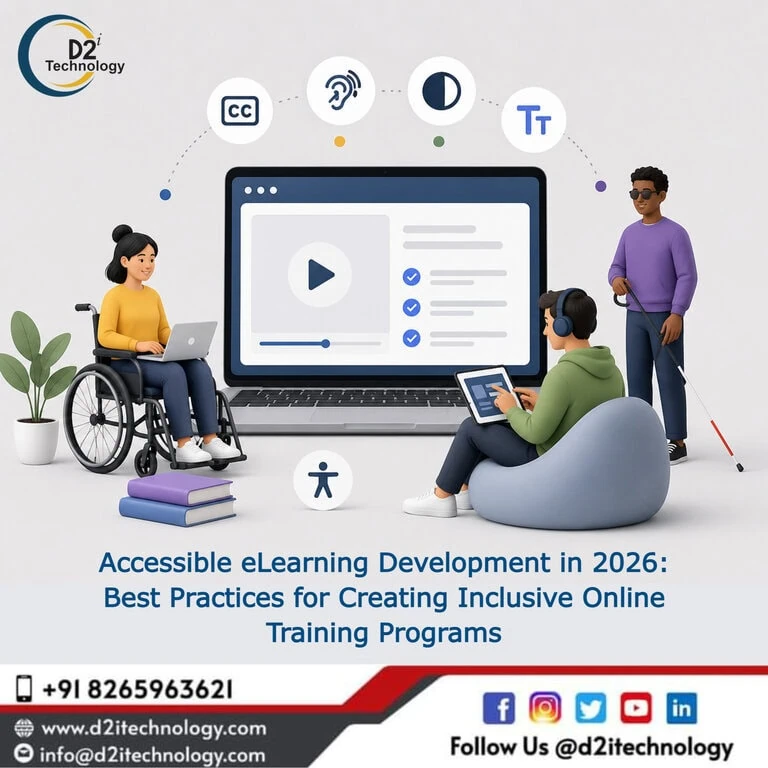
The most expensive accessibility mistake in e-learning isn’t a missing alt tag — it’s building an entire course library around interactions and assumptions that exclude learners from the start, then discovering the gap only after hundreds of hours of content already exist. Accessible eLearning development done properly avoids that entirely by treating accessibility as a design input from the first storyboard, not a compliance checklist applied after the fact. The difference in cost, quality, and outcome between these two approaches is substantial, and it only grows larger as a course library scales.
This post lays out the best practices that should shape accessible course development from the planning stage through final QA — covering instructional design principles, technical implementation in authoring tools, content authoring practices, and the organizational habits that keep accessibility consistent across a growing training program.
Why Building Accessible From the Start Beats Remediating Later
Every hour spent retrofitting accessibility into an existing course costs more than the same fix would have cost during initial development. A heading structure decided correctly during storyboarding is essentially free. The same fix applied to a published, distributed course requires locating the source file, making the change, republishing, retesting, and redistributing — multiplied across however many modules share the same structural pattern.
Why proactive accessibility consistently outperforms reactive remediation applies with particular force to e-learning, where course libraries tend to grow large and interconnected over time. A flawed accessibility pattern baked into a course template early on doesn’t stay contained — it propagates across every course built from that template, compounding the eventual remediation cost.
Foundational Design Principles for Accessible eLearning
Designing Around the Four WCAG Principles From the Start
WCAG’s four foundational principles — Perceivable, Operable, Understandable, and Robust — apply just as directly to e-learning content as they do to standard websites, though the specific implementation looks different. Understanding the four accessibility principles and what they mean in practice gives instructional designers a useful mental framework to apply during storyboarding: Will every learner be able to perceive this content regardless of sensory ability? Can every interaction be completed without a mouse? Is the language and structure clear enough to understand without ambiguity? Will this content remain usable as assistive technology evolves?
Designing with these four questions in mind from the storyboard stage catches structural accessibility problems before a single slide gets built.
Universal Design for Learning as a Complementary Framework
Universal Design for Learning (UDL) is an educational framework distinct from but closely aligned with web accessibility principles. UDL emphasizes providing multiple ways for learners to perceive content (visual, auditory, text-based), multiple ways to engage with material, and multiple ways to demonstrate understanding. Where WCAG focuses on technical accessibility barriers, UDL focuses on instructional design choices that benefit a broader range of learning styles and needs — including but not limited to learners with disabilities.
Combining both frameworks produces course content that’s technically accessible and pedagogically stronger for everyone, not just learners who require assistive technology.
Designing for Cognitive Accessibility From the Outset
Cognitive accessibility — designing content that’s genuinely understandable for learners with cognitive disabilities, attention-related conditions, or simply varying levels of working memory and processing speed — deserves dedicated attention in e-learning specifically, since training content frequently introduces new concepts, multi-step processes, and assessment pressure simultaneously. The relationship between web accessibility and cognitive disability covers design patterns that support cognitive accessibility: clear and consistent navigation, predictable interaction patterns, generous time allowances on assessments, plain language, and the option to revisit content without penalty.
These same patterns also tend to benefit non-native speakers, learners on mobile devices in distracting environments, and anyone returning to training content after a gap — a reminder that accessibility-driven design choices rarely benefit only the narrow population they were designed for.
Accessibility Benefits Far More Learners Than People Assume
A persistent misconception treats accessibility as relevant only to a small population of learners with permanent disabilities. Accessibility serves a much broader population than commonly assumed — temporary impairments, situational limitations (a learner completing a module on a phone in a noisy environment, for instance), aging-related changes in vision and motor control, and simply varied learning preferences all benefit from accessible design choices. This broader framing helps instructional design teams understand accessibility as a quality standard for everyone, not a narrow compliance carve-out.
Content Authoring Best Practices
Writing Meaningful Alt Text for Instructional Images
Alt text in e-learning carries more instructional weight than alt text on a typical website, because images in training content frequently convey content that’s directly tested in assessments — a process diagram, a labeled screenshot, a chart showing data relationships. Generic or absent alt text in these cases doesn’t just create an accessibility gap; it actively removes content that a sighted learner gets and a screen reader user doesn’t, undermining the learning objective for a portion of the audience.
Alt text for instructional images should describe what the image conveys for the learning objective specifically — not just what’s visually present. A flowchart’s alt text needs to communicate the sequence and relationships it depicts, not simply state “flowchart image.”
Structuring Content With Clear, Consistent Headings
Heading structure in e-learning should mirror how a learner would navigate the content if they were skimming a printed outline — main topics as primary headings, subtopics nested appropriately beneath them. This structure benefits screen reader users navigating by heading, but it also benefits every learner trying to understand how a module is organized.
Captioning and Describing Video Content Thoroughly
Video is heavily used in modern e-learning — demonstrations, scenario-based training, interviews, and recorded lectures. Every video needs accurate captions, and content where visual information carries meaning beyond what’s spoken (a software demonstration showing cursor movement and clicks, for example) needs audio description that communicates what’s happening on screen for learners who can’t see it.
Writing in Plain, Direct Language
Plain language isn’t a simplification of content quality — it’s a clarity discipline that benefits every learner, including those for whom English isn’t a first language, those working through unfamiliar technical material, and those with cognitive or attention-related conditions. Shorter sentences, defined technical terms, and a logical information sequence improve comprehension across the board.
Technical Implementation in Authoring Tools
Building Keyboard-Accessible Interactions From Day One
Interactive elements — drag-and-drop exercises, clickable hotspots, branching navigation — need keyboard accessibility designed in from the start rather than retrofitted. For drag-and-drop specifically, building a keyboard-accessible alternative (typically a selection-based interaction achieving the same learning objective) at the same time as the primary interaction avoids the more difficult and time-consuming process of redesigning the interaction after the fact. Approaches to building keyboard-accessible alternatives for drag-and-drop interactions — originally developed for remediation contexts — apply equally well as a design pattern to follow from the first build.
Configuring Tab Order and Focus Management Proactively
Setting tab order and focus triggers correctly during initial development, slide by slide, prevents the tedious post-hoc correction process that remediation requires. Establishing this as a standard step in the course development checklist — not an optional accessibility add-on — keeps it from being skipped under deadline pressure.
Establishing an Accessible Course Template Library
The highest-leverage technical investment a course development team can make is building a library of pre-tested, accessible interaction templates and slide masters. When new courses are built from these templates rather than from scratch, accessibility patterns that have already been validated propagate automatically, rather than requiring re-verification on every new course.
Testing Throughout Development, Not Just Before Launch
Screen reader testing should happen at meaningful development checkpoints — not only as a final pre-launch gate. Catching a broken interaction pattern halfway through development is significantly cheaper to fix than catching it after the full course has been built around that flawed pattern. What manual and automated accessibility testing actually involves in combination is relevant guidance here — automated checks within the authoring tool catch some issues, but real screen reader testing at development checkpoints catches the behavioral issues that automated checking misses.
Organizational Practices That Sustain Accessible Development
Accessibility Checklists Built Into the Development Workflow
A structured checklist — covering heading structure, alt text, tab order, focus management, color contrast, and keyboard accessibility — should be part of the standard definition of “done” for any course module, not a separate review applied inconsistently. What a thorough accessibility checklist for digital content should include provides a structural model that adapts well to e-learning development workflows.
Training Instructional Designers and Developers Directly
Accessibility knowledge concentrated in a single specialist creates a bottleneck and a single point of failure. Training the broader instructional design and development team on accessibility fundamentals — and tool-specific implementation patterns for whichever authoring tool the team uses — distributes that capability and makes accessible development the default rather than the exception.
Organizational Policy and Accountability
Organizational policies that sustain long-term web accessibility commitment apply directly to training content development — a documented accessibility standard for course development, clear ownership of accessibility quality, and periodic review processes keep accessible development from depending entirely on individual team members remembering to apply it consistently. Why accessibility should be treated as integral to how an organization operates reinforces this point — training content accessibility reflects organizational values as directly as any public-facing accessibility commitment.
Looking Ahead: AI and Accessible Course Development in 2026
AI-assisted content generation is increasingly part of e-learning development — generating draft scripts, suggesting interaction designs, and even assisting with initial alt text drafts. How AI can support web accessibility work at scale is directly relevant to course development teams exploring these tools: AI-assisted drafts genuinely speed up production, but they require human review for accuracy and contextual appropriateness, particularly for alt text and content descriptions where AI-generated suggestions can be generic or miss instructional intent.
Used thoughtfully — as an acceleration tool reviewed by people who understand both the content and accessibility requirements — AI assistance can meaningfully reduce the production burden of building accessible course content without compromising quality.
D2i Technology’s Approach to Accessible eLearning Development
D2i Technology’s accessibility team brings hands-on experience building and remediating e-learning content, particularly in Articulate Storyline 360 — covering accessible interaction design, heading structure, focus management, and assistive technology testing throughout the development lifecycle rather than as an afterthought.
Our accessibility testing services support course development teams at any stage, whether evaluating existing content or reviewing new courses during development checkpoints. Where accessibility gaps exist, our accessibility remediation services provide the technical depth to close them efficiently.
Conclusion
Accessible eLearning development built in from the start produces better outcomes than accessibility retrofitted after the fact — for learners, for development teams, and for the long-term cost of maintaining a growing course library. The principles are consistent: design around WCAG and UDL frameworks from the storyboard stage, author content with genuine attention to alt text and structure, build keyboard accessibility into interactions as they’re created rather than after, and establish organizational habits that keep accessibility consistent as teams and content scale.
D2i Technology brings the technical expertise and instructional understanding to help organizations build training content that’s genuinely accessible from day one — not compliant content built around exclusion and patched afterward.
Frequently Asked Questions
Build Accessible Training From the Ground Up
D2i Technology helps organizations design and develop e-learning content with accessibility built in from the start — covering instructional design, technical implementation, and assistive technology testing throughout the development process.