
- Website Development
- October 2, 2026
Why Online Menus and Ordering Bring More Customers to Your Restaurant
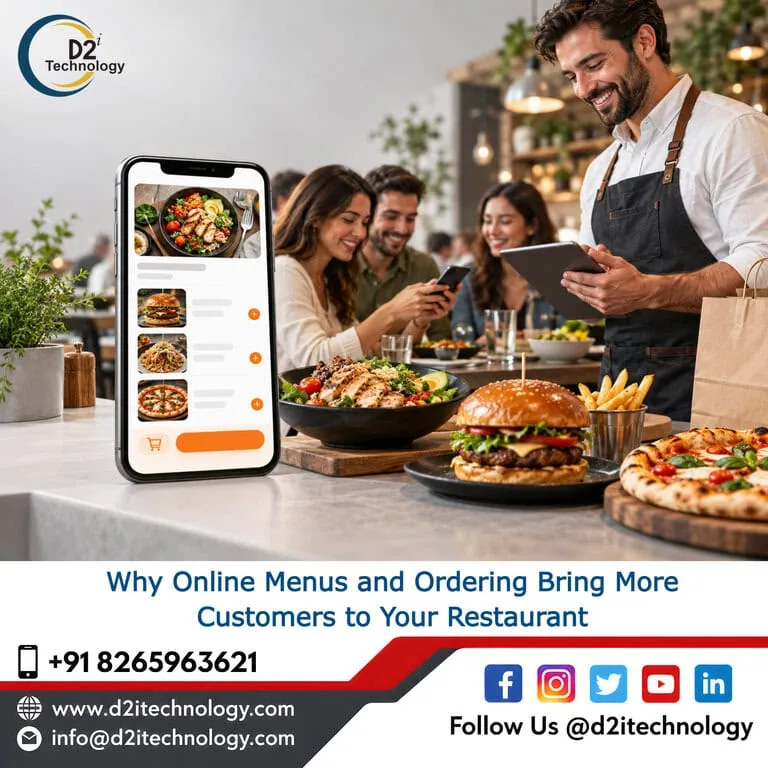
Restaurant online ordering is no longer a nice extra. For many diners, it is how they decide where to eat. They look up a few places, scan the menu on their phone, and choose whichever one makes it easiest to see what is on offer and place an order. If your menu is a blurry photo or a PDF that takes forever to load, they will quietly pick someone else.
The good news is that this is fixable, and you do not need a huge budget to do it. A clear online menu and a smooth ordering flow help you reach more people, take more orders during busy hours and keep customers coming back. At D2i Technology, we build and test websites and web applications for businesses of all sizes, and the same lessons apply to almost every restaurant we see.
Here is what works for restaurant online ordering, what to avoid and how to decide what to build.
Why Diners Decide Before They Walk In
Think about how you choose a place to eat on a weeknight. You probably search on your phone, look at the menu, check a few photos and maybe read a couple of reviews. Only then do you decide where to go or what to order.
That means your website is working as your host, your menu board and your order taker, all before anyone has spoken to your staff. If it does that job well, you get the order. If it makes people pinch, zoom and hunt, you lose them.
A simple example: a family restaurant with a PDF menu that opens slowly on mobile. A customer wants to know if there are vegetarian options, but the PDF is hard to read and does not say. They close it and open another restaurant’s site, where dietary labels are right next to each dish. The second restaurant gets the order, and the first never knows it was in the running.
What a Good Online Menu for a Restaurant Looks Like
Your online menu is your most visited page, so it deserves real attention. A few principles make a big difference.
Write the Menu as Real Web Text
Use regular text on a regular page, not a scanned image or a PDF. Text loads faster, adjusts to any screen size, can be found by search engines and works with screen readers. It is also far easier to update. If you want search engines to understand your dishes better, you can add structured data using the Menu schema.
Be Honest and Specific
Short, plain descriptions work better than flowery ones. Say what is in the dish, how it is served and whether it is spicy. Mark vegetarian, vegan, gluten-free and common allergens clearly. Guests with dietary needs remember the restaurants that made this easy.
Use Photos Where They Help
You do not need a photo for every item. Focus on your signature dishes and best sellers. Compress the images so they do not slow the page, and give each one useful alt text, such as “Grilled paneer tikka with mint chutney,” so people using screen readers get the same information.
Keep It Current
Nothing frustrates a customer more than ordering something that is sold out or priced differently in the restaurant. Update prices, specials and availability as soon as they change. Keep your Google Business Profile menu and hours in sync with your website too.
How Restaurant Online Ordering Brings in More Customers
An online menu helps people choose you. Online ordering helps them actually buy from you. Here is where the extra business comes from.
It Removes the Phone Bottleneck
During a Friday dinner rush, nobody has time to answer the phone calmly. Calls go unanswered, orders are written down wrongly and customers hang up. Online ordering lets people place orders at any time, and the details go straight to your kitchen without anyone repeating them. Fewer mistakes mean fewer refunds and fewer unhappy guests.
It Makes It Easy to Add More to the Order
When customers build their own order on screen, you can suggest a drink, a side or a dessert at the right moment, as a simple option rather than a pushy question. Staff on the phone rarely have time to do this consistently. A well-designed ordering flow does it for every customer.
It Gives You Your Own Customer Channel
Third-party delivery apps can bring in new customers, but they usually charge a commission on each order, and the customer belongs to the app. With your own restaurant online ordering system, you keep more of each sale and have the option to reach regular customers directly, with their permission, about specials and new menu items. Many restaurants use both, but build their own channel for the guests who already know and like them.
It Builds Repeat Orders
When a customer can re-order a favorite meal in a few taps, they are more likely to do it again. Saved addresses, past orders and simple loyalty rewards all encourage return visits, and none of them need to be complicated.
Restaurant Online Ordering Features Worth Having
Not every restaurant needs every feature. Start with the essentials and add more as you learn what your customers use.
- Mobile-first design. Most orders will come from phones, so the whole flow must work well on a small screen.
- Clear pickup and delivery options. Show estimated times, delivery zones and minimum orders before checkout, not after.
- Easy item customization. Let guests choose size, spice level, extras and notes without confusion.
- Multiple payment methods. Cards, digital wallets and, where it makes sense, pay at pickup.
- Kitchen and POS integration. Orders should arrive automatically so nobody retypes them.
- Order confirmation and updates. A simple email or text confirming the order calms people and cuts down on “where is my food” calls.
- Quick checkout. Allow guest checkout so first-time customers are not forced to create an account.
Make Restaurant Online Ordering Accessible to Every Guest
An ordering flow only works if everyone can use it. Guests with low vision, hearing loss, motor differences or cognitive disabilities order food just like everyone else, and some use screen readers, keyboards or voice control to do it.
Accessible ordering means form fields with proper labels, buttons that can be reached with a keyboard, clear error messages when a card fails, and enough color contrast to read prices and options. Following the WCAG guidelines gives you a solid framework. For businesses in the USA, accessibility is also a legal concern, so it is worth understanding ADA compliance and how WCAG compliance applies to your site. An accessible site also tends to be easier for everyone to use, which is good for business.
Performance and Security Matter More Than You Think
Restaurant online ordering systems are busiest exactly when pressure is highest: Friday night, game day, a holiday weekend. If the site slows down or crashes at 7 p.m., you lose orders when you can least afford to. Performance testing simulates that kind of traffic ahead of time, so you can find weak points before customers do.
Security matters just as much. Customers are trusting you with names, phone numbers, addresses and payment details. Use a reputable payment processor, keep your platform updated, and have the system reviewed regularly. Our security testing services help find vulnerabilities before attackers do.
Restaurant Online Ordering: Ready-Made Tool or Custom Build?
Both options are valid, and the right one depends on your situation.
A ready-made ordering plugin or platform is quick to launch and affordable. It works well for a single location with a straightforward menu. The trade-offs are limited design control and monthly fees that can grow with your order volume.
A custom system makes sense when you have several locations, complex menus, special delivery rules, loyalty programs or a need to connect with existing kitchen and inventory software. It costs more upfront, but you control the experience and the data. Our custom web development team can build that system, and if you want a branded ordering app, our mobile app development team can help there too. For a wider look at the options, see our guide to custom websites versus WordPress.
Mistakes That Cost Restaurants Orders
- Forcing account creation. Let people check out as guests.
- Hiding fees until the last step. Surprises at checkout lead to abandoned orders.
- Using a PDF menu. It is slow on mobile and hard to read with assistive tools.
- Never testing on a real phone. Place an order yourself, on a normal connection, at least once a month.
- Forgetting to mark items as sold out. Customers will not forgive an order you cannot fulfil.
Where to Begin
Start small. Turn your PDF menu into a proper web page, add dietary labels, and place a test order from your own phone. Notice where it feels slow or confusing. Then decide whether a ready-made restaurant online ordering tool covers what you need, or whether a custom system will serve you better in the long run.
If you would like help, D2i Technology works with businesses in the USA and India to design, build, test and secure web experiences that people enjoy using. Your menu is your shop window, and restaurant online ordering is the door. Both deserve to look good on every screen.
Frequently Asked Questions
Want Restaurant Online Ordering That Actually Works?
D2i Technology builds fast, secure and accessible ordering experiences for restaurants, from a simple online menu to a fully custom system. Let us look at your setup and suggest the right next step.