
- Digital Marketing
- August 21, 2026
Free Social Media Share Link Generator for Better Content Promotion
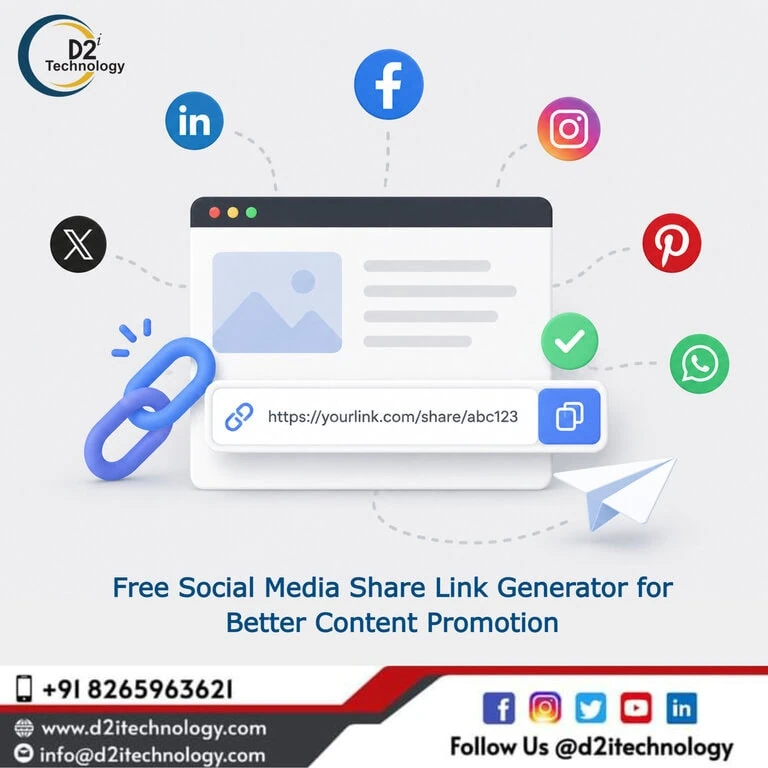
There’s a small, easily overlooked detail that quietly affects how much traffic your content gets from social media: the share link itself. Most teams either skip dedicated share buttons entirely or implement them with bloated third-party scripts that slow down page load. A clean social media share link generator solves this with none of the overhead — giving you properly formatted, pre-filled sharing URLs for every major platform, ready to drop into a button, an email, or a piece of marketing collateral.
This post covers why share links matter more than they get credit for, how they actually work on each platform, common mistakes that quietly reduce sharing performance, and how to use a generator tool effectively as part of a broader content promotion strategy.
Why Share Links Still Matter
It’s tempting to assume that social sharing is a solved problem — every platform has a share button, every CMS has a plugin, and users will share what’s worth sharing regardless of friction. In practice, friction matters enormously. Every additional step between “I want to share this” and the post actually appearing reduces the number of people who follow through.
A properly constructed share link removes that friction. Instead of asking a user to manually copy a URL, open a platform, paste the link, and write something, a good share link generates a platform-native sharing dialog that’s pre-filled with the URL — and ideally relevant text — needing only a tap or click to confirm.
For content-heavy businesses, this matters at scale. Every blog post, product page, case study, or press release is a potential sharing opportunity. If sharing requires effort, most readers won’t bother — even readers who genuinely liked what they read. Reducing that friction with reliable share links is one of the lowest-effort, highest-leverage things a content team can do for organic reach.
Best practices for amplifying content through social media strategy covers the broader context of why social distribution channels remain central to content performance, even as algorithms and platform behaviors continue to shift.
How Social Media Share Links Actually Work
Each major platform uses a specific URL structure that, when constructed correctly, opens a pre-filled sharing interface. Understanding the mechanics helps explain why a generator tool is genuinely useful rather than a convenience for something you could “just type yourself.”
Facebook’s sharer endpoint takes a URL parameter and opens a sharing dialog with that URL’s Open Graph metadata (title, description, image) automatically pulled in. The format is straightforward, but getting query parameter encoding right — particularly for URLs containing special characters, query strings, or non-ASCII text — is where manual construction commonly breaks.
X (formerly Twitter)
X’s intent-based sharing URL accepts parameters for the URL, pre-filled text, and hashtags. Getting the character encoding right for hashtags and for text containing punctuation, emoji, or quotation marks requires careful URL encoding — a single unescaped ampersand or quotation mark can break the entire share intent.
LinkedIn’s sharing URL structure is more particular about which Open Graph tags it reads and how content previews render. For B2B content — which is where most of D2i Technology’s clients see the most overlap between content promotion and lead generation — LinkedIn share link accuracy directly affects how professional the shared content appears in someone’s feed.
WhatsApp sharing uses a distinct URL scheme that opens a chat composer with pre-filled text, commonly used for direct, personal sharing rather than broadcast-style posting. D2i Technology’s WhatsApp Link Generator handles this specific format separately, since WhatsApp’s parameter structure and use case differ meaningfully from the broadcast platforms.
Email and Other Channels
Email sharing uses the mailto: protocol with subject and body parameters — technically not “social” sharing but commonly grouped with share link tools because it serves the same content-distribution purpose, particularly for B2B audiences where email forwarding remains a meaningful distribution channel.
Common Mistakes That Quietly Hurt Share Performance
Missing or Incorrect Open Graph Tags
Share links only work as well as the metadata behind them. If a page is missing Open Graph tags (og:title, og:description, og:image) or has incorrect values, the share preview that appears on Facebook or LinkedIn will be wrong, generic, or missing entirely — regardless of how well-constructed the share link itself is. This is one of the most common reasons shared content underperforms: the link works, but the preview looks broken or unappealing.
URL Encoding Errors
Special characters in URLs — spaces, ampersands, quotation marks, non-ASCII characters — need proper percent-encoding to work reliably across all platforms and browsers. Manually constructing share links without encoding these characters correctly produces links that work inconsistently: fine on one browser, broken on another, or fine until the content includes an apostrophe.
Forgetting Mobile Behavior
Share links behave differently on mobile versus desktop. On mobile, many platforms will attempt to open their native app rather than a browser-based sharing dialog. Testing share links exclusively on desktop can hide mobile-specific issues that affect the majority of actual social media usage.
Hardcoding URLs Instead of Using Dynamic Page URLs
For any reusable share button — particularly one implemented across many pages or templates — the share link needs to dynamically reflect the current page URL rather than a hardcoded value. This sounds obvious, but it’s a common implementation bug, especially when share buttons are added to a template and the URL parameter isn’t correctly bound to the page’s actual address.
How to Use a Social Media Share Link Generator Effectively
Generate Links for Every Platform Relevant to Your Audience
Not every platform deserves equal weight. A B2B software company’s audience skews heavily toward LinkedIn and X, while a consumer lifestyle brand might see more value from Facebook and WhatsApp sharing. D2i Technology’s free Social Media Share Link Generator supports the major platforms in a single tool, letting you generate correctly formatted links for whichever combination matters to your specific audience without manually researching each platform’s URL format.
Test Generated Links Before Deployment
Before adding any generated share link to a live page, test it across both desktop and mobile, and verify the preview that appears matches what you expect. This catches Open Graph metadata problems before they affect real shares — a five-minute check that prevents weeks of underperforming shared content.
Use Pre-Filled Text Strategically
Where the platform supports it (X, WhatsApp, email), pre-filled share text gives you some control over how your content is framed when shared — without requiring every sharer to write their own caption. This is particularly valuable for content you want to position consistently, like a product launch or a research report, where the framing matters for how the content is received.
Keep pre-filled text concise and avoid anything that reads as obviously promotional — sharers are more likely to follow through with a share that doesn’t feel like they’re personally endorsing an advertisement.
Place Share Buttons Where They’ll Actually Be Used
Share buttons placed prominently at the top of an article see different usage patterns than those placed only at the bottom. Testing placement — and considering sticky or floating share bars for long-form content — can meaningfully change sharing rates. The goal is making sharing available at the moment a reader feels the impulse to share, not just after they’ve finished reading.
Share Links as Part of a Broader Content Promotion Strategy
A share link generator solves one piece of a larger content distribution puzzle. It’s worth understanding where it fits.
Complementing Organic Reach With Paid Promotion
Organic shares extend the reach of content, but they rarely substitute entirely for a deliberate promotion strategy. Understanding the best digital marketing tools available for content promotion in 2026 provides a broader view of how share link tools fit alongside scheduling platforms, analytics tools, and paid promotion tools in a complete marketing stack.
Platform-Specific Strategy
Each platform has its own content norms and algorithmic behavior, which affects how shared content performs even when the share link itself works perfectly. Why Reddit deserves specific consideration in a digital marketing strategy is a good example of platform-specific nuance — Reddit’s culture around self-promotion is different enough from LinkedIn or Facebook that a generic share link approach without platform awareness can backfire.
Staying Current With Platform and Strategy Changes
Digital marketing channels and best practices evolve continuously — platform algorithm updates, new sharing features, changing user behavior patterns. Current digital marketing trends worth tracking and digital marketing strategies that often get overlooked both provide useful context for keeping a content promotion approach current rather than relying on assumptions that may no longer hold.
Building Sharing Into the Content Production Process
The most effective approach treats shareability as a content production requirement, not an afterthought. This means ensuring every published piece has correct Open Graph metadata, has share buttons using properly generated links, and has been considered for platform-specific framing before publication — not retrofitted after the fact.
D2i Technology’s Tools for Marketing and Web Teams
Beyond the Social Media Share Link Generator, D2i Technology offers a set of free utility tools built for marketing, development, and content teams: a QR Code Generator for connecting print and physical materials to digital content, a WhatsApp Link Generator for direct messaging campaigns, and a Color Contrast Analyzer for accessible design work — alongside finance calculators, a code minifier, and other practical utilities for technical teams.
For organizations that need a more comprehensive content promotion and marketing strategy beyond individual tools, D2i Technology’s digital marketing services cover SEO, content strategy, social media management, and the broader promotion work that turns well-distributed content into measurable business results.
Conclusion
A social media share link generator addresses a small but consistently overlooked piece of content performance: the friction between “I want to share this” and the share actually happening. Properly formatted share links, correct Open Graph metadata, and thoughtful placement together remove that friction and meaningfully increase the organic reach of content you’ve already invested time and resources into creating.
D2i Technology’s free Social Media Share Link Generator gives marketing and content teams a fast, reliable way to generate correct share links for every major platform — no plugins, no bloated scripts, no manual URL encoding errors. Paired with a broader content promotion strategy, it’s a small tool that consistently pays for itself in additional organic reach.
Frequently Asked Questions
Make Sharing Effortless for Your Audience
D2i Technology's free Social Media Share Link Generator creates correctly formatted sharing links for Facebook, X, LinkedIn, WhatsApp, and more — instantly. For a complete content promotion strategy that goes beyond tools, our digital marketing team is ready to help.