
- DevOps
- September 1, 2026
How to Work with Large Databases Locally Without Impacting Production Performance
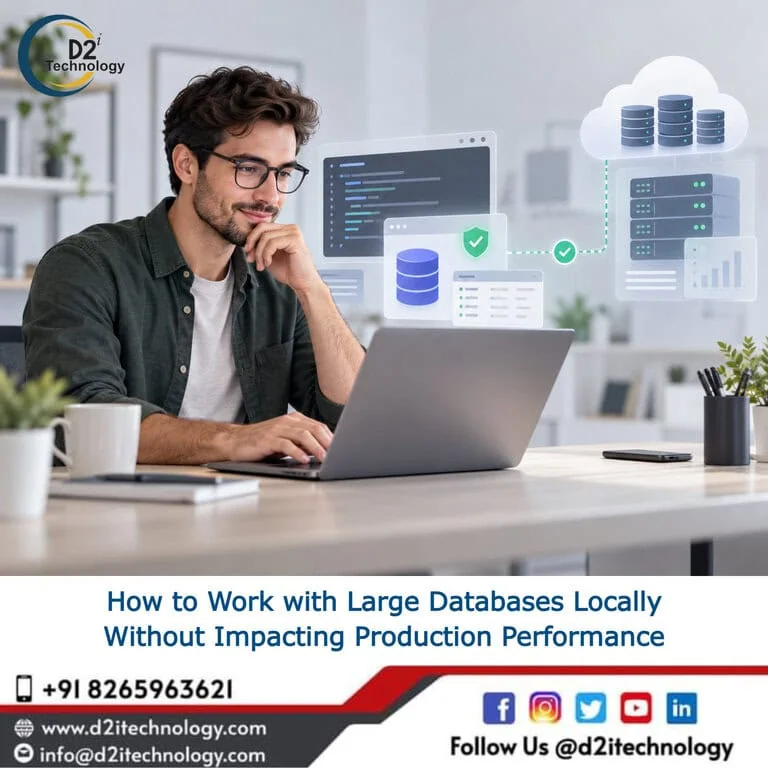
How do you develop, debug, and test applications that depend on millions or billions of database records without continuously querying the production database?
This is a question I increasingly see as applications mature.
A database that started with a few thousand records can eventually contain millions or even billions of rows. At that scale, the traditional approach of giving developers direct access to production data and asking them to “be careful” is not a sustainable engineering strategy.
The better approach is to design a
production-safe data strategy for development and testing.
Instead of bringing every piece of production data to the developer, bring only the
data required to reproduce the problem.
This can be achieved through a combination of:
- Database subsets
- Sanitized production data
- Data masking
- Synthetic test data
- Read replicas
- Database snapshots
- Database branching
- Local database environments
- Query optimization
- Automated data extraction pipelines
The goal is not simply to create a copy of production.
The goal is to create a development dataset that is realistic enough to solve the problem without putting production performance, security, or customer data at risk.
Why Large Production Databases Become a Development Problem
When an application grows, its database often becomes one of its most valuable assets.
It also becomes one of its biggest operational risks.
Consider an application with:
- 500+ database tables
- 200 million transaction records
- Several years of historical data
- Complex relationships between entities
- Large JSON or text fields
- Multiple indexes
- Reporting queries
- Background jobs
- Real-time application traffic
A developer investigating one customer issue may only need a few hundred related records.
Yet the development process may involve querying tables containing hundreds of millions of rows.
This creates several problems:
Performance risk
A poorly optimized query can consume CPU, memory, I/O, database connections, or locks that are also needed by the production application.
Security risk
Developers may gain access to personally identifiable information (PII), financial information, healthcare data, credentials, or other sensitive information.
Development inefficiency
Downloading or restoring a complete production database can take hours or even days.
Infrastructure cost
Maintaining multiple full-size copies of a large production database can become expensive.
This is why
production database access should be treated as an architectural concern, not simply a developer-access problem.
1. Don’t Automatically Copy the Entire Production Database
One of the most common approaches to local development is:
“Take a backup of production and restore it locally.”
For a small application, this may work perfectly well.
For a large database, it can become inefficient very quickly.
Suppose your production database is 500 GB.
Do all developers really need 500 GB of data to work on a feature?
Usually, no.
A developer working on an order-management bug may need:
Customer
↓
Orders
↓
Order Items
↓
Payments
↓
Invoices
They may need 300 related records.
They probably don’t need the other 200 million transactions.
This leads to an important architectural principle:
Create data environments based on the use case, not simply on the size of production.
2. Create a Relevant Database Subset
A database subset is a controlled extraction of the records required for a particular development or debugging scenario.
For example:
SELECT id, customer_id, status, created_at
FROM orders
WHERE customer_id = 10245;
You may then extract related records:
SELECT *
FROM order_items
WHERE order_id IN (...);
And:
SELECT *
FROM payments
WHERE order_id IN (...);
The result is a small but realistic dataset.
Instead of transferring millions of rows:
Production Database
500 GB
↓
Relevant Data
250 MB
↓
Local Development
This can dramatically reduce:
- Data transfer
- Storage requirements
- Restore time
- Local database size
- Developer setup time
More importantly, it reduces unnecessary interaction with the production environment.
3. Don’t Use Production as Your Development Sandbox
A production database should not become a developer’s playground.
Running exploratory queries directly against production can introduce unexpected performance problems.
For example:
SELECT *
FROM transactions
WHERE description LIKE '%refund%';
On a small table, this may be harmless.
On a table containing hundreds of millions of records, it may result in an expensive scan.
The safer architecture is:
┌── Production Application
│
Production DB ──────┤
│
└── Read Replica
        ↓
Reporting / Investigation
Or:
Production
↓
Snapshot / Replica
↓
Sanitized Dataset
↓
Local Development
The principle is simple:
Move experimentation away from production.
4. Use Read Replicas for Read-Heavy Workloads
A read replica can be useful when teams need access to relatively current production data without sending additional read traffic to the primary database.
Typical use cases include:
- Reporting
- Analytics
- Troubleshooting
- Operational dashboards
- Read-only investigation
- Data extraction
However, a read replica should not automatically be considered a development database.
A poorly optimized query can still consume resources on the replica.
Therefore, mature database architectures often combine read replicas with:
- Query monitoring
- Read-only permissions
- Query timeouts
- Resource limits
- Access controls
- Audit logging
A replica reduces pressure on the primary database, but it doesn’t eliminate the need for good database engineering.
5. Sanitize Production Data Before Giving It to Developers
Realistic data is useful.
Real customer data is often unnecessary.
This distinction is extremely important.
Suppose production contains:
Name: John Smith
Email: [email protected]
Phone: +1-555-123-4567
A development dataset could contain:
Name: Customer 83921
Email: [email protected]
Phone: +1-555-000-8392
The application still gets realistic data structures without exposing the original identity.
This process is commonly referred to as:
- Data masking
- Data anonymization
- Data sanitization
- Data de-identification
- PII masking
Depending on the application and regulatory requirements, sensitive fields may include:
- Names
- Email addresses
- Phone numbers
- Addresses
- Payment information
- Account numbers
- Government identifiers
- Healthcare information
- Authentication information
- Free-text customer information
- Uploaded documents
Data masking should be designed as part of the data pipeline, not treated as an afterthought.
6. Don’t Randomize Data in a Way That Breaks Relationships
There is another architectural problem with naive data masking.
Consider:
Customer ID: 1001

Orders:
customer_id = 1001

Payments:
customer_id = 1001
If you independently randomize every value, the relationships can break.
Instead, maintain a consistent transformation.
For example:
Original ID → Masked ID

1001 → 78321
1002 → 19283
1003 → 45192
Every related table uses the same mapping.
The application can therefore continue to behave as though it is working with the original relational structure.
This is particularly important when working with:
- Foreign keys
- Customer relationships
- Orders
- Payments
- Subscriptions
- User accounts
- Audit records
- Multi-tenant systems
Good data masking protects sensitive information without destroying the behavior you need to test.
7. Preserve Data Characteristics, Not Customer Identities
Developers usually don’t need production data because of the names or email addresses.
They need it because of the
characteristics of the data.
For example, suppose production has:
80% Active customers
15% Inactive customers
5% Suspended customers
Your development dataset should ideally preserve those characteristics if they matter to the application.
Similarly, you may need to preserve:
- Large transactions
- Small transactions
- Null values
- Duplicate scenarios
- Failed transactions
- Historical records
- Different statuses
- Boundary conditions
- Large text fields
- Date distributions
- Complex relationships
This makes the dataset useful for debugging without unnecessarily copying sensitive information.
8. Use Synthetic Data When Production Data Isn’t Required
Not every development scenario requires production-derived data.
For many projects,
synthetic data generation
is actually a better option.
For example:
10,000 Customers
50,000 Orders
100,000 Order Items
20,000 Payments
These records can be generated specifically for development and testing.
Synthetic data is particularly useful for:
- Automated testing
- Load testing
- Performance testing
- CI/CD pipelines
- Developer environments
- QA environments
- Security testing
- New feature development
It also makes test environments reproducible.
Instead of saying:
“Use whatever data happens to exist in the database.”
You can define:
“Create this exact dataset every time.”
That is a significant improvement for automated testing and CI/CD.
9. Separate Functional Testing From Performance Testing
One mistake I often see is using the same database environment for every type of testing.
Functional testing and performance testing have different requirements.
For functional testing, you may need:
- Realistic relationships
- Representative records
- Edge cases
- Business scenarios
For performance testing, you may need:
- Millions of records
- High concurrency
- Realistic data distribution
- Large indexes
- Production-like workloads
A small local database is excellent for application development.
It is not necessarily suitable for determining how an application will behave with 500 million production records.
Performance testing should therefore happen in a
dedicated performance environment
with appropriately sized data and infrastructure.
10. Database Snapshots Can Help Reproduce Real Problems
Sometimes a bug depends on a very specific state of the database.
For example:
Customer
↓
Order
↓
Payment
↓
Refund
↓
Failed webhook
↓
Retry
Trying to recreate that state manually can be difficult.
A database snapshot can provide a starting point.
The workflow can look like:
Production Database
↓
Point-in-Time Snapshot
↓
Isolated Environment
↓
Sanitization
↓
Developer Investigation
This is especially useful for:
- Historical incidents
- Data corruption investigations
- Complex transaction failures
- Migration testing
- Reproducing production-only bugs
The important consideration is that the snapshot must still go through appropriate security and data-protection controls before being made available to developers.
11. Consider Database Branching
Modern development workflows increasingly use the concept of
database branching.
Conceptually:
Production
│
┌───────────┼───────────┐
↓           ↓           ↓
Feature A   Feature B   QA
Each environment can have an isolated database state while using a common underlying architecture or snapshot mechanism.
This can be useful for:
- Feature development
- Schema changes
- Database migration testing
- Pull-request environments
- Preview environments
- Automated integration testing
The exact implementation depends on your database technology and infrastructure, but the architectural principle is valuable:
Database environments should be as easy to create and destroy as application environments.
12. Optimize Queries Even in Local Development
Moving data to a local database doesn’t mean query optimization becomes irrelevant.
A developer should still understand:
- Indexes
- Execution plans
- Joins
- Filtering
- Pagination
- Aggregation
- Sorting
- Partitioning
- Connection pooling
Instead of:
SELECT *
FROM transactions;
Prefer:
SELECT
    id,
    customer_id,
    amount,
    status,
    created_at
FROM transactions
WHERE customer_id = 10245
ORDER BY created_at DESC
LIMIT 100;
The exact optimization depends on the database engine and workload, but the principle remains:
Only ask the database to do the work you actually need.
13. Automate Production-to-Development Data Pipelines
If developers frequently need sanitized production data, don’t make the process manual.
Build a repeatable pipeline.
For example:
Production / Replica
↓
Select relevant records
↓
Resolve relationships
↓
Mask sensitive information
↓
Validate referential integrity
↓
Export dataset
↓
Load into local environment
This can eventually become an internal developer platform.
A developer could request:
“Create a sanitized dataset for customer 10245.”
The system could automatically:
- Identify related records
- Extract required data
- Mask sensitive fields
- Validate relationships
- Generate a dataset
- Load it into a development environment
This is where database engineering starts becoming
developer infrastructure
rather than a manual operational task.
14. Make Data Refreshes Reproducible
Another common problem is that every developer has a slightly different local database.
One developer has yesterday’s data.
Another has data from three months ago.
Another manually modified several records.
When an issue occurs, nobody knows which dataset is being used.
A better approach is to version or identify datasets.
For example:
customer-debug-2026-09-28-v1

checkout-regression-v3

payment-failure-scenario-v2
Now a developer, tester, and architect can refer to the same dataset.
This improves:
- Debugging
- Collaboration
- Reproducibility
- Automated testing
- Incident analysis
15. Establish Clear Production Database Access Policies
Technology alone won’t solve the problem.
Teams also need clear operational rules.
Production database
- Read-only access wherever possible
- Restricted users
- Query monitoring
- Audit logging
- No ad-hoc write operations
- No uncontrolled exports
- Sensitive data restrictions
Development database
- Sanitized data
- Local experimentation allowed
- Resettable environment
- Automated refresh
- Reproducible datasets
Performance environment
- Production-like data volume
- Production-like indexes
- Production-like infrastructure where practical
- Controlled load testing
- Dedicated monitoring
This separation makes the development lifecycle safer and more predictable.
A Practical Architecture for Large Database Development
For organizations dealing with large databases, I generally prefer thinking about data environments as a pipeline rather than a single database copy.
PRODUCTION
│
┌──────────┴──────────┐
│                     │
Read Replica        Snapshot
│                     │
↓                     ↓
Investigation      Data Extraction
                      │
                      ↓
               Data Sanitization
                      │
                      ↓
                Relevant Dataset
                      │
          ┌───────────┴───────────┐
          ↓                       ↓
 Local Development            QA / Staging
          │                       │
          └───────────┬───────────┘
                      ↓
             Performance Testing
                      ↓
                  Production
Not every organization needs every component.
The right architecture depends on:
- Database size
- Application architecture
- Regulatory requirements
- Data sensitivity
- Development team size
- Deployment frequency
- Performance requirements
- Cloud infrastructure
- Database technology
The Key Architectural Principle
When dealing with a large database, the question should not be:
“How do we give developers access to the production database?”
The better question is:
“What is the minimum realistic dataset developers need to solve the problem?”
That shift changes the architecture.
Instead of moving developers toward production:
Developer
↓
Production Database
Move the required data toward a controlled development environment:
Production
↓
Replica / Snapshot
↓
Subset
↓
Sanitization
↓
Local / Isolated Environment
↓
Developer
This approach can improve
production database performance, developer productivity, data security, testing reliability, and development velocity
at the same time.
The objective isn’t to make every developer’s laptop a replica of production.
The objective is to give developers enough realistic data to reproduce the problem—without making production pay the price for experimentation.
Final Thought
As applications scale,
data architecture becomes part of developer experience architecture.
A mature engineering organization should make it easy for developers to get the data they need without making production the default development environment.
Don’t copy everything. Don’t query everything. Don’t expose everything.
Extract what matters, sanitize what is sensitive, isolate the workload, and automate the process.
That is how you make large databases manageable for modern software development.
Frequently Asked Questions
Struggling to Balance Developer Access With Production Stability?
D2i Technology helps engineering teams design production-safe data architectures, from database subsetting and masking pipelines to read replicas, snapshots, and dedicated performance testing environments. Whether you're firefighting a slow production database or building this out properly for the first time, let's talk about your setup.