- eLearning Accessibility
- May 12, 2026
Section 508 Compliance for eLearning: Requirements, Testing Methods, and Remediation Strategies
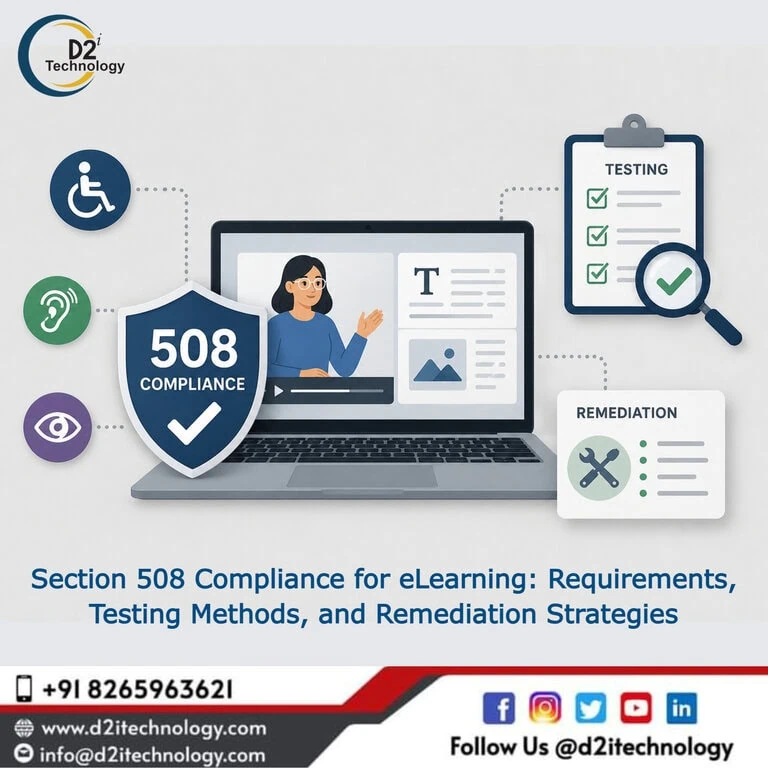
Federal agencies, contractors, and any organization that receives federal funding face a specific legal obligation that often gets overlooked until it’s urgent: training content has to be accessible, the same as any other piece of federal electronic and information technology. Section 508 compliance for eLearning isn’t a recommendation buried in procurement language — it’s an enforceable requirement that applies to onboarding modules, compliance training, certification courses, and every other piece of digital training content these organizations produce or procure.
This guide covers what Section 508 actually requires for e-learning specifically, how testing for conformance should be approached, the remediation strategies that work in practice, and what organizations need to understand about the compliance lifecycle beyond a single audit.
What Section 508 Actually Requires
Section 508 of the Rehabilitation Act requires federal agencies to make their electronic and information technology accessible to people with disabilities. In 2017, the Section 508 refresh aligned its technical standards with WCAG 2.0 Level AA, and the practical standard referenced today has continued to evolve alongside WCAG updates — meaning the technical bar for Section 508 conformance today effectively means meeting WCAG 2.1 (and increasingly WCAG 2.2) Level AA success criteria.
This requirement extends beyond federal agencies themselves. Federal contractors, organizations receiving federal grants, and any entity producing electronic content for use by or on behalf of federal agencies fall within Section 508’s scope. For e-learning specifically, this means any training content — mandatory compliance modules, onboarding courses, certification programs, professional development content — delivered to federal employees or built under a federal contract needs to meet these accessibility standards.
The full checklist of what’s covered under digital accessibility requirements for government-related entities covers similar scope considerations that apply analogously to Section 508 — understanding what’s in scope and what carries exceptions is the necessary first step before any testing begins.
Why eLearning Presents Distinct Section 508 Challenges
Standard web content has a reasonably well-understood relationship to Section 508 testing — pages, navigation, forms, and static content map cleanly onto WCAG success criteria that automated and manual testing methods are designed to evaluate. E-learning content built in authoring tools like Articulate Storyline 360 introduces additional complexity: custom interactions that don’t follow standard HTML patterns, content packaged and delivered through an LMS rather than served as a typical web page, and interactive elements (drag-and-drop, branching scenarios, timed assessments) that require specific accessibility implementation the authoring tool itself doesn’t guarantee by default.
How manual, automated, and hybrid accessibility testing actually work for digital content is especially relevant for e-learning because automated testing tools — including the accessibility checkers built into authoring platforms — have meaningfully limited ability to evaluate whether custom interactions actually work correctly with assistive technology. A course can show a “clean” result in an automated accessibility check and still be genuinely unusable for a screen reader user navigating a poorly configured drag-and-drop exercise.
Section 508 Requirements Specific to eLearning Content
Keyboard Accessibility for All Interactions
Every interactive element in a course — navigation buttons, quiz answer selection, drag-and-drop exercises, clickable hotspots, branching choices — must be operable using a keyboard alone, without requiring a mouse. This is one of the most frequently violated requirements in e-learning content, primarily because drag-and-drop interactions, by their nature, don’t have an inherent keyboard equivalent unless the course developer specifically builds one.
Meaningful Text Alternatives for Visual Content
Images, diagrams, charts, and icons used throughout course content need text alternatives that convey their instructional meaning — not just a generic description. Where visual content carries information tested in assessments, the alt text needs to communicate that information completely enough for a screen reader user to have equal access to the learning objective.
Captions and Audio Descriptions for Multimedia
Video content needs accurate captions, and where visual information conveys meaning beyond what’s spoken — software demonstrations, scenario role-plays with visual cues — audio description is required to convey that information to learners who can’t see the screen.
Logical Heading Structure and Reading Order
Course content needs a logical, semantically correct heading structure that allows screen reader users to navigate efficiently, and a reading order that matches the visually intended sequence of content on each slide.
Sufficient Color Contrast
Text and meaningful graphical elements need to meet WCAG contrast thresholds — 4.5:1 for normal text, 3:1 for large text and UI components. Going beyond the basic WCAG contrast requirements is particularly relevant for e-learning content, which often uses branded color palettes and graphic-heavy slide designs that can easily fall short of these thresholds without deliberate checking.
Adequate Time for Assessments and Adjustable Timing
Timed quizzes and assessments need to provide adequate time for completion, with the ability to extend or adjust timing for learners who require it. Rigid, non-adjustable time limits on assessments are a common Section 508 gap in compliance training specifically.
Accessible Names for Form Controls and Interactive Elements
Every interactive element — including quiz answer options, navigation controls, and custom interaction components — needs an accessible name that a screen reader can announce meaningfully. Generic or missing labels (“Button 1,” “Click here”) fail this requirement even when the element is otherwise keyboard-operable.
Testing Methods for Section 508 eLearning Compliance
Automated Testing Within the Authoring Tool
Most modern authoring tools, including Articulate Storyline 360, include built-in accessibility checking features that flag some structural issues — missing alt text, certain heading problems, basic tab order anomalies. This is a useful first pass but should never be treated as comprehensive. The difference between manual and automated accessibility audits explains why automated checks, even within a purpose-built authoring environment, catch only a portion of the issues that affect real assistive technology users.
Manual Evaluation Against WCAG Success Criteria
A complete Section 508 evaluation requires manual review against the full set of applicable WCAG 2.1/2.2 Level AA success criteria — checking heading structure, verifying alt text quality (not just presence), confirming color contrast across all slide variations, and reviewing every custom interaction individually for accessibility implementation. Structured checklists for e-learning accessibility audits in Articulate Storyline 360 provide a systematic framework for this manual evaluation process.
Screen Reader Testing With NVDA and JAWS
Real testing with screen readers — NVDA and JAWS being the most relevant for federal and enterprise contexts — verifies that the course actually works as intended for assistive technology users, not just that the underlying code appears correct. This step is where focus management issues, incorrectly configured Set Focus triggers, and interaction patterns that look fine on paper but behave confusingly in practice get caught. Configuring Storyline’s Set Focus trigger correctly for screen reader navigation is one of the more technical aspects of this testing phase, since incorrect focus configuration is a common source of confusing screen reader behavior that automated testing won’t reveal.
Keyboard-Only Navigation Testing
Testing every interaction using only a keyboard — tabbing through controls, activating buttons and links, completing quizzes and exercises — verifies the keyboard accessibility requirement directly. This includes confirming that focus order makes sense, that there are no keyboard traps, and that all functionality reachable by mouse is also reachable by keyboard.
Testing in the Actual LMS Delivery Environment
Accessibility behavior verified within an authoring tool’s preview mode doesn’t always carry through unchanged once the course is published as a SCORM package and loaded into the actual LMS where learners will encounter it. Testing within the real delivery environment — not just the authoring tool — is a necessary final verification step before considering a course conformant.
Remediation Strategies for Section 508 Gaps
Prioritize by Compliance Risk and Learner Reach
Courses required for federal compliance obligations, courses with the largest learner populations, and courses with the most severe accessibility barriers should be remediated first. A structured prioritization framework prevents remediation effort from being spread thin across low-priority content while high-risk gaps remain unaddressed.
Rebuild Inaccessible Interactions Rather Than Patch Them
For interactions that are fundamentally inaccessible by design — drag-and-drop exercises without keyboard alternatives, for instance — the most reliable remediation strategy isn’t attempting to retrofit keyboard support onto the existing mouse-based interaction. Building keyboard-accessible alternatives for drag-and-drop interactions in Articulate Storyline 360 describes the more reliable approach: providing a parallel, fully accessible interaction (typically selection-based) that achieves the same learning objective.
Fix at the Template Level Where Possible
If multiple courses share a slide template or master with the same structural accessibility flaw, fixing the template once and reapplying it is significantly more efficient than fixing the same issue individually across every affected course.
Verify Fixes With Real Retesting
After remediation, retest with actual screen readers and keyboard navigation — not just the authoring tool’s built-in accessibility checker — to confirm that fixes resolve the actual user-facing barrier, not just the automated flag. Why remediation needs to include genuine verification, not just code changes applies directly here, since a fix that looks correct in the authoring tool can still behave unexpectedly once republished and tested with real assistive technology.
Document the Remediation Process
For organizations subject to Section 508 audits or oversight, maintaining documentation of identified issues, remediation actions taken, and verification testing performed provides evidence of systematic compliance effort — valuable both for internal accountability and for demonstrating good-faith compliance progress if questioned externally.
Building Section 508 Compliance Into Future Course Development
The most sustainable approach to Section 508 compliance isn’t a one-time remediation project — it’s establishing development practices that produce conformant content from the start. Why proactive accessibility consistently outperforms reactive remediation is particularly relevant for organizations building an ongoing training content pipeline: every course built using validated, accessible templates and interaction patterns reduces the future remediation burden, while every course built without accessibility consideration adds to it.
This means training instructional designers on Section 508 requirements directly, building a library of pre-tested accessible interaction templates, incorporating accessibility checks at development checkpoints rather than only before launch, and establishing organizational accountability for maintaining compliance as the course library grows.
How D2i Technology Supports Section 508 eLearning Compliance
D2i Technology’s accessibility team has direct, hands-on experience with Section 508 and WCAG compliance work for e-learning content, particularly in Articulate Storyline 360 — covering everything from initial audit through technical remediation and final verification testing.
Our accessibility testing services cover comprehensive Section 508 evaluation for e-learning content, combining automated checking, manual WCAG evaluation, and real assistive technology testing. Where gaps are found, our accessibility remediation services provide the Storyline-specific technical expertise to fix them correctly — within the source files, through republishing, and verified in the actual delivery environment.
Conclusion
Section 508 compliance for eLearning is a specific, enforceable legal obligation for federal agencies, contractors, and federally funded organizations — and meeting it requires more than running a generic accessibility scan against course content. The technical requirements (keyboard accessibility, meaningful alt text, captioning, logical structure, adequate contrast, and adjustable assessment timing) are well-defined, but verifying genuine conformance requires combining automated checking with manual WCAG evaluation and real assistive technology testing, particularly given the custom interaction types common in modern e-learning authoring tools.
D2i Technology brings the combined accessibility and authoring tool expertise needed to take organizations from initial Section 508 gap assessment through verified, sustainable compliance across their training content.
Frequently Asked Questions
Bring Your Training Content Into Section 508 Compliance
D2i Technology's accessibility team provides comprehensive Section 508 testing and remediation for e-learning content, including specialized expertise in Articulate Storyline 360. From audit through verified remediation, we help federal agencies, contractors, and training teams meet their compliance obligations.