- eLearning Accessibility
- April 16, 2026
eLearning Accessibility Remediation: A Complete Guide to Making Online Courses WCAG 2.2 and Section 508 Compliant
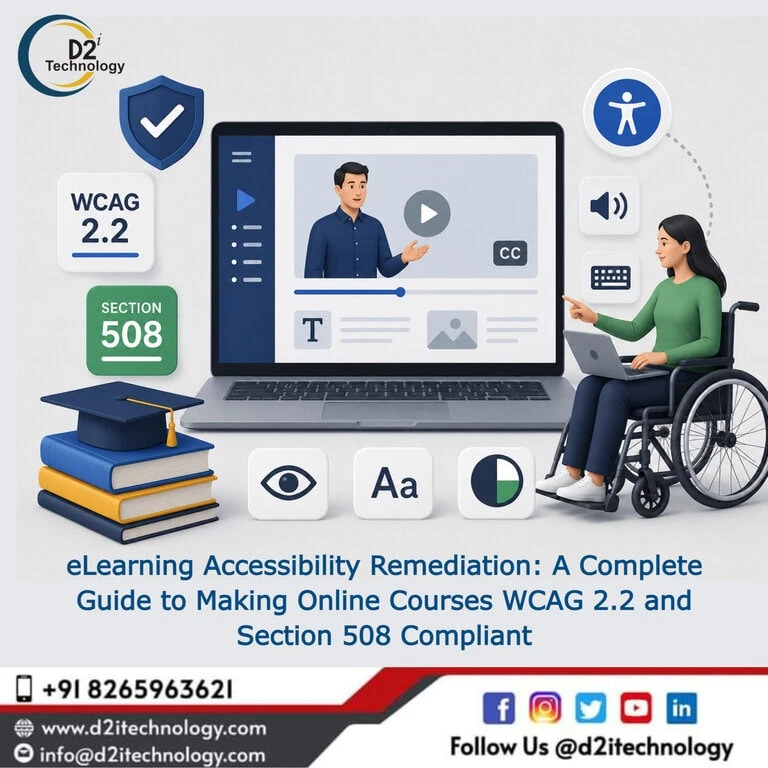
A course that a learner can’t actually use isn’t a course — it’s a closed door with a syllabus attached. That’s the practical reality behind eLearning accessibility remediation: the systematic process of identifying and fixing the barriers in online course content that prevent learners using screen readers, keyboard navigation, or other assistive technology from completing the same learning experience as everyone else. For organizations building training programs, certification courses, or compliance education, getting this right isn’t optional polish — it’s the difference between content that actually serves its purpose and content that quietly excludes a portion of the people it was built for.
This guide covers what makes e-learning accessibility distinct from standard web accessibility work, the specific failure patterns that show up repeatedly in course content — particularly in Articulate Storyline 360, the most widely used authoring tool in corporate and educational e-learning — and how to approach remediation systematically rather than piecemeal.
Why eLearning Accessibility Is a Distinct Discipline
Standard web accessibility remediation deals with pages: navigation, forms, static content, and interactive components that behave in fairly predictable ways once you understand the patterns. E-learning content introduces a different category of complexity. Courses are built in specialized authoring tools, exported as packages that run inside an LMS (Learning Management System), and frequently include custom interactions — drag-and-drop exercises, branching scenarios, timed quizzes, embedded video with interactive overlays — that don’t map neatly onto standard web accessibility patterns.
This means remediation work for e-learning requires familiarity with the authoring tool’s specific accessibility features and limitations, not just general WCAG knowledge. What manual and automated accessibility testing actually involves is especially relevant here — automated scanners struggle significantly more with e-learning content than with standard web pages, because so much of the interaction logic lives inside the authoring tool’s own JavaScript runtime rather than standard HTML markup.
Common Accessibility Failures in eLearning Content
Inaccessible Drag-and-Drop Interactions
Drag-and-drop exercises are a staple of interactive e-learning — matching terms to definitions, sequencing steps, sorting items into categories. They’re also one of the most consistently inaccessible interaction types, because the mouse-based drag gesture has no inherent keyboard equivalent unless the authoring tool specifically builds one in.
Remediating drag-and-drop interactions with keyboard-accessible alternatives in Articulate Storyline 360 covers the specific approach: rather than trying to make the drag gesture itself keyboard-operable (which is technically difficult and often produces a poor experience even when achieved), the more reliable fix is providing a parallel interaction — typically a set of radio buttons or a dropdown selection — that achieves the same learning objective through a fully keyboard-accessible interface. This preserves the pedagogical intent of the exercise without forcing an awkward keyboard simulation of a mouse gesture.
Incorrect or Missing Heading Structure
Screen reader users rely heavily on heading structure to navigate content efficiently — jumping between sections, understanding content hierarchy, and getting oriented within a course module without reading everything linearly. Many e-learning courses are built with no semantic heading structure at all, or with headings that look correct visually but aren’t actually marked up as headings in the underlying accessibility tree.
This is a particularly easy issue to miss because it’s invisible to sighted reviewers checking the course visually — the text might be styled to look like a heading without ever being tagged as one in the authoring tool’s accessibility settings.
Improper Tab Order
Tab order determines the sequence in which keyboard users move through interactive elements on a slide. In standard web development, tab order generally follows the DOM order of elements. In Storyline and similar tools, tab order is often a separate, manually configured setting — and if it’s not explicitly set, elements can be reached in a confusing or seemingly random sequence that bears no relationship to their visual layout.
Confirming and correcting tab order slide by slide is tedious but necessary work, and it’s one of the most common gaps found in courses that were built without accessibility consideration from the outset.
Misuse or Absence of Focus Triggers
Storyline’s “Set Focus” trigger is the mechanism that directs assistive technology attention to specific elements as a user navigates through a slide or interaction. Used correctly, it ensures that screen reader users are guided through content in a logical sequence that matches the intended learning flow. Used incorrectly — or left unset — focus can land in unpredictable places, leave users disoriented, or skip over critical content entirely.
Mastering the Set Focus trigger for Storyline 360 accessibility covers the specific configuration patterns that produce a coherent screen reader experience — this is one of the more technical aspects of Storyline remediation and one where experience with the tool genuinely matters, since incorrect focus trigger configuration is itself a common source of new accessibility problems introduced during a remediation attempt.
Missing Alt Text and Inaccessible Media
Images, diagrams, and embedded video used throughout course content need text alternatives — and for video specifically, captions and in many cases audio descriptions. Course content with heavy visual reliance (charts explaining a process, screenshots demonstrating software steps, diagrams illustrating a concept) is especially vulnerable to this gap, since the visual content often carries information that text alone, without careful alt text authoring, would lose entirely.
Inaccessible Quiz and Assessment Interactions
Quiz questions, especially those using custom interaction types beyond standard multiple choice, often introduce accessibility barriers around how answer choices are presented, how feedback is announced, and whether timed assessments provide adequate time extensions for users who need them. Common accessibility issues found across digital content reflects patterns that show up just as consistently in e-learning assessments as they do on standard websites.
How eLearning Accessibility Remediation Actually Works
Step 1: Comprehensive Course Audit
The remediation process starts with a structured audit of existing course content — evaluating each module against applicable WCAG 2.1/2.2 Level AA success criteria, with specific attention to the authoring tool’s particular implementation patterns. Comprehensive e-learning accessibility audit checklists for Storyline 360 content provide a structured framework for this evaluation — covering heading structure, tab order, focus management, alt text, color contrast, and interaction accessibility systematically rather than ad hoc.
This audit needs to include both automated checking (where applicable) and manual evaluation using actual screen readers — NVDA and JAWS testing in particular, since these represent the most common assistive technology combinations encountered by learners with visual disabilities.
Step 2: Prioritized Remediation Planning
Not every course needs the same level of urgency. Courses required for legal or safety compliance, courses serving the largest learner populations, and courses with the most severe accessibility barriers (complete inability to complete required interactions, for instance) should be prioritized over lower-stakes or less-trafficked content.
Step 3: Authoring Tool-Level Fixes
This is where Storyline-specific expertise becomes essential. Fixing heading structure, configuring tab order correctly, setting up Set Focus triggers appropriately, rebuilding drag-and-drop interactions with keyboard-accessible alternatives, and writing meaningful alt text all happen within the authoring environment itself — not in raw code, as would be the case for a standard website.
D2i Technology’s accessibility services for Articulate Storyline e-learning content cover this full remediation scope, working directly within the source files to implement fixes that hold up correctly once the course is republished and exported.
Step 4: SCORM/LMS Compatibility Verification
Once remediation is complete within the authoring tool, the course needs to be republished and tested within its actual delivery environment — the LMS where learners will encounter it. Accessibility fixes that work correctly in an authoring tool’s preview mode can occasionally behave differently once packaged as SCORM or other LMS-compatible formats and loaded into the actual learning platform, making this verification step a necessary part of the process rather than an optional check.
Step 5: Screen Reader Retesting
After remediation and republishing, retesting with actual screen readers confirms that fixes work as intended in the final delivered product — not just that the authoring tool’s accessibility checker shows a clean result. This step catches discrepancies between what the authoring tool reports and what assistive technology users actually experience.
Why WCAG 2.2 and Section 508 Compliance Matter for eLearning Specifically
Section 508 and Corporate/Government Training
Organizations that receive federal funding, work as federal contractors, or operate within government agencies are subject to Section 508 requirements for all digital content — including internal and external training materials. This makes e-learning accessibility a direct compliance obligation, not a discretionary improvement, for a significant portion of corporate and government training programs.
WCAG 2.2 and the Expanding Scope of Digital Accessibility Law
How accessibility testing requirements are evolving toward WCAG 3 alongside current ADA and AI compliance considerations reflects the broader regulatory trend that increasingly captures e-learning platforms specifically — as digital accessibility law expands its scope, training content delivered through LMS platforms is squarely within that expanding coverage.
Reputational and Educational Equity Considerations
Beyond legal requirements, accessible e-learning reflects an organization’s genuine commitment to ensuring that all employees, students, or certification candidates have equal access to required training and professional development. For organizations with disability inclusion as a stated value, inaccessible training content represents a direct contradiction between policy and practice.
Building Accessibility Into Future Course Development
The most efficient long-term approach isn’t repeatedly remediating courses after the fact — it’s building accessibility into the course development process itself. This means establishing accessibility checklists for course developers, providing Storyline-specific training on accessible interaction design, testing new courses with screen readers before launch rather than after complaints arise, and maintaining a standard library of pre-tested accessible interaction templates that developers can reuse rather than building new patterns from scratch each time.
Why proactive accessibility is more effective than reactive remediation applies directly to e-learning development — the cost and effort of building accessibility in from the start is consistently lower than the cost of remediating a large course library after the fact.
How D2i Technology Supports eLearning Accessibility Remediation
D2i Technology’s accessibility team has direct, hands-on experience remediating Articulate Storyline 360 courses across multiple client engagements — including replacing inaccessible drag-and-drop interactions with keyboard-accessible alternatives, correcting heading structures and tab order, configuring Set Focus triggers for coherent screen reader navigation, and establishing consistent slide-naming conventions that support accessible navigation throughout multi-slide courses.
Our accessibility testing services extend specifically to e-learning content audits, and our accessibility remediation services cover the full technical scope of fixing what those audits find — within the authoring tool, through republishing, and through final verification in the delivery LMS.
Conclusion
eLearning accessibility remediation is technical work that requires genuine familiarity with authoring tools like Articulate Storyline 360 — not just general WCAG knowledge applied generically to course content. The most common failure patterns — inaccessible drag-and-drop, broken heading structure, incorrect tab order, missing or misconfigured focus triggers — are well understood and consistently fixable, but they require someone who knows the specific mechanisms involved to fix them correctly and verify that fixes hold up once content is republished and delivered through an LMS.
D2i Technology brings exactly that combination of accessibility expertise and authoring tool experience to e-learning remediation engagements, helping organizations turn existing course libraries into genuinely accessible learning experiences that meet WCAG 2.2 and Section 508 requirements.
Frequently Asked Questions
Make Your Course Library Accessible to Every Learner
D2i Technology's accessibility team specializes in Articulate Storyline 360 remediation, helping organizations achieve WCAG 2.2 and Section 508 compliance across their e-learning content. From audit through remediation and final verification, we handle the full technical scope.