
D2i Accessibility Toolkit
A free web accessibility toolkit and digital accessibility solution that adds a floating accessibility panel to any WordPress site - letting visitors activate WCAG 2.1/2.2, ADA, Section 508, and EN 301 549 assistive adjustments with a single click. Built-in accessibility automation tools make it the simplest accessibility testing tool you can give your visitors. No login, no upsells, no external requests.
Important notice: This plugin helps users customise their browsing experience. It does not automatically make your website fully compliant with WCAG, ADA, Section 508, or EN 301 549, and is not a substitute for professional accessibility audit services or a dedicated website ada compliance service. Website owners remain responsible for ensuring their content - semantic HTML, image alt text, captions, heading structure, and color contrast - meets applicable standards.
Features
This accessibility toolkit doubles as a lightweight website accessibility checker and ada compliance tool - putting the WCAG and ADA controls your visitors need directly in their hands.
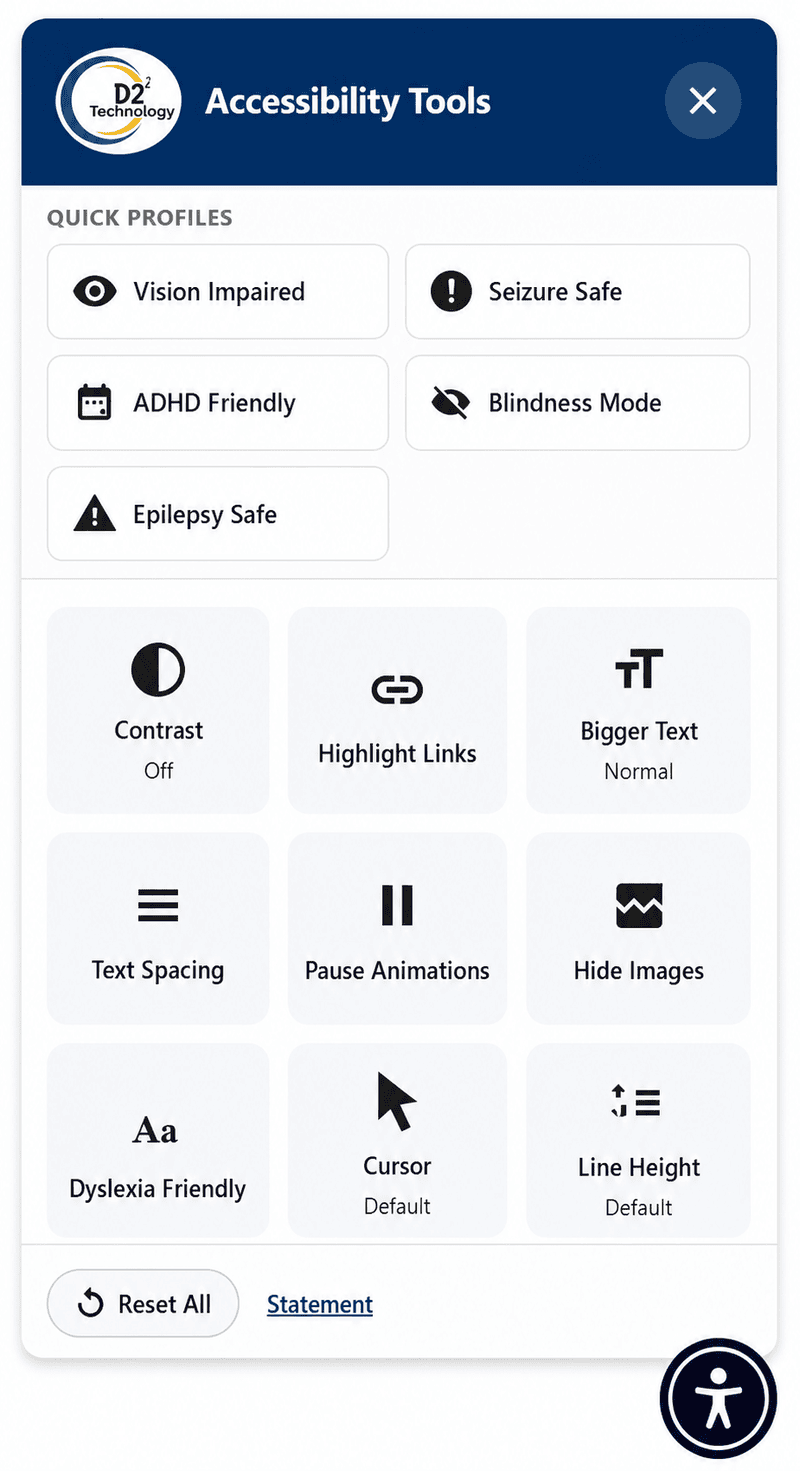
Contrast Modes
Cycle through Dark, Light, and High Contrast display modes.
Highlight Links
High-visibility outlines and backgrounds on all links for easier navigation.
Bigger Text
Scale text from 100% up to 200% in increments - rem-based so layout reflows correctly.
Text Spacing
Applies WCAG 1.4.12 exact values: line-height 1.5, letter-spacing 0.12em, word-spacing 0.16em, paragraph spacing 2em.
Pause Animations
Stops CSS animations and transitions; pauses autoplay videos; respects prefers-reduced-motion automatically.
Hide Images
Hides img, picture, and SVG elements; injects alt text as visible text nodes so context is preserved.
Dyslexia Friendly
Applies the OpenDyslexic font (bundled locally, no CDN) with increased line-height and letter-spacing.
Big Cursor
64px white or black cursor SVG, locally bundled - no external requests.
Line Height
Cycle through Default → 1.5 → 1.75 → 2.0 → 2.5 line heights.
Text Alignment
Switch between Default, Left, Centre, and Right alignment (justify excluded per WCAG 1.4.8).
Reset All
One click restores all defaults and clears LocalStorage preferences.
Widget Preview
A floating button sits in the corner of every page. One click opens the full accessibility panel - no reload, no settings menu needed.
Privacy
No external requests - all fonts, cursors, and icons are bundled locally.
No tracking or analytics - zero phone-home behaviour.
Browser LocalStorage only - user preferences stored under d2i_a11y_user_prefs, no cookies, no database writes.
How to Install
1 From WordPress Dashboard
- Go to Plugins → Add New
- Search for D2i Accessibility Toolkit
- Click Install Now, then Activate
- Go to D2i Accessibility in the admin sidebar to configure
2 Manual Upload
- Download the plugin ZIP from WordPress.org
- Go to Plugins → Add New → Upload Plugin
- Upload the ZIP and click Install Now, then Activate
- Configure via D2i Accessibility in the admin sidebar
The Widget is Fully Accessible
The accessibility panel itself meets the same standards it helps your visitors use:
-
Semantic
<button>elements throughout - Color contrast ≥ 4.5:1 within the widget
- Touch targets ≥ 44×44px
- Keyboard navigable with focus trap; Escape to close
-
Full ARIA:
role="dialog",aria-modal,aria-pressed,aria-live - Tested with NVDA, JAWS, VoiceOver, and TalkBack
- Widget is never affected by its own filters (invert/saturation are counter-filtered)