- eLearning Accessibility
- June 11, 2026
Accessible eLearning Development: Best Practices, Testing, and Accessibility Audits
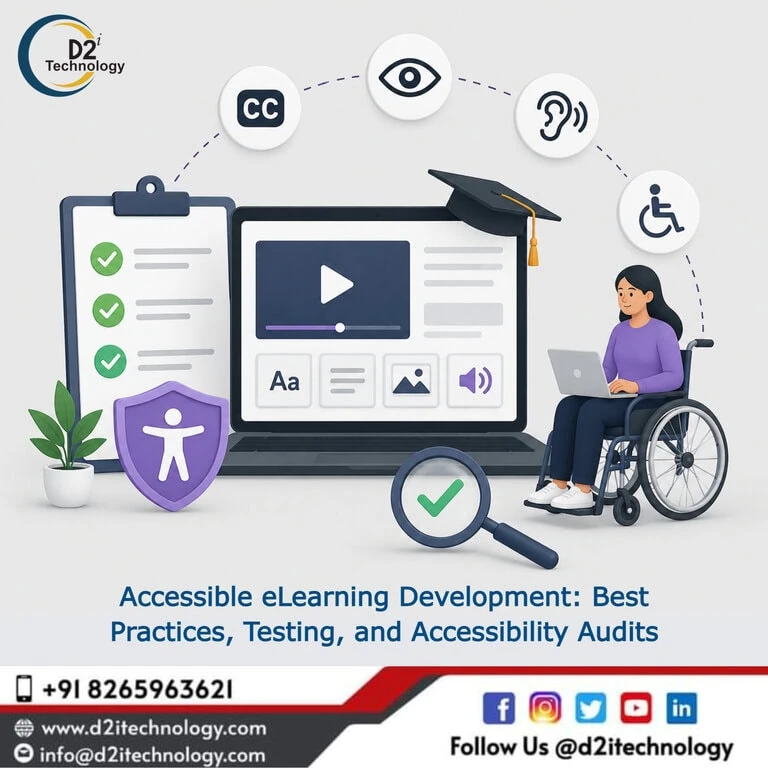
Building a course and verifying that it’s actually accessible are two distinct skills, and most organizations are stronger at one than the other. Accessible eLearning development done well requires both working together as a continuous loop — development practices that reduce the number of issues introduced, testing methods that catch what slips through, and periodic audits that confirm the whole system is holding up as a course library grows. Treating these as three separate, disconnected activities is exactly how organizations end up with course libraries that pass an initial audit and then quietly drift out of compliance over the following year.
This post walks through that full lifecycle — what development practices matter most, how testing should actually be structured for e-learning content specifically, and what a recurring audit program looks like for organizations maintaining a growing course library over time.
Why Development, Testing, and Auditing Need to Work as One System
A course built with accessible design principles but never tested with a screen reader is a guess, not a verified outcome. A course tested thoroughly once at launch but never revisited as the LMS platform updates, new browsers roll out, or content gets edited drifts out of compliance silently. And an organization that only audits — without feeding audit findings back into how new courses get built — keeps remediating the same categories of mistakes indefinitely.
The organizations that maintain genuinely accessible course libraries over time treat development, testing, and auditing as a closed loop: development practices reduce new issues, testing catches what development missed, and periodic audits verify the system as a whole — with findings from each stage informing the next cycle of development.
Development Practices That Reduce Accessibility Issues at the Source
Designing Interactions With Keyboard Accessibility From the Start
Interactive elements — particularly drag-and-drop exercises, which remain one of the most consistently problematic interaction types in e-learning — should be designed with keyboard accessibility built in from the first version, not added afterward. Practical methods for building keyboard-accessible alternatives to drag-and-drop interactions — originally developed for fixing existing courses — apply just as well as a development pattern to follow during initial course construction.
Establishing Accessible Slide Templates and Style Guides
A development team that works from validated, pre-tested slide templates introduces far fewer new accessibility issues than one building each course from a blank canvas. Templates that have correct heading structure, proper color contrast, and validated tab order behavior built in propagate those correct patterns automatically across every course that uses them.
Configuring Focus Management as a Standard Build Step
Setting tab order and Set Focus triggers correctly should be a routine part of slide construction, not a separate accessibility pass applied at the end. How to configure Storyline’s Set Focus trigger correctly for coherent screen reader navigation describes the specific technical patterns that, when built in from the start, prevent one of the most commonly found issues in post-launch audits.
Writing Content With Accessibility in Mind From the First Draft
Alt text, plain language, and logical content sequencing are easier and more accurate to produce during initial content authoring than to retrofit later, when the original author’s intent has to be reconstructed by someone else. Content writers and instructional designers who understand what makes alt text genuinely useful — describing instructional meaning, not just visual appearance — produce meaningfully better outcomes than alt text added as an afterthought during a later review pass.
How Accessibility Testing Should Actually Work for eLearning
Automated Testing Within the Authoring Environment
Authoring tools like Articulate Storyline 360 include built-in accessibility checking that catches some structural issues automatically — useful as a fast first pass during development, but limited in scope. Understanding what manual, automated, and hybrid accessibility testing actually means in practice clarifies why this automated layer, while genuinely useful, catches only a portion of the issues that affect real learners using assistive technology.
Manual Testing Against WCAG Success Criteria
Manual evaluation against the full applicable set of WCAG 2.1/2.2 success criteria — checking heading structure, verifying alt text quality, reviewing custom interactions individually, confirming color contrast across all slide states — fills the gap that automated testing leaves. A structured checklist for conducting thorough e-learning accessibility audits in Storyline 360 gives testing teams a systematic, repeatable framework rather than an ad hoc review.
Real Screen Reader Testing at Development Checkpoints
Testing with actual screen readers — NVDA and JAWS in particular — should happen at meaningful checkpoints during development, not only as a final gate before launch. Catching a misconfigured interaction halfway through a course build is significantly cheaper to fix than discovering it after the entire course has been built around that flawed pattern. This is also where testing most directly validates the development practices described above — confirming that keyboard-accessible interaction alternatives and correctly configured focus triggers actually behave as intended for real assistive technology users, not just in theory.
Keyboard-Only Navigation Walkthroughs
A complete keyboard-only walkthrough of every interactive element in a course — tabbing through every control, completing every quiz and exercise without a mouse — directly verifies one of the most fundamental accessibility requirements. This testing method is straightforward to perform and should be part of the standard QA process for any course before it’s considered ready for release.
Testing Within the Actual LMS Delivery Environment
Behavior verified inside an authoring tool’s preview mode doesn’t always carry through unchanged once a course is published as a SCORM package and loaded into the real LMS where learners will encounter it. Final verification testing needs to happen in that actual delivery environment, not just the development environment, before a course is considered genuinely tested and ready.
Structuring a Recurring Accessibility Audit Program
Why a One-Time Audit Isn’t Enough
A single audit establishes a baseline, but course libraries change continuously — new courses get added, existing courses get edited, LMS platforms get updated, and authoring tools release new versions with different default behaviors. Why proactive, ongoing accessibility work consistently outperforms a one-time remediation push applies directly to the audit cadence question: organizations that audit once and assume permanent compliance are setting themselves up for a gradual, often unnoticed drift away from genuine accessibility.
Setting a Realistic Audit Schedule
Most organizations benefit from auditing high-priority courses (mandatory compliance training, high-enrollment certification programs) on an annual cycle at minimum, with spot-check audits triggered by any significant course update or authoring tool version change. What best practices for web accessibility audits generally look like provides a structural framework that adapts well to setting this kind of recurring schedule for e-learning specifically.
Feeding Audit Findings Back Into Development Practices
The most valuable output of a recurring audit program isn’t just a list of issues to fix in the courses that were audited — it’s the pattern recognition that comes from seeing the same categories of issues recur across multiple audits. If every audit cycle finds the same heading structure problem, that’s a signal the development template needs to be corrected at the source, not just patched course by course indefinitely.
Documenting the Full Cycle for Compliance Purposes
For organizations with Section 508 or other regulatory obligations, maintaining documentation across the full development-testing-audit cycle — not just isolated audit reports — provides a much stronger compliance record. Why remediation and the broader accessibility process need to be documented systematically reflects this principle: a documented, recurring process demonstrates sustained good-faith compliance effort in a way that a single historical audit report cannot.
Bringing It Together: A Practical Workflow
For organizations building and maintaining e-learning content at scale, the practical workflow looks like this: new courses are built from validated, accessible templates with keyboard accessibility and focus management configured as standard build steps. Automated checks run during development as a fast first pass. Manual testing and screen reader verification happen at meaningful development checkpoints, not only at the end. Before launch, a full keyboard-only walkthrough and LMS-environment verification confirm the course works as intended in its actual delivery context. And on a recurring schedule — at minimum annually for priority content — a structured audit revisits the broader course library, feeding any recurring patterns back into how templates and development practices evolve.
D2i Technology’s Support Across the Full Lifecycle
D2i Technology’s accessibility team supports organizations across every stage of this cycle — from accessible development guidance and Storyline-specific training, through comprehensive testing combining automated checks with real assistive technology evaluation, to structured, recurring audits that keep a growing course library genuinely compliant over time.
Our accessibility testing services cover the testing and audit components described throughout this post, and our accessibility remediation services close any gaps that testing and audits identify — feeding findings back into development practices so the same issues don’t keep recurring.
Conclusion
Accessible eLearning development isn’t a single discipline — it’s the combination of development practices that reduce new issues, testing methods that catch what development missed, and recurring audits that verify the whole system as a course library grows and changes. Organizations that treat these as a connected cycle, with findings flowing back into development practices, build training content that stays genuinely accessible over time rather than passing one audit and quietly drifting afterward.
D2i Technology brings the technical expertise to support every stage of that cycle, helping organizations build, test, and maintain e-learning content that meets WCAG and Section 508 standards consistently — not just once.
Frequently Asked Questions
Build, Test, and Maintain Accessible eLearning at Scale
D2i Technology supports the full accessible eLearning lifecycle — development guidance, comprehensive testing, and recurring accessibility audits — helping your course library stay genuinely compliant as it grows.