- eLearning Accessibility
- May 21, 2026
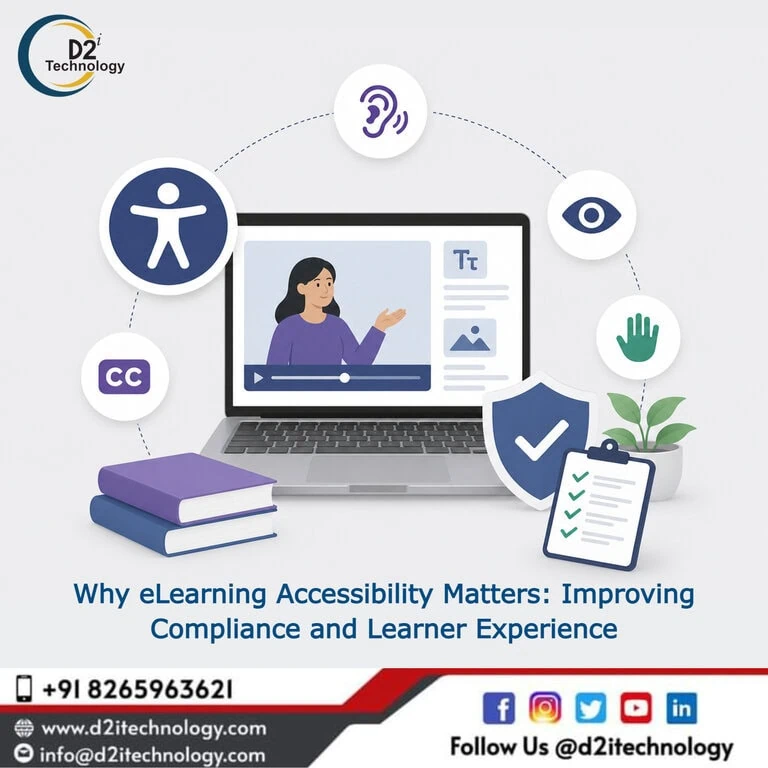
Why eLearning Accessibility Matters: Improving Compliance and Learner Experience
Picture a new employee going through mandatory compliance training on their first week at a job — except every drag-and-drop exercise is unusable with their screen reader, the quiz timer runs out before they can finish reading the question, and half the diagrams have no description at all. They haven’t failed the training. The training has failed them. This is the everyday reality that makes eLearning accessibility essential rather than optional: when course content excludes learners who use assistive technology, it doesn’t just create a legal risk — it actively prevents people from doing their jobs, completing certifications, or accessing education they’re entitled to.
This post looks at why accessibility in e-learning content deserves serious attention from organizations across the USA and India specifically, what it actually improves beyond compliance checkboxes, and how a more accessible approach to training content benefits every learner, not just those who require assistive technology.
The Compliance Case for eLearning Accessibility
United States: ADA, Section 508, and a Tightening Legal Landscape
In the US, digital accessibility law has expanded considerably in scope, and training content sits squarely within that expansion. Section 508 requires federal agencies, contractors, and federally funded organizations to make their electronic content — including e-learning — accessible to people with disabilities, with the current technical standard aligning closely with WCAG 2.1 Level AA.
Beyond the federal sector, ADA Title II’s 2024 final rule establishing WCAG 2.1 Level AA as the technical standard for state and local government digital content carries direct implications for public sector training programs, with enforcement deadlines now active. Organizations that produce or deliver training through government-adjacent channels are increasingly within scope of these requirements, whether they’ve recognized it yet or not.
India: SEBI Requirements and Growing Regulatory Attention
In India, the regulatory landscape around digital accessibility has been developing rapidly, particularly for SEBI-regulated entities. How to conduct a WCAG compliance audit specifically for SEBI-regulated organizations reflects a broader pattern — financial sector compliance training, employee certification programs, and investor education content increasingly fall under accessibility expectations that didn’t carry the same enforcement weight even a few years ago.
The growing importance of digital accessibility for Indian companies operating across regulated and unregulated sectors signals that this isn’t a temporary regulatory trend — it reflects a sustained shift in how accessibility is treated globally, and Indian organizations building or procuring e-learning content need to factor this into their planning rather than treating it as a US-specific concern.
A Shared Global Standard Makes Cross-Border Compliance More Manageable
One practical advantage for organizations operating across both the US and India: WCAG 2.1 Level AA is the technical foundation referenced by both American and Indian regulatory frameworks, even though the specific laws differ. This means an organization that builds e-learning content to a genuine WCAG 2.1 AA standard is largely positioned to meet compliance expectations in both markets simultaneously, rather than needing entirely separate accessibility programs for each region.
Beyond Compliance: What Accessible eLearning Actually Improves
Learner Completion Rates and Engagement
Inaccessible course content doesn’t just exclude learners with disabilities — it creates friction that measurably affects completion rates. A learner who struggles to navigate a confusingly structured course, can’t complete a poorly designed interaction, or runs out of time on an assessment due to rigid timing is more likely to disengage, request workarounds from a manager, or simply not finish the training at all. None of these outcomes serve the organization’s actual training objectives.
Accessible design principles — clear navigation, logical structure, adequate time allowances, plain language — improve the experience for the entire learner population, not just those who require assistive technology. How web accessibility testing intersects with overall user experience quality makes this point directly: many accessibility improvements function as straightforward usability improvements once you look past the compliance framing.
Equitable Access to Career-Relevant Certification
For training content tied to professional certifications, compliance requirements, or career advancement, accessibility isn’t a peripheral concern — it determines whether learners with disabilities have genuine equal access to the same career opportunities as their colleagues. A certification program that’s effectively inaccessible to screen reader users isn’t just a legal liability; it’s a structural barrier to professional advancement for a portion of the workforce.
Reduced Support Burden and Workaround Costs
Organizations with inaccessible training content often end up managing accessibility gaps through informal workarounds — a manager reading content aloud, an HR team manually extending quiz time on request, IT support fielding repeated complaints about unusable interactions. These workarounds carry real costs in staff time and inconsistent learner experience, and they don’t scale as training programs and learner populations grow. Building accessibility into the content itself eliminates the need for these ad hoc accommodations entirely.
Brand and Employer Reputation
For organizations with publicly stated commitments to diversity, equity, and inclusion, inaccessible training content represents a visible contradiction between policy and practice — one that current and prospective employees, especially those with disabilities, are increasingly likely to notice and discuss. Why accessibility should be treated as integral to how a company operates rather than a discretionary add-on applies with particular weight to training content, since it’s often one of the first digital experiences a new employee has with an organization.
What Inaccessible eLearning Looks Like in Practice
Drag-and-Drop and Custom Interactions That Exclude Keyboard Users
Drag-and-drop exercises — common in matching activities, sequencing tasks, and categorization exercises — frequently have no keyboard equivalent, leaving keyboard-only users and screen reader users unable to complete the interaction at all. This is one of the most consistently encountered barriers in modern e-learning content, particularly content built using authoring tools like Articulate Storyline 360 without specific attention to accessible interaction design.
Confusing or Absent Navigation Structure
Courses without proper heading structure or logical reading order leave screen reader users disoriented, unable to skim content efficiently or understand where they are within a module. Common accessibility issues found across digital content shows up just as often in e-learning navigation as it does on standard websites.
Inadequate Time Allowances on Assessments
Timed quizzes that don’t account for the additional time some learners may need — whether due to screen reader navigation taking longer, cognitive processing differences, or motor impairments affecting input speed — create artificial barriers to demonstrating actual knowledge and competency.
Missing Captions and Audio Descriptions
Video-heavy training content without captions excludes learners who are deaf or hard of hearing, and content with meaningful visual information (software demonstrations, process walkthroughs) without audio description excludes learners who are blind or have low vision from content they’re otherwise capable of learning from.
Building an Accessible eLearning Program
Start With an Honest Assessment of Current Content
Organizations with existing course libraries benefit from understanding their current accessibility status before committing to a remediation plan. Structured frameworks for conducting e-learning accessibility audits provide a systematic way to evaluate existing content against WCAG criteria rather than guessing at where the biggest gaps lie.
Prioritize Based on Compliance Risk and Learner Impact
Not every course carries equal urgency. Mandatory compliance training, certification programs, and high-enrollment courses should typically be prioritized over lower-stakes, less-trafficked content when remediation resources are limited.
Fix the Technical Patterns That Recur Most Often
A small number of recurring issues — inaccessible drag-and-drop, missing focus management, poor heading structure — account for a large share of e-learning accessibility problems. Practical approaches to building keyboard-accessible alternatives for drag-and-drop interactions addresses one of the most consistently encountered patterns directly.
Build Accessibility Into New Course Development
The most sustainable approach treats accessibility as a standard part of course development from the start rather than a remediation project applied repeatedly to an ever-growing library. Why proactive accessibility consistently produces better outcomes than reactive fixes reflects exactly the kind of long-term thinking that keeps a training program accessible as it scales.
D2i Technology’s Approach to eLearning Accessibility
D2i Technology’s accessibility team brings direct, hands-on experience across both US and Indian regulatory contexts, with particular depth in Articulate Storyline 360 remediation and accessible course development. We’ve worked through the full range of common e-learning accessibility challenges — replacing inaccessible drag-and-drop interactions, correcting heading and tab order issues, configuring focus management for coherent screen reader navigation, and building accessible course templates that scale across growing training libraries.
Our accessibility testing services cover comprehensive e-learning evaluation against WCAG 2.1/2.2 standards, and our accessibility remediation services provide the technical depth to fix what those evaluations find — whether your organization is based in the US, India, or operating across both markets.
Conclusion
eLearning accessibility matters because training content that excludes learners doesn’t just create compliance risk — it fails the basic purpose training exists to serve. Whether the driver is ADA and Section 508 requirements in the US, SEBI and emerging regulatory expectations in India, or simply a genuine commitment to equitable learner experience, the practical benefits extend well beyond avoiding legal exposure: better completion rates, reduced support burden, equitable access to career-relevant certification, and a training program that actually works for everyone it’s meant to serve.
D2i Technology brings the technical expertise and cross-market regulatory understanding to help organizations in the USA and India build e-learning content that’s genuinely accessible — not just nominally compliant.
Frequently Asked Questions
Make Every Learner's Training Experience Genuinely Accessible
D2i Technology supports organizations across the USA and India with comprehensive eLearning accessibility testing and remediation, including specialized Articulate Storyline 360 expertise. Let's build training content that works for every learner.