
- Web Accessibility
- April 3, 2026
Access Denied: The Accessibility Gap in OTP and Two-Factor Authentication
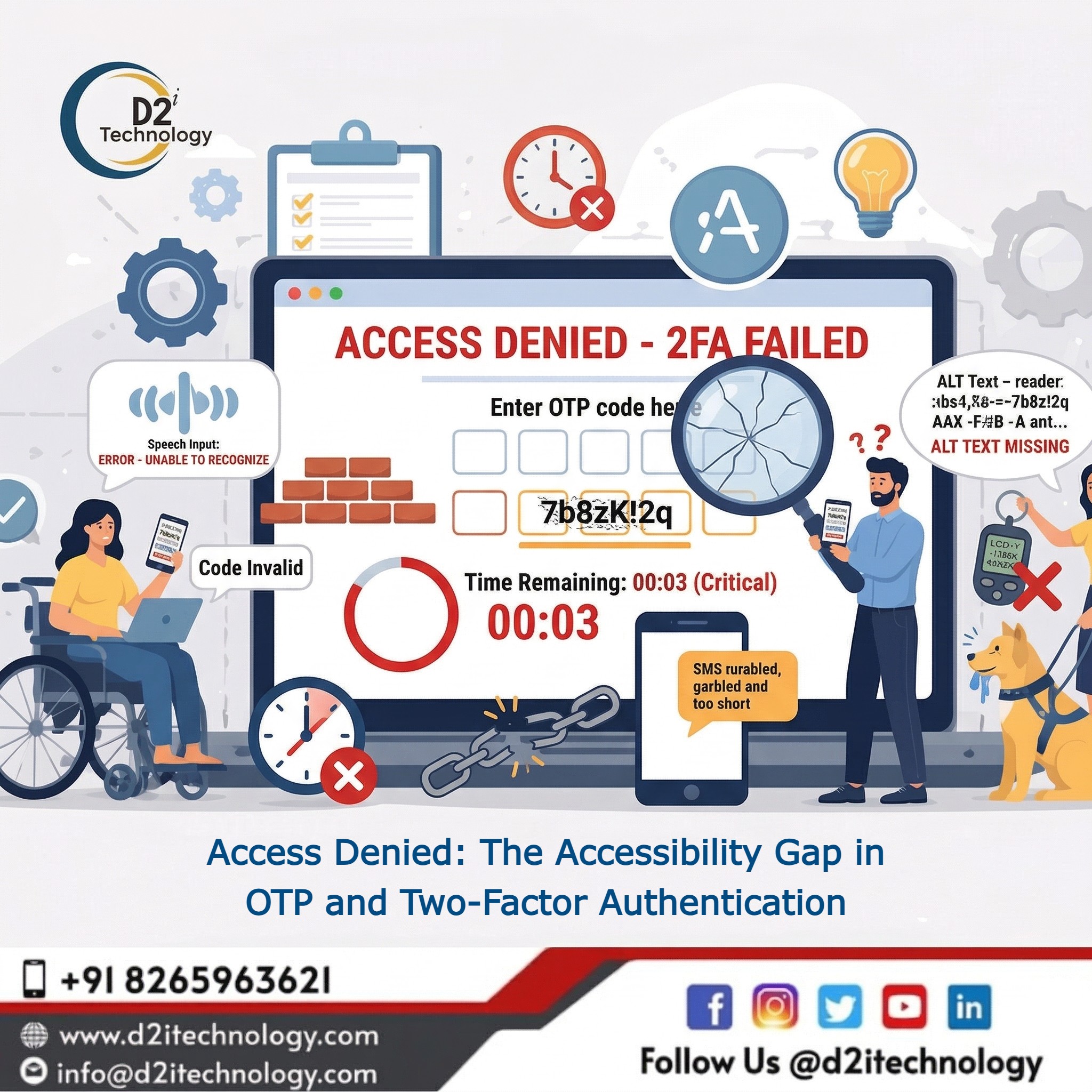
Two-factor authentication (2FA) and one-time passwords (OTPs) have become cornerstones of digital security. For most users, they are a minor inconvenience — a glance at a phone, a tap of a button, and they are in. But the accessibility gap in OTP and 2FA systems tells a very different story for the estimated 1 in 7 people globally who live with some form of disability. What feels like a routine security step to many users is, for millions of others, a door that simply does not open — and 2FA accessibility for users with disabilities remains one of the most overlooked problems in inclusive digital design.
This is not a minor UX inconvenience. It is a systemic exclusion from banking portals, healthcare platforms, government services, and workplace tools — often with zero recourse unless a non-disabled person is available to assist. And when the data involved is financial or medical, the stakes could not be higher. This highlights the urgent need for an accessibility testing service in USA to ensure inclusive and secure user experiences for everyone.
Why This Is a Bigger Problem Than Most Teams Realize
Somewhere between 15% and 25% of any given product’s user base lives with a disability. When authentication systems are inaccessible, those users do not simply struggle — they are completely denied access.
Accessible authentication is also a legal obligation. Under the Americans with Disabilities Act (ADA), Section 508, and the European Accessibility Act, digital products are required to be usable by people with disabilities. Inaccessible OTP and 2FA flows are not a grey area. They represent non-compliance. If your organization has not audited its authentication flows against WCAG standards, it is likely sitting on undisclosed legal and reputational risk.
The Most Common Accessibility Barriers in OTP and 2FA
Understanding where things break down is the first step to fixing them.
1. Time Limits That Are Impossibly Short
OTP codes typically expire within 30 to 60 seconds. For a user navigating with a keyboard, switch control, or Braille display, that window can evaporate before they have even located the input field. WCAG 2.1 Success Criterion 2.2.1 is clear: time limits must be adjustable, extendable, or removable unless the limit is essential to the function. A 30-second OTP expiry is not essential to security — it is a design convention, and it can be changed.
2. SMS as the Only Delivery Option
SMS delivery is treated as a universal default, but it is far from universal in practice:
- Deaf-blind users relying on Braille displays often cannot receive or interact with standard SMS alerts in real time
- Users with cognitive disabilities may struggle to context-switch rapidly between a phone screen and a laptop to retrieve and enter a code
- Users without smartphones — including many elderly users — are completely excluded
- Users in areas with poor cellular connectivity face unreliable delivery at the worst possible moments
An authentication system built on SMS alone is not a security system. It is a system designed for a narrow demographic.
3. CAPTCHA as a Gate Within a Gate
Many authentication flows layer CAPTCHA challenges on top of 2FA. Visual CAPTCHA is largely inaccessible to blind and low-vision users. Audio CAPTCHA alternatives are frequently so distorted that they are nearly impossible to decode, even for users without hearing loss. Adding CAPTCHA to an OTP flow does not make the product more secure — it makes it less accessible without meaningful security gain.
4. OTP Input Fields With No Accessibility Support
This is where a staggering number of implementations fail quietly. OTP input fields are routinely deployed without:
- Appropriate
aria-labelattributes - Focus management that places the user in the correct field on page load
- ARIA live region announcements to confirm code delivery or flag errors
- Keyboard navigability across multi-box inputs
A screen reader user may complete an entire authentication flow without ever knowing whether their code was accepted, rejected, or expired. This is not edge-case failure — it is a fundamental breakdown in the accessibility gap that plagues most OTP systems today. For a thorough breakdown of what common accessibility issues look like in the wild, it is worth reviewing documented patterns before your next audit.
5. Inaccessible Authenticator Apps
Even when teams offer authenticator apps as a more secure alternative to SMS, many of those apps introduce their own barriers — small tap targets, color-only time-remaining indicators without text equivalents, and inadequate screen reader support. Recommending an inaccessible tool is not a viable accommodation.
What Good 2FA Accessibility Actually Looks Like
Offer Multiple Authentication Methods
No single 2FA method works for everyone. Giving users genuine choice dramatically reduces friction:
- SMS (with extended time limits)
- Voice call — a spoken OTP is often far more usable for blind users or users with motor disabilities
- Email OTP, allowing users to leverage their own accessible email client
- Authenticator app codes, where the app has been tested for accessibility
- Hardware security keys, which require no reading or typing whatsoever
- Backup codes, stored wherever the user chooses
- Biometrics, with the firm understanding that they must never be the only option
Allow users to register multiple methods and choose their preferred method at login. This single design decision closes more of the accessibility gap in 2FA than almost anything else on this list.
Extend or Remove Rigid OTP Time Limits
A 5 to 10 minute validity window is a reasonable and widely used standard. Alongside this:
- Provide a clearly labeled, keyboard-accessible “Resend code” option
- Announce code expiry warnings using an ARIA live region so screen reader users receive the alert
- Resist the urge to build countdown clocks that toggle the resend button between active and inactive states — from an assistive technology perspective, that interaction pattern is genuinely painful to use
Build Accessible OTP Input Fields
The input field itself is a common point of failure. Follow these practices:
- Use a single text input rather than multiple individual character boxes — split inputs are notoriously difficult to navigate with a screen reader or keyboard
- If split boxes are unavoidable, ensure focus moves automatically and the group is announced as a single logical unit
- Add a descriptive
aria-labelsuch as “Enter the 6-digit code sent to your phone” - Use
inputmode="numeric"to trigger a numeric keyboard on mobile without restricting the input type - Set
autocomplete="one-time-code"so browsers and screen readers can offer to autofill the code from SMS on supported devices
For developers who want to go deeper on keyboard patterns, the keyboard navigation accessibility guide is a practical reference for implementing these interactions correctly.
Use ARIA Live Regions for State Changes
Screen reader users need real-time awareness of system changes. Use ARIA live regions to announce:
- When a code has been sent and to which delivery method
- Error messages when the code is incorrect or has expired
- Success confirmation when authentication completes
Use aria-live="polite" for informational messages and aria-live="assertive" only for critical errors that require immediate attention. Overusing assertive disrupts the reading experience — use it sparingly.
Ensure Full Keyboard Navigability
Every element of the authentication flow — the code input, resend button, method selector, and submit button — must be reachable and operable via keyboard alone. Test with Tab, Shift+Tab, Enter, and Space. Ensure visible focus indicators meet WCAG 2.1 AA contrast requirements.
This is one of the hidden accessibility issues that routinely breaks products which otherwise appear polished and compliant.
Evaluate Authenticator Apps Before Recommending Them
If your product recommends a specific authenticator app, actually test it first. Try it with VoiceOver on iOS and TalkBack on Android. Check that codes are announced correctly, that the time-remaining indicator is accessible (not just visual), and that tap targets meet the minimum 44×44 pixel requirement defined in WCAG 2.5.5.
Consider Passkeys and OAuth as Long-Term Directions
Passkeys, built on the FIDO2/WebAuthn standard, are among the most accessible authentication methods available. They replace passwords and OTPs with biometric or device-based authentication — removing the need to read, copy, or type codes entirely. For users with visual, motor, or cognitive disabilities, passkeys can reduce the login process to a single gesture.
OAuth reduces authentication burden in ways that directly benefit users with disabilities:
- For blind and low-vision users, it eliminates repeated navigation through inconsistently structured login forms
- For users with motor disabilities, it reduces keystrokes and fine-motor demands associated with entering credentials across multiple services
- For users with cognitive disabilities, it eliminates the burden of managing dozens of separate credential sets
OAuth also supports passkey and biometric flows through the identity provider, effectively delegating accessibility responsibility to organizations — such as Google or Microsoft — with larger, more mature accessibility programs.
Testing 2FA With Real Users With Disabilities
Automated tools will catch some issues — missing labels, contrast failures, obvious ARIA errors. But the most revealing testing comes from real users with disabilities. Recruit testers who use screen readers, switch access, Braille displays, and voice control software. Compensate them fairly for their expertise. Focus usability sessions specifically on the authentication process, not just the main product experience.
If your team does not have established relationships with disabled testers, a specialist accessibility testing service can facilitate structured user testing as part of a broader compliance program.
Don’t Overlook Account Recovery
The accessibility gap in 2FA does not end at login. Account recovery is frequently where things get harder, not easier. When a user loses access to their second factor, the recovery process can involve identity verification documents, customer service calls, and secondary codes. Every one of those steps needs the same accessibility treatment as the primary login. There must always be an alternative path that does not rely on a method the user physically cannot access.
Bringing It All Together
Closing the accessibility gap in OTP and two-factor authentication is not a one-step fix. It requires combining multiple approaches: offering genuine method choices, extending time limits, building correctly labeled and keyboard-navigable inputs, announcing state changes with ARIA live regions, and testing with real disabled users.
The good news is that accessible authentication is simply better authentication. Clearer error messages, more flexible timing, and additional input options reduce friction for everyone — not just users with disabilities.
Security and accessibility are not in conflict. A system that works for everyone is more resilient, more legally defensible, and more trusted by the people who use it.
If your product includes any form of OTP or 2FA flow, now is the right time to run a thorough web accessibility audit and remediation review. What looks like a small technical detail in a login form can be the difference between access and exclusion for millions of users.
Frequently Asked Questions
Is Your Authentication Flow Denying Access to Users with Disabilities?
An inaccessible OTP or 2FA system is not just a usability problem — it is a compliance risk and a barrier to inclusion. D2i Technology's IAAP-certified accessibility specialists audit and remediate authentication flows against WCAG 2.1/2.2 standards, helping your team build login experiences that are secure, inclusive, and legally defensible.