
- Accessibility Compliance
- May 12, 2026
ADA Title II Digital Accessibility Checklist for Government Websites
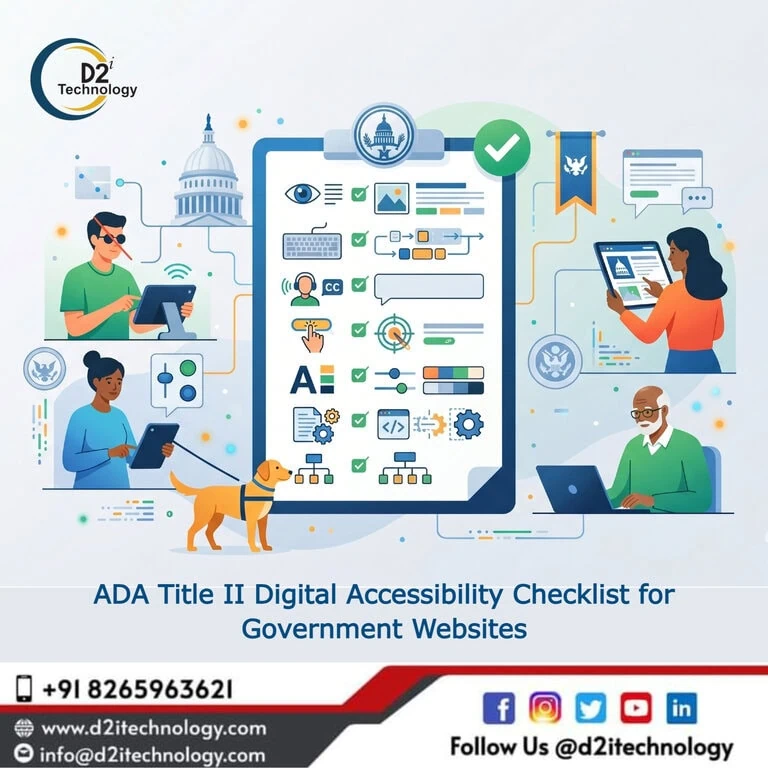
If your organization falls under state or local government, there is one term you cannot afford to overlook in 2026 — ADA Title II digital accessibility. The U.S. Department of Justice finalized its landmark rule under Title II of the Americans with Disabilities Act, setting clear, enforceable standards for how government websites and digital services must serve people with disabilities. Whether you manage a city portal, a county health department site, or a public university platform, this checklist is your starting point for understanding exactly what is required, what the deadlines look like, and how to get there without the guesswork.
What Is the ADA Title II Accessibility Rule?
Title II of the Americans with Disabilities Act has long prohibited discrimination against people with disabilities by state and local government entities. What changed in 2024 — with full enforcement rolling into 2026 — is that the DOJ now explicitly requires these entities to conform to WCAG 2.1 Level AA as the technical standard for web and mobile accessibility.
This means vague “good faith effort” arguments no longer hold up. The ada title ii accessibility rule establishes WCAG 2.1 AA as the baseline, and public entities must demonstrate measurable compliance, not just intent.
For a broader understanding of how this rule intersects with general web accessibility standards in 2026, our team has covered the full picture in this guide: ADA Website Accessibility Compliance 2026 – WCAG Guide.
Who Must Comply? Understanding the Scope
The rule applies to all state and local government entities — which includes:
- City, county, and municipal governments
- Public school districts and state universities
- Public libraries and transit authorities
- State health departments and court systems
- Any government-affiliated agency that provides services, programs, or activities to the public
Private organizations receiving federal funding through government grants may also face parallel obligations under Section 504 of the Rehabilitation Act, so the net is wider than most assume.
ADA Title II Compliance Deadlines (2026 Update)
The DOJ rule established a phased compliance timeline based on entity size. Large public entities serving populations of 50,000 or more were required to comply by April 24, 2026. Small public entities with populations under 50,000, along with special district governments, have until April 26, 2027 to meet the same standard.
If you are a large public entity, the ADA Title II compliance deadline has either arrived or is imminent. There is no grace period built into the final rule beyond the phased dates, and failure to comply opens the door to formal DOJ complaints, private litigation, and reputational damage.
For a deeper look at how these deadlines affect Indian companies with U.S. government clients, read: ADA Title II Web Accessibility 2026 – USA and Indian Websites.
The ADA Title II Digital Accessibility Checklist
Below is a practical, actionable checklist aligned with ada title ii web accessibility 2026 requirements. Each section maps directly to WCAG 2.1 AA success criteria.
1. Perceivable Content
- All non-text content (images, icons, charts) has meaningful alternative text
- Decorative images are marked as such (
alt=""orrole="presentation") - Pre-recorded audio has accurate captions and transcripts
- Pre-recorded video has audio descriptions where visual content conveys meaning
- Live captions are provided for live audio/video content
- Content does not rely solely on color to convey information
- Text meets minimum color contrast ratio of 4.5:1 (3:1 for large text)
- Text can be resized up to 200% without loss of content or functionality
- No content flashes more than three times per second
Use our free Color Contrast Analyzer Tool to verify contrast ratios without needing third-party software.
2. Operable Navigation and Interactions
- All functionality is accessible via keyboard alone (no mouse dependency)
- Keyboard focus is always visible and clearly styled
- No keyboard traps — users can navigate to and away from all components
- Skip navigation links are provided to bypass repeated content
- Page titles are descriptive and unique for each page
- Link text is descriptive (no “click here” or “read more” without context)
- Users can pause, stop, or hide any auto-playing content
- No time limits that cannot be adjusted or turned off
- Touch targets on mobile are at least 24×24 CSS pixels (WCAG 2.2 addition)
Keyboard navigation is a foundational requirement — learn more in our detailed post: Keyboard Navigation Accessibility Guide.
3. Understandable Content and Forms
- Page language is set correctly in the HTML
langattribute - Sections in a different language are marked with a
langattribute - Error messages clearly identify the field in error and explain the issue
- Form labels are programmatically associated with their inputs
- Autocomplete attributes are applied to common personal data fields
- Instructions are provided before forms, not just inline error messages
- Navigation is consistent across pages (menus, breadcrumbs, headers)
- Unusual words, abbreviations, and jargon are explained or defined
4. Robust Code and Assistive Technology Compatibility
- HTML is valid, well-structured, and free of parsing errors
- ARIA roles, states, and properties are used correctly and only where needed
- Custom components (accordions, modals, carousels) expose proper ARIA attributes
- Status messages are announced to screen readers without losing focus
- PDFs and downloadable documents are tagged and accessible
- Third-party widgets and embeds are audited for accessibility
For help evaluating whether automated tools are catching everything, read: Manual Accessibility Audit vs Automated.
5. Mobile and Responsive Accessibility
- Content works in both portrait and landscape orientations
- No functionality requires motion or gestures that cannot be performed another way
- Text inputs do not trigger unexpected viewport changes
- Touch target spacing avoids accidental activation of adjacent controls
6. Documents, PDFs, and Third-Party Content
- All PDFs linked from the website are tagged for accessibility
- Scanned-image PDFs are either replaced or OCR-processed
- Embedded maps, calendars, and widgets meet the same WCAG 2.1 AA standard
- Social media embeds have accessible fallbacks
- iFrames have descriptive title attributes
7. Policy and Process Requirements
- An accessibility statement is published on the website
- A feedback mechanism is provided for users to report accessibility barriers
- The organization has an internal accessibility policy
- Staff who manage or update the website have received accessibility training
- A VPAT (Voluntary Product Accessibility Template) is maintained for core tools and platforms
- A formal remediation process exists for reported issues
These process requirements matter as much as the technical ones. The DOJ looks for evidence of systemic commitment, not just a one-time audit. You can review related practices in our post: Why Businesses Need Accessibility Testing Services in 2026.
Common Mistakes Government Websites Make
Even well-resourced public entities tend to struggle with specific areas:
PDF Accessibility is the most common failure. Scanned budget documents, public meeting minutes, and grant applications are often uploaded without any tagging, making them completely inaccessible to screen reader users.
Video Captions are frequently auto-generated and uncorrected. Auto-captions may reach 70–80% accuracy, but that falls well short of what the ADA requires for “accurate” captions.
Custom Interactive Components — including dropdown menus, date pickers, and map filters — are almost always built without ARIA support, making them unusable via keyboard or screen reader.
Color Contrast in Brand Templates is another recurring issue. Many government sites use branded color palettes that were designed without contrast in mind, and updating them requires working with design teams who may resist brand changes.
Our team regularly identifies and resolves these issues through structured audits. If you want to understand what a thorough audit looks like, read: Web Accessibility Audit and Remediation Services for Enterprises 2026.
What Happens If You Miss the ADA Title II Compliance Deadline?
Non-compliance carries real consequences:
- DOJ Complaints — Anyone can file a complaint with the Department of Justice, triggering a formal investigation
- Private Lawsuits — Individuals with disabilities can file civil suits under Title II
- Loss of Federal Funding — For entities also subject to Section 504, non-compliance can jeopardize federal grants
- Reputational Damage — Public agencies found non-compliant often face media scrutiny and community trust issues
These risks make proactive remediation far less expensive than reactive legal defense. Learn more about the value of an Accessibility Remediation Services approach before a complaint lands.
How D2i Technology Supports ADA Title II Compliance
At D2i Technology, our IAAP-certified accessibility specialists work directly with government entities and their technology vendors to move from checklist to compliant. Our process includes:
- Manual and automated WCAG 2.1 AA audit against all seven checklist areas above
- A prioritized remediation roadmap that distinguishes critical failures from enhancements
- Developer-ready issue reports with code-level recommendations
- PDF and document remediation for legacy files
- Ongoing monitoring to maintain compliance beyond the initial audit
You can review our full Accessibility Testing Services and Accessibility Services offerings to understand how we structure engagements for public sector clients.
Also see: Web Accessibility Remediation — Why It Matters for context on why remediation must be planned, not patched.
Final Thought
ADA Title II digital accessibility is no longer something government entities can defer to a future budget cycle. The rule is final, the deadlines are set, and the standard — WCAG 2.1 Level AA — is specific and measurable. The checklist above gives you a clear-eyed look at where your site likely stands and what needs to change. Start with a structured audit, prioritize barriers that affect the most users, and build the internal processes that keep compliance sustainable.
Frequently Asked Questions
Is Your Government Website Ready for ADA Title II?
Our IAAP-certified accessibility experts conduct thorough WCAG 2.1 AA audits tailored for public-sector websites — covering everything from page code to PDFs to third-party widgets. Don't wait for a complaint to find out where the gaps are.