- Website Development
- May 1, 2026
The Future of Development: Embracing Code Review Automation
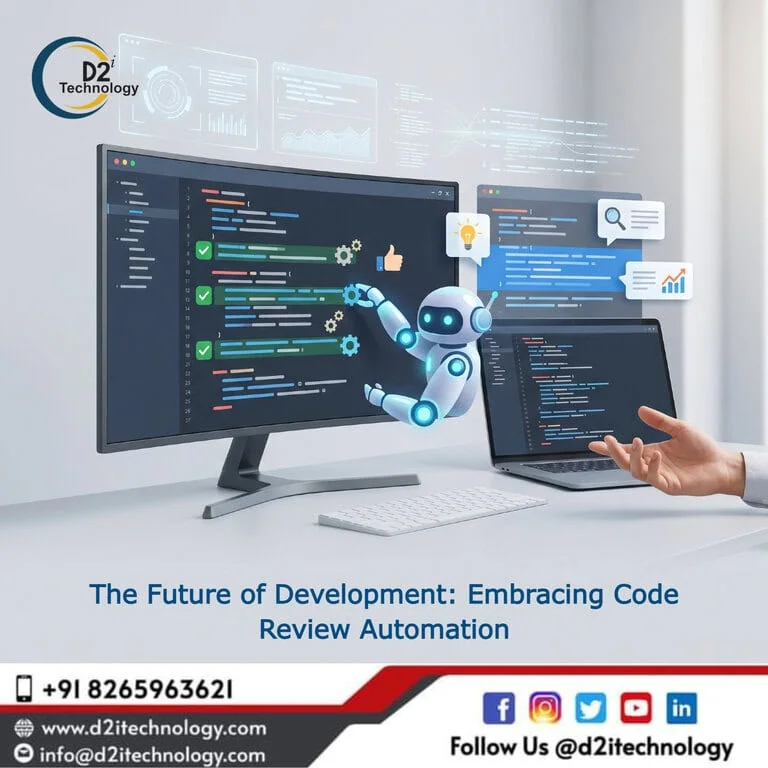
Software development teams face mounting pressure to deliver quality code faster while maintaining security, consistency, and best practices. Code Review Automation transforms how organizations approach quality assurance, replacing manual, time-consuming review processes with intelligent systems that catch errors, enforce standards, and accelerate delivery without sacrificing quality. As codebases grow increasingly complex and development cycles compress, automation isn’t just helpful—it’s essential for teams wanting to stay competitive while maintaining high standards. The right automation strategy combines human expertise with machine precision, creating review processes that scale efficiently without bottlenecks or quality compromises.
This comprehensive guide explores how code review automation revolutionizes software development, the tools and strategies that deliver results, and how to implement automation effectively within your development workflow.
The Evolution of Code Review
Code review has transformed dramatically from its origins to today’s sophisticated automated systems.
Traditional Manual Review Challenges
Manual code reviews, while valuable, face inherent limitations:
Time Consumption: Senior developers spend hours reviewing pull requests, creating bottlenecks that delay releases. As teams grow and codebases expand, manual review becomes increasingly unsustainable.
Inconsistency: Different reviewers apply different standards. What one developer flags, another might miss. Human attention fluctuates throughout the day, affecting review quality.
Scalability Issues: Manual review doesn’t scale well. Adding developers increases review burden exponentially, creating delays and frustration.
Cognitive Overload: Developers reviewing hundreds of lines of code miss subtle issues while catching obvious problems. Important architectural concerns get overlooked amid syntax checking.
Delayed Feedback: Long review queues mean developers receive feedback hours or days after submitting code, requiring context switching and reducing efficiency.
Learn how custom software development benefits from modern review practices.
The Automation Revolution
Modern code review automation addresses these challenges systematically:
Immediate Feedback: Automated tools provide instant feedback on code quality, security vulnerabilities, and style violations the moment code is committed.
Consistent Standards: Automation applies identical standards across all code, ensuring consistency regardless of who wrote the code or when it was submitted.
Scalable Review: Automated systems handle unlimited code volume without slowing down, enabling teams to scale without proportional increases in review time.
Focus Human Attention: By handling routine checks, automation frees senior developers to focus on architecture, logic, and complex design decisions requiring human judgment.
Comprehensive Coverage: Automated tools can check aspects humans might miss—security vulnerabilities, performance issues, dependency problems—across entire codebases.
What Code Review Automation Covers
Modern automation tools evaluate multiple aspects of code quality.
Static Code Analysis
Automated static analysis examines code without executing it:
Code Quality Metrics:
- Cyclomatic complexity measurement
- Code duplication detection
- Code smell identification
- Maintainability index calculation
- Technical debt assessment
Coding Standards:
- Style guide enforcement
- Naming convention validation
- Formatting consistency
- Documentation completeness
- Best practice adherence
Bug Detection:
- Null pointer risks
- Resource leaks
- Type mismatches
- Logic errors
- Edge case handling
Security Vulnerability Scanning
Automated security analysis identifies potential vulnerabilities:
Common Vulnerability Detection:
- SQL injection risks
- Cross-site scripting (XSS) vulnerabilities
- Authentication weaknesses
- Authorization flaws
- Insecure data handling
Dependency Scanning:
- Outdated library identification
- Known vulnerability databases
- License compliance checking
- Supply chain security
- Transitive dependency analysis
Understand how database security in DevSecOps integrates with automated review.
Code Coverage Analysis
Automated testing coverage evaluation:
Test Coverage Metrics:
- Line coverage percentage
- Branch coverage assessment
- Function coverage tracking
- Condition coverage evaluation
- Coverage trend analysis
Quality Gates:
- Minimum coverage thresholds
- Coverage reduction prevention
- Critical path coverage requirements
- New code coverage mandates
- Coverage reporting and visualization
Performance Analysis
Automated performance issue detection:
Performance Patterns:
- Inefficient algorithm identification
- Database query optimization
- Memory leak detection
- Resource utilization analysis
- Scalability concern flagging
License Compliance
Automated license checking:
Compliance Verification:
- Open source license identification
- License compatibility checking
- Licensing obligation tracking
- Attribution requirement enforcement
- License policy violation detection
Leading Code Review Automation Tools
Multiple tools address different automation needs.
SonarQube
Capabilities:
- Multi-language support (25+ languages)
- Code quality and security analysis
- Technical debt quantification
- Continuous inspection
- Quality gate enforcement
- Integration with CI/CD pipelines
Best For: Teams wanting comprehensive code quality platforms with strong reporting and tracking capabilities.
CodeClimate
Capabilities:
- Maintainability assessment
- Test coverage tracking
- Duplication detection
- Complexity analysis
- Trend visualization
- Pull request integration
Best For: Teams prioritizing maintainability and technical debt management.
Codacy
Capabilities:
- Automated code reviews
- Security scanning
- Code complexity tracking
- Style enforcement
- Custom pattern creation
- Multiple integration options
Best For: Teams seeking highly configurable automation with extensive customization.
DeepSource
Capabilities:
- Automatic issue fixing
- Security vulnerability detection
- Performance antipattern identification
- Documentation analysis
- Auto-fix suggestions
- GitHub and GitLab integration
Best For: Teams wanting automation that not only identifies but fixes issues automatically.
Snyk
Capabilities:
- Dependency vulnerability scanning
- Container security analysis
- Infrastructure as code scanning
- License compliance checking
- Automated fix pull requests
- Developer-first security
Best For: Teams prioritizing security and dependency management.
Explore trending software development tools for modern development.
Implementing Code Review Automation Successfully
Effective implementation requires strategic planning and gradual adoption.
Step 1: Assess Current State
Understand your baseline before implementing automation:
Review Process Audit:
- Current review time and bottlenecks
- Common issues found in reviews
- Reviewer capacity and availability
- Quality escapes to production
- Developer feedback loops
Team Skills Assessment:
- Technical proficiency levels
- Tool familiarity
- Security knowledge
- Best practice awareness
- Learning capacity and willingness
Codebase Analysis:
- Size and complexity
- Technology stack
- Code quality baseline
- Technical debt level
- Test coverage current state
Step 2: Define Goals and Metrics
Establish clear objectives and success measures:
Quality Goals:
- Reduce defect rates by X%
- Increase code coverage to Y%
- Decrease technical debt
- Improve maintainability scores
- Reduce security vulnerabilities
Efficiency Goals:
- Reduce review time by X%
- Increase deployment frequency
- Decrease time to feedback
- Improve developer productivity
- Accelerate release cycles
Metrics to Track:
- Code quality trends
- Review turnaround time
- Defect detection rates
- False positive rates
- Developer satisfaction
Step 3: Select Appropriate Tools
Choose tools matching your needs and constraints:
Selection Criteria:
- Language and framework support
- Integration capabilities
- Customization options
- Cost and licensing
- Team size scalability
- Learning curve
- Support and documentation
Evaluation Process:
- Pilot with small team or project
- Evaluate against actual code
- Gather developer feedback
- Assess false positive rates
- Verify integration smoothness
- Test scalability
Step 4: Configure and Customize
Tailor automation to your context:
Rule Configuration:
- Start with recommended rulesets
- Customize based on team standards
- Disable noisy or irrelevant rules
- Create custom rules for specific patterns
- Set appropriate severity levels
Integration Setup:
- CI/CD pipeline integration
- Version control system hooks
- Pull request automation
- Issue tracking connections
- Notification configuration
Quality Gates:
- Define passing criteria
- Set coverage thresholds
- Establish security requirements
- Configure blocking vs. warning issues
- Create exemption processes
Learn about DevOps CI/CD benefits for automation integration.
Step 5: Gradual Rollout
Implement incrementally to ensure adoption:
Phased Implementation:
- Start with non-blocking feedback mode
- Enable blocking on new code only
- Gradually expand coverage
- Address legacy code systematically
- Monitor and adjust continuously
Team Onboarding:
- Provide training on tools
- Share best practices
- Document common issues
- Create feedback channels
- Celebrate quick wins
Continuous Improvement:
- Review false positive rates
- Adjust rules based on feedback
- Add new checks incrementally
- Track metric improvements
- Share learnings across teams
Balancing Automation and Human Review
Automation complements rather than replaces human judgment.
What Automation Handles Well
Automated tools excel at:
Mechanical Checks:
- Style and formatting
- Syntax and compilation
- Basic logic errors
- Security patterns
- Performance antipatterns
Scale and Consistency:
- Large codebase analysis
- Consistent standard application
- Historical trend tracking
- Comprehensive coverage
- Tireless repetition
Speed and Availability:
- Instant feedback
- Always-on checking
- Parallel processing
- No queue delays
- Immediate issue identification
What Requires Human Expertise
Human reviewers remain essential for:
Architectural Decisions:
- Design pattern appropriateness
- System integration concerns
- Long-term maintainability
- Scalability planning
- Technology choice validation
Business Logic:
- Requirement fulfillment
- Edge case handling
- User experience implications
- Domain knowledge application
- Context-specific decisions
Collaboration and Mentoring:
- Knowledge sharing
- Best practice teaching
- Team culture building
- Career development
- Code ownership fostering
Learn about code review automation development efficiency optimization.
Best Practices for Code Review Automation
Maximize automation effectiveness through these practices.
Start Small and Expand
Initial Focus:
- Begin with high-value, low-controversy checks
- Focus on objective, measurable rules
- Target areas with frequent issues
- Start with warning mode before blocking
- Gather feedback and iterate
Gradual Expansion:
- Add complexity incrementally
- Expand rule coverage over time
- Increase enforcement gradually
- Build team confidence
- Maintain sustainable pace
Minimize False Positives
Configuration Tuning:
- Review and adjust thresholds
- Disable noisy rules
- Create project-specific exceptions
- Regularly audit flagged issues
- Balance sensitivity and specificity
Custom Rule Development:
- Create rules specific to your context
- Encode institutional knowledge
- Address recurring patterns
- Document rule rationale
- Maintain rule repository
Integrate into Workflow
Seamless Integration:
- Run checks automatically on commits
- Integrate with pull requests
- Provide IDE integration
- Enable pre-commit hooks
- Create smooth developer experience
Clear Feedback:
- Provide actionable error messages
- Link to documentation and examples
- Suggest fixes where possible
- Prioritize issues clearly
- Make resolution straightforward
Foster Team Ownership
Shared Responsibility:
- Involve team in rule decisions
- Encourage custom rule creation
- Review automation effectiveness regularly
- Share learnings across projects
- Celebrate automation wins
Continuous Learning:
- Analyze escaped defects
- Review false negative patterns
- Update rules based on production issues
- Share knowledge through documentation
- Conduct regular retrospectives
Measuring Code Review Automation Success
Track metrics demonstrating automation value.
Quality Metrics
Defect Rates:
- Bugs found in development vs. production
- Security vulnerabilities detected
- Performance issues identified
- Code quality score trends
- Technical debt changes
Coverage Metrics:
- Test coverage percentage
- Code review coverage
- Security scan coverage
- Static analysis coverage
- Compliance checking coverage
Efficiency Metrics
Time Savings:
- Review turnaround time
- Time to feedback
- Developer wait time
- Review cycle duration
- Time to merge
Productivity Gains:
- Pull requests per developer
- Code throughput
- Release frequency
- Feature velocity
- Developer satisfaction
Adoption Metrics
Tool Usage:
- Active users
- Rules triggered
- Issues fixed automatically
- Custom rules created
- Integration utilization
Team Engagement:
- False positive reports
- Rule suggestions
- Documentation contributions
- Training participation
- Feedback quality
Common Pitfalls and How to Avoid Them
Learn from common implementation mistakes.
Over-Automation
Problem: Enforcing too many rules too quickly overwhelms developers with noise, causing tool fatigue and reduced trust.
Solution: Start conservatively, add rules incrementally based on demonstrated value, and continuously tune based on feedback.
Ignoring False Positives
Problem: High false positive rates train developers to ignore automation feedback, undermining effectiveness.
Solution: Regularly review flagged issues, tune rules to reduce noise, and maintain high signal-to-noise ratio.
Treating Automation as Replacement
Problem: Eliminating human review entirely loses architectural oversight, knowledge sharing, and mentoring opportunities.
Solution: Use automation to enhance human review, freeing senior developers for high-value architectural discussions.
Poor Integration
Problem: Disconnected tools requiring manual intervention create friction, reducing adoption and effectiveness.
Solution: Integrate seamlessly into existing workflows, automate everything possible, and minimize context switching.
Neglecting Maintenance
Problem: Unmaintained automation becomes outdated, generates irrelevant warnings, and loses team confidence.
Solution: Regularly review rules, update for new patterns, deprecate obsolete checks, and maintain rule quality.
The D2i Technology Approach
D2i Technology integrates code review automation throughout development processes.
Comprehensive DevOps Integration
Our DevOps services include:
- Automated code review pipeline setup
- CI/CD integration and optimization
- Security scanning automation
- Quality gate configuration
- Continuous monitoring and improvement
Custom Development Standards
We establish automated enforcement:
- Organization-specific coding standards
- Industry best practice rules
- Security compliance automation
- Performance optimization checks
- Custom pattern detection
Training and Enablement
Building internal capabilities:
- Developer training on tools
- Best practice workshops
- Custom rule development
- Tool configuration guidance
- Ongoing consultation
Learn about automation testing tools we utilize.
Future Trends in Code Review Automation
Automation continues evolving with new capabilities.
AI-Powered Review
Machine learning enhances automation:
- Pattern learning from historical reviews
- Context-aware suggestions
- Natural language explanations
- Automatic fix generation
- Predictive quality analysis
Real-Time Collaboration
Enhanced team coordination:
- Live pair programming integration
- Synchronous review sessions
- Interactive fix suggestions
- Team knowledge sharing
- Collective code ownership
Continuous Intelligence
Smarter feedback mechanisms:
- Personalized learning recommendations
- Team skill gap identification
- Automated mentoring
- Progress tracking
- Capability development
Conclusion
Code Review Automation represents the future of quality-focused software development. By combining machine efficiency with human expertise, automation enables teams to maintain high standards while accelerating delivery. The key lies not in replacing human judgment but in amplifying it—freeing experienced developers from routine checks to focus on architecture, design, and mentoring while ensuring consistent, comprehensive quality checking across all code.
Successful automation implementation requires thoughtful tool selection, gradual rollout, continuous tuning, and team buy-in. Start small, measure results, iterate based on feedback, and expand incrementally. The investment in automation infrastructure pays dividends through improved quality, faster delivery, and more engaged developers.
Don’t let manual review bottlenecks slow your development. Embrace automation strategically and unlock your team’s full potential.
Frequently Asked Questions
Accelerate Your Development with Smart Automation
Ready to implement code review automation that actually works? D2i Technology's DevOps experts design and deploy automated review pipelines tailored to your technology stack, development practices, and quality objectives. From tool selection through team training, we ensure automation enhances rather than hinders your development process.