- Accessibility Compliance
- December 16, 2024
Manual Accessibility Audit vs Automated Audit: What Really Works (And What Doesn’t)
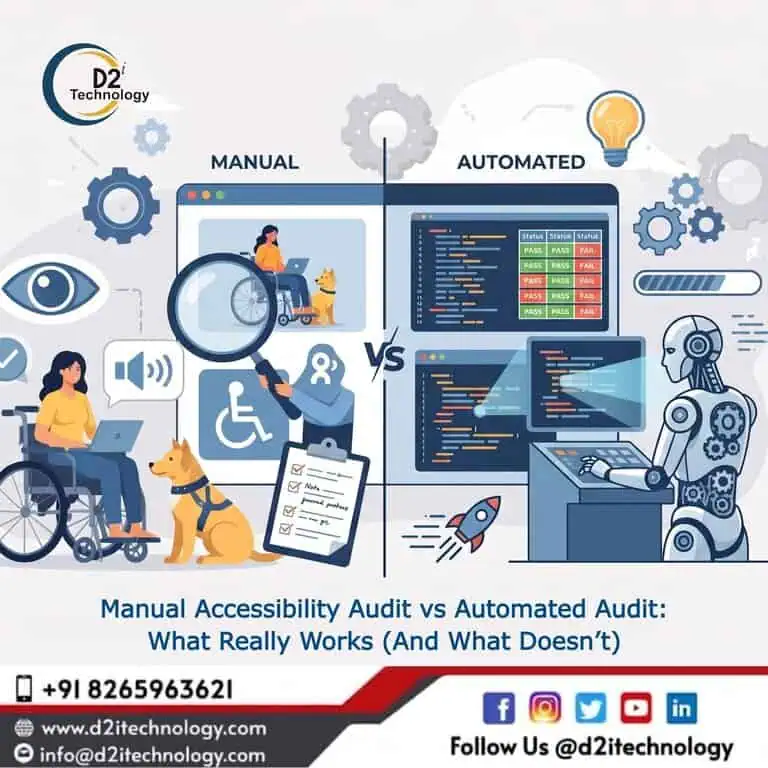
Digital accessibility is no longer optional—it’s a business, legal, and user experience requirement. Yet, many organizations still struggle with one fundamental question:
Should you rely on automation tools, manual audits, or quick-fix accessibility plugins?
The short answer: automation alone is not enough, and plugins are not a real solution.
Let’s break this down with clarity.
Why Accessibility Matters More Than Ever
With increasing regulations like WCAG and ADA compliance, businesses are expected to ensure that their digital platforms are usable by everyone, including users with disabilities.
Ignoring accessibility is not just a compliance risk—it directly impacts:
- User experience
- Brand reputation
- Legal exposure
- Revenue potential
This is where accessibility testing becomes critical.
Automated Accessibility Audit: Fast but Limited
Automated tools are often the first step companies take. They are fast, scalable, and easy to integrate into CI/CD pipelines.
What automation does well:
- Detects missing alt text
- Identifies color contrast issues
- Flags basic HTML structure problems
- Scans large volumes of pages quickly
But here’s the limitation:
Automated tools can typically detect only 20–30% of accessibility issues.
They cannot:
- Understand context
- Validate keyboard navigation properly
- Assess screen reader experience
- Detect logical or usability issues
This means relying only on automation creates a false sense of compliance.
Manual Accessibility Audit: The Real Standard
A manual accessibility audit involves certified experts testing your application using real assistive technologies like screen readers, keyboard navigation, and user behavior simulations.
What manual audits cover:
- Screen reader compatibility
- Keyboard-only navigation
- Focus management
- ARIA roles and correctness
- Logical content flow
- Real user experience
Manual testing ensures that your product is not just technically compliant but actually usable.
The Real Difference
Automation checks code.
Manual audit checks experience.
Automation finds errors.
Manual audit finds risks.
Automation is fast.
Manual audit is accurate.
If your goal is true WCAG compliance, manual auditing is non-negotiable.
The Myth of Accessibility Plugins
Many businesses try to shortcut accessibility by installing plugins or overlays that claim “one-click compliance.”
This is one of the biggest misconceptions in the industry.
Why accessibility plugins fail:
- They don’t fix the source code
They sit on top of your application instead of solving real issues. - They break native behavior
Many overlays interfere with screen readers and keyboard navigation. - They don’t meet WCAG requirements
Compliance requires code-level fixes, not UI overlays. - They create legal risk
Many lawsuits have been filed against companies relying on accessibility plugins.
Reality:
Accessibility is an engineering problem—not a UI toggle.
Why “Fix Later” Doesn’t Work
Accessibility cannot be treated as a post-production fix.
If ignored early:
- Fixing costs increase significantly
- Technical debt grows
- UI/UX inconsistencies multiply
The best approach is to build accessibility into the development lifecycle.
The Right Approach: Hybrid Model
The most effective strategy combines both:
Step 1: Automated Accessibility Testing
Use tools for quick scans and continuous monitoring.
Step 2: Manual Accessibility Audit
Conduct detailed audits for real-world usability and compliance.
Step 3: Accessibility Remediation
Fix issues at the code level with proper implementation.
Step 4: Ongoing Monitoring
Accessibility is not one-time—it requires continuous validation.
Key Takeaway
- Automated audits are useful—but incomplete
- Manual audits are essential for real compliance
- Accessibility plugins are not a reliable solution
- True accessibility requires code-level fixes and expert validation
Final Thoughts
Accessibility is not just about compliance—it’s about inclusivity and building products that work for everyone.
Organizations that treat accessibility as a checkbox will always struggle.
Those that treat it as a core part of engineering will build better, scalable, and future-ready products.
Need Help with Accessibility?
If you’re planning to audit or fix accessibility issues, it’s important to take the right approach from the beginning.
At D2i Technology, we provide:
- Manual accessibility audits
- Automated testing integration
- Full remediation support
- WCAG, ADA, and VPAT compliance
Reach out for a quick audit or second opinion—sometimes a small fix can prevent major compliance risks.
Frequently Asked Questions
Speak to an Expert
Don't let compliance risks or usability barriers hold your business back. D2i Technology provides expert manual audits, automated testing integration, and full remediation support to ensure your product meets WCAG and ADA standards